

Customer reviews and promo codes
You choose which reviews show on the site, and the Témoignages block displays them. Promo codes are Fleetee’s discount codes, typed by your customers in the booking module.
Objective
By the end of this lesson, you will know how to show your best reviews on the site and offer a promo code to your customers.
The essentials
Reviews. When review collection is on (set by the administrator, in Manager’s Settings), every customer receives a review request after their rental. Reviews do not show on the site on their own: Léa sees the list, and Julie, the administrator, chooses which ones to show.
In Réservation › Avis clients (Booking › Customer reviews), the list can be filtered by source (Fleetee or Google) and by rating. On each Fleetee review, the Afficher sur le site (Show on the site) switch publishes it; you can also publish automatically from a rating. Then one places in a page a Témoignages (Testimonials) block with the source “Avis Fleetee (liés)”: the site shows up to 12. A review without a comment cannot be published.
Promo codes. For the winter offer, Léa opens Réservation › Codes promo (Booking › Promo codes) and clicks “Créer un code promo” (Create a promo code): the code (WINTER10: unaccented letters, digits, “-” and “_”, 32 characters at most), its name printed on invoices, the reduction, validity and conditions, then “Disponible sur le site” (Available on the site). These are the same codes as Manager’s discount codes (Pricing › Discount codes): the agency team sees them too.
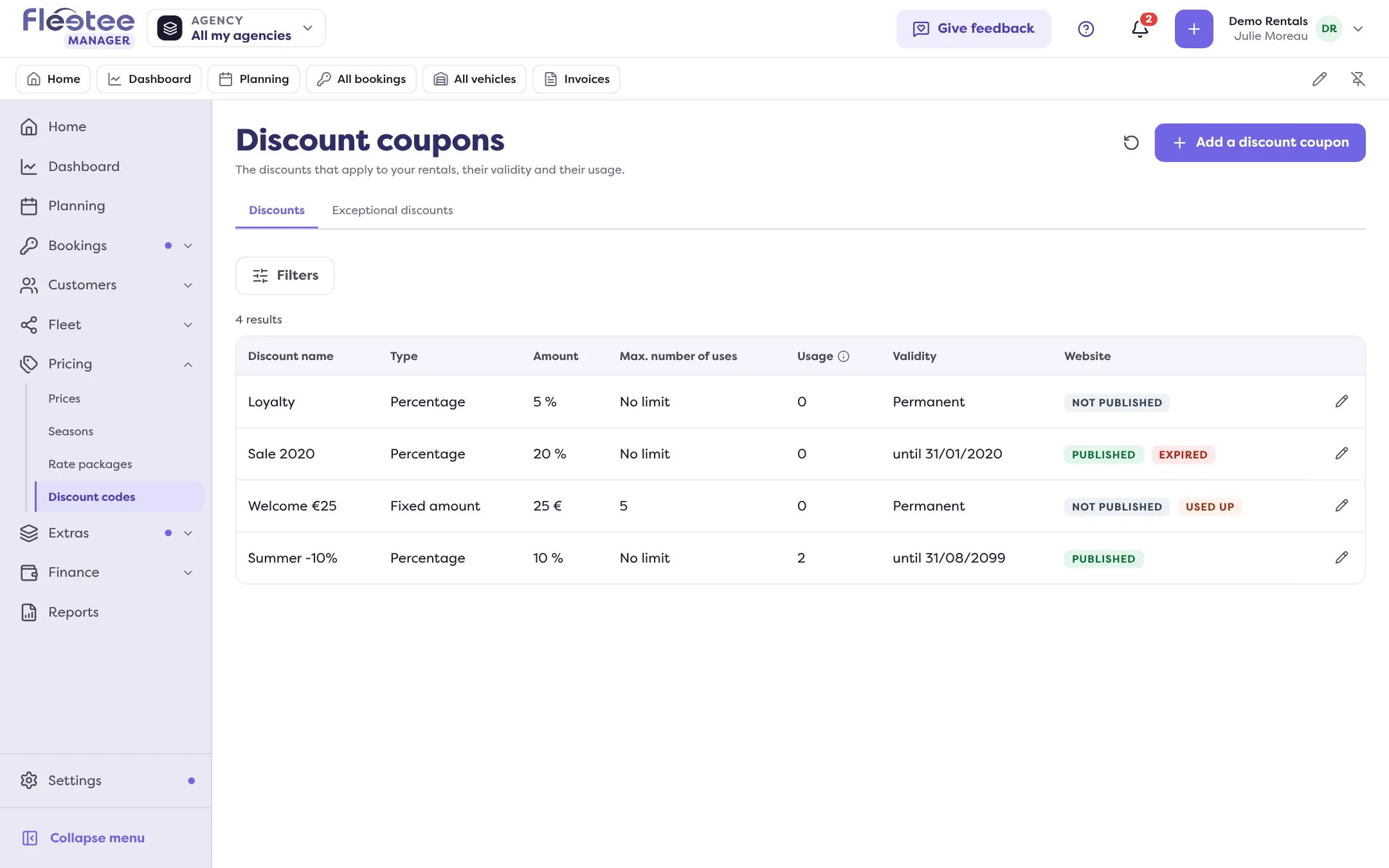
By default, the Marketing role manages promo codes and reads the reviews. Showing or withdrawing a review on the site (and automatic publication) stays with the administrator: ask them to do it, or to adjust the role’s rights in My account. If the Codes promo screen shows as read-only, your administrator has kept that action too. The Codes promo entry only shows if the feature is open for your account.
Key steps
Choose the reviews
Réservation › Avis clients › “Afficher sur le site”.
Place the Témoignages block
In a page, source “Avis Fleetee (liés)”, then save and publish.
Create the promo code
Réservation › Codes promo › “Créer un code promo”.
Make it available
“Disponible sur le site”, then save.
Your turn
Read your reviews
Open Réservation › Avis clients, filter on 5 stars and pick three reviews with a comment you would like to show. Do not show anything before talking to your team.
Further reading
Check what you learned
Answer every question correctly to complete the lesson.
Progress kept on this device. Soon with your Fleetee Account.