

How do I choose which reviews appear on my website?
- Manager v3
- Administrator
In short. A review is public only if it is “Publicly visible”. You decide review by review, or automatically from a minimum rating in Settings › Customer reviews › Publication. A review with no comment cannot be published.
Every review you receive can be read in Fleetee Manager. Only those that are publicly visible can show on your Fleetee Web site: your site’s reviews block can pick up Fleetee’s public reviews. You stay in control of what is public.
Only the company administrator can make a review public or take it back, and change automatic publication. A review with no comment can never be public: “Without a comment, this review cannot be made public.”
Choose review by review
Open the customer’s file
From Customers › Customer reviews, click the customer of a review, then open the Reviews panel. Each review shows whether it is Publicly visible or Not published, or has no comment.
Turn “Publicly visible” on or off
The switch publishes the review (“The review is now publicly visible”) or takes it back (“The review is no longer publicly visible”).
You can also “Delete the review”: it disappears from the file, the list and the site, and deletion cannot be undone.
Publish good reviews automatically
Open Settings › Customer reviews
The Publication card shows when collection is on and your company has Fleetee Web.
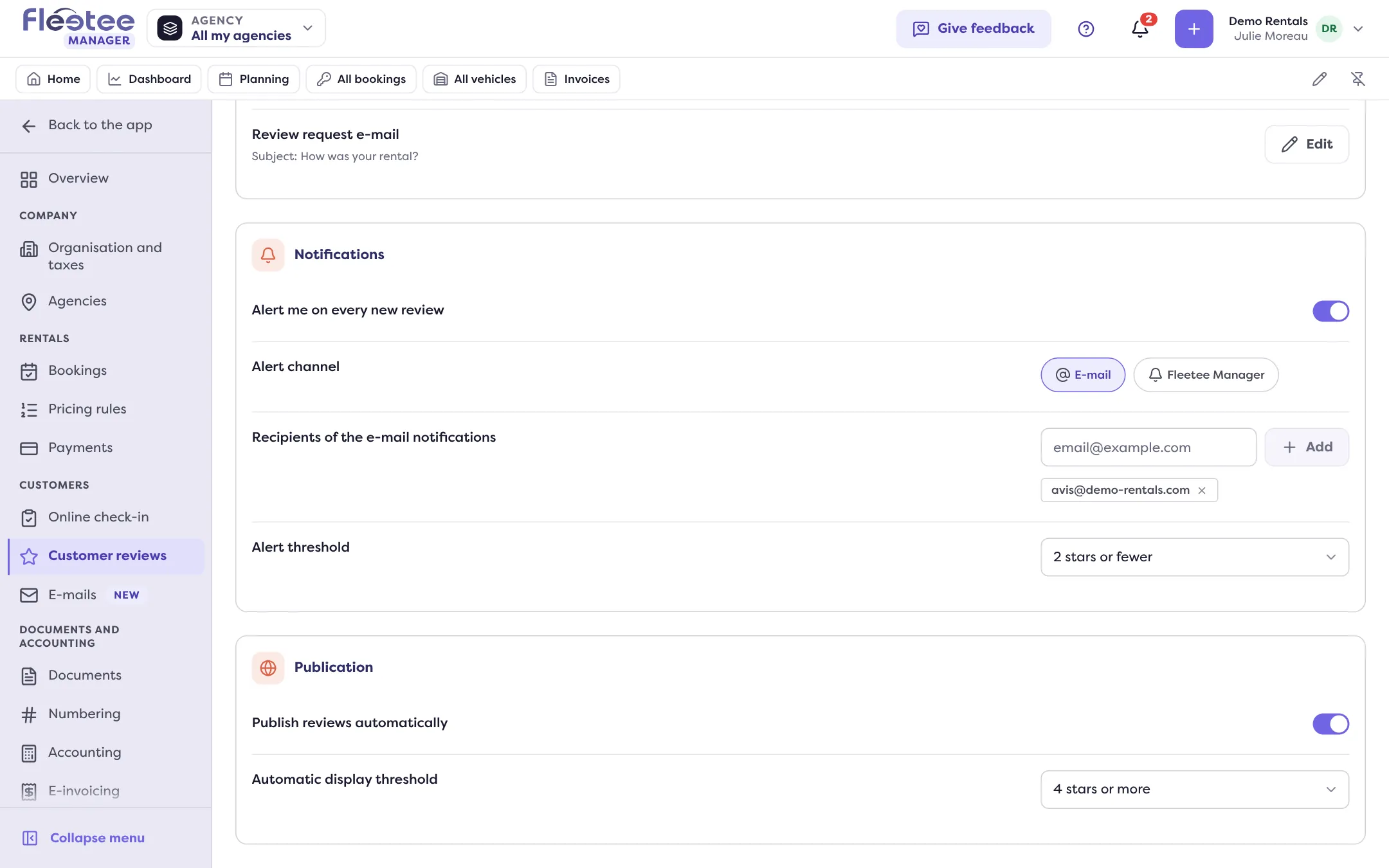
Turn on “Publish reviews automatically”
New reviews become public as soon as they arrive, with nobody reading them first. Only those with a comment are published.
Choose the “Automatic display threshold”
From “0 stars” (every rating) to “5 stars or more”: only reviews whose rating reaches the threshold are published. To publish positive reviews only, choose for example “4 stars or more”.
What happens to a review below the threshold
It is not published and stays in Fleetee: you read it in Customers › Customer reviews and you can, if you wish, make it public by hand (provided it has a comment). Automatic publication only applies to new reviews; reviews already received keep their state.
Where to find it: Settings › Customer reviews
Where to find it: Settings › Customer reviews
Go further
Updated on 18 November 2026 with version 3.0