

How do I create a discount code?
- Manager v3
- Administrator
- Agency manager
In short. In Pricing › Discount codes, “Add a discount coupon”: name, percentage or fixed amount, validity, number of uses, categories, agencies and seasons concerned. Publish it on the website with a promo code so your customers can use it.
A discount coupon is a discount you offer when creating a rental, or that your customers use on your website with a promo code. The Discount coupons page has two tabs: Discounts (the coupons you create) and Exceptional discounts (those granted one-off on a rental).
Open Pricing › Discount codes
The list gives each coupon’s Name, Type, Amount, Maximum number of uses, Usage (confirmed rentals that used it), Validity, Promo code and its state on the Website.
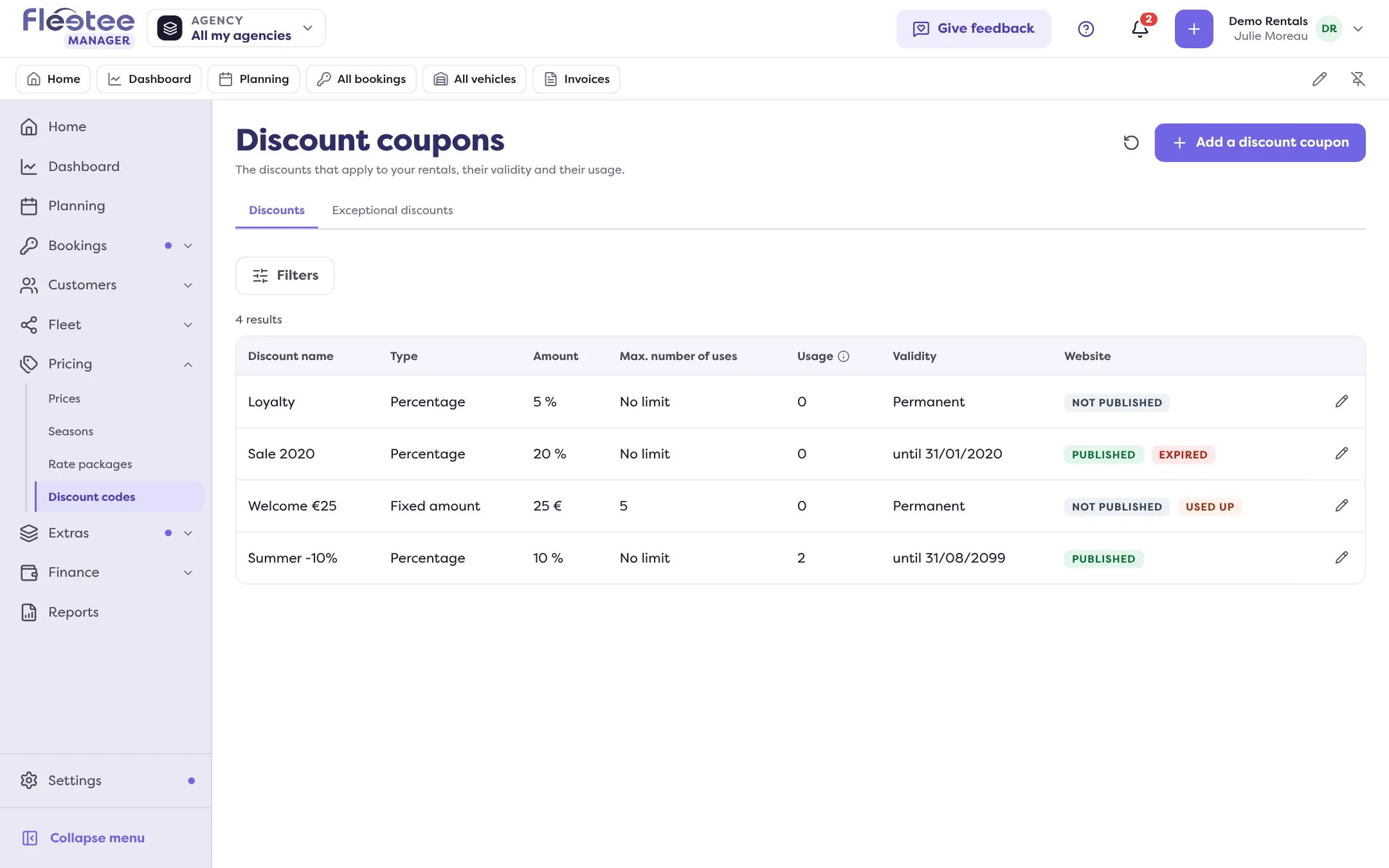
Click “Add a discount coupon”
The “New discount coupon” panel opens.
Information
The Name (“Shown on receipts and invoices”), the Accounting code (“Shown in invoice exports”), the Discount type: Percentage (a Rate above 0 and at most 100%) or Fixed amount (Amount excl. tax or Amount incl. tax).
Validity and use
The Validity: Permanent, or Period with “Valid until” (usable all day on that date). The Maximum number of uses: 1, 2 or 3 times, “No limit” or “Other”. A Minimum rental duration and a Maximum rental duration in days limit the rentals concerned.
Where it applies
A Category (or “All categories”), the Agencies (“All agencies” or “Some agencies”) and the Seasons (“All seasons” or “Some seasons”: low, medium, high, and your custom seasons). A coupon with no season applies to all seasons.
Website, if you offer it online
In Website, tick “Published on the website” and choose the Promo code: letters, digits, “-” and “_”, entered in capitals. Manager checks it is “available” (“This promo code is already used by another coupon, even an unpublished one”).
Reserve it for one customer, if needed
In Customer, “Linking a customer reserves the promo code for them: it will only be accepted on the website for them.”
Click “Create the coupon”
Message: “The discount coupon was created.”
Follow the usage
The coupon shows its Usage: confirmed rentals, quotes and requests in progress, cancelled ones, and the discount granted. The list can show figures (Total, Active, Expired, Used up). A coupon is Expired once its end date has passed, Exhausted once its maximum number of uses is reached.
Standard or exceptional
A standard discount is offered when creating a booking. An exceptional discount is granted on a specific rental. This type is set at creation and cannot be changed afterwards.
Edit or delete
Click the line to Edit the discount coupon, or “Delete”: it disappears from the list and is no longer offered or applied.
Where to find it: Pricing › Discount codes
Where to find it: Pricing › Discount codes
Go further
Updated on 18 November 2026 with version 3.0