

Your vehicles’ profitability
Finance › Profitability gives Credit, Debit and Balance per vehicle, category and agency. Entering a vehicle’s acquisition and costs makes its figures exact.
Objective
By the end of this lesson, you will know how to read the fleet’s profitability and make its figures exact.
The essentials
The Finance › Profitability page tells you what each vehicle earns and costs. It did not exist in the former version.
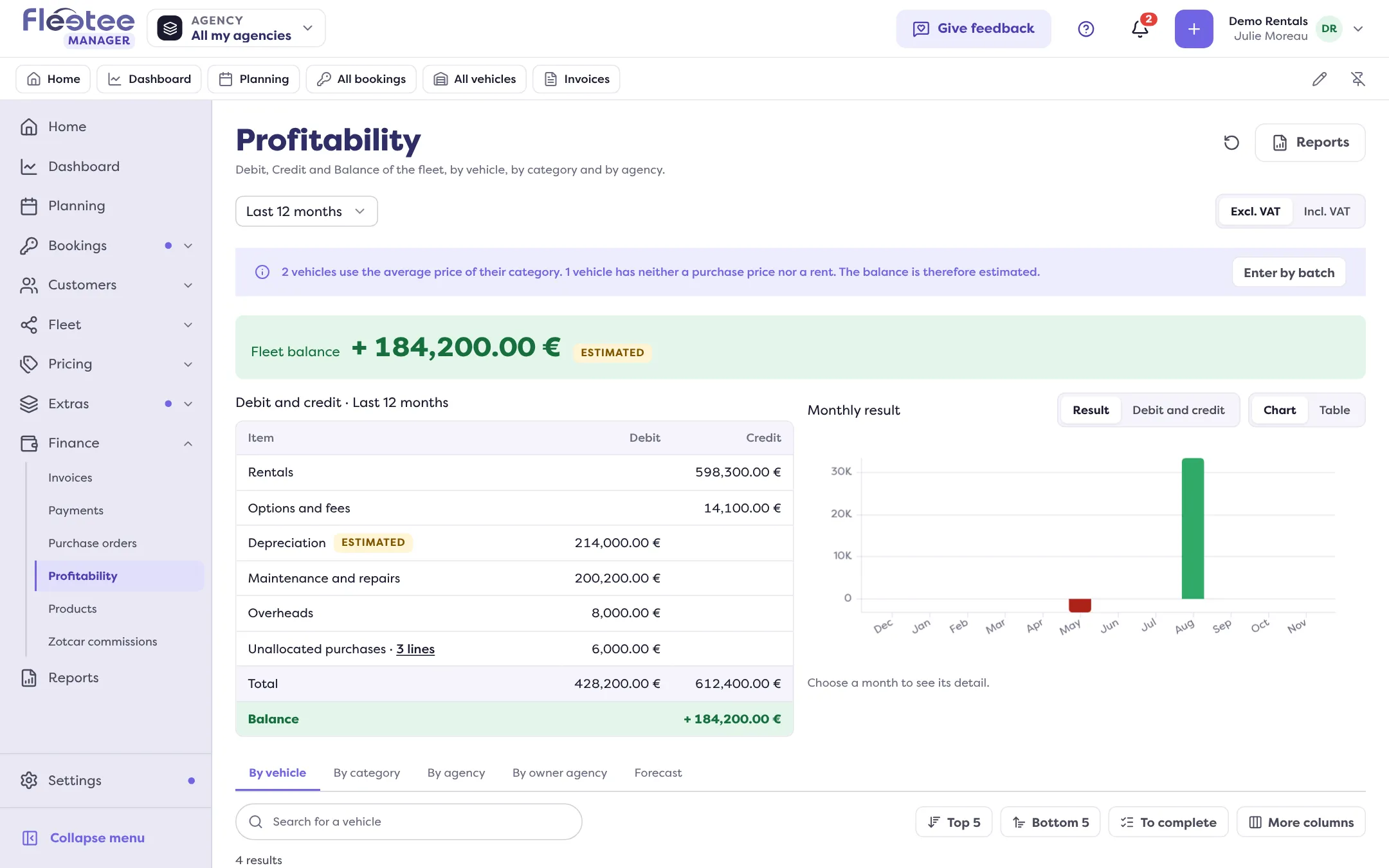
- Credit: what completed bookings earn, excluding tax, discounts deducted, spread month by month pro rata to the days rented.
- Debit: depreciation (or lease payments for a lease or hire purchase), loan interest, maintenance, insurance, fuel, tyres, cleaning, taxes, claims net of recharged damage.
- Balance: Credit minus Debit. Overheads are not in it, nor are fines.
Sophie notices the fleet balance is estimated: several vehicles have neither a purchase price nor a lease, so Fleetee uses their category’s average price. She clicks a vehicle’s row, then Edit in “Acquisition”: cash purchase, loan, lease… The preview shows the monthly depreciation before saving. For ten vehicles bought together, the batch entry writes the same acquisition in one go.
She also adds a cost that is not in purchases: “Add a cost”, category, amount excluding tax, recurrence. If the expense is already in your purchases over 24 months, Fleetee warns: do not enter it twice.
The Forecast tab lists possible exits over 12 months: end of contract, vehicle in deficit for months, rising maintenance.
Key steps
Open Finance › Profitability
Fleet balance, then the By vehicle, By category, By agency and Forecast tabs.
Spot what needs completing
The “To complete” list and the notes column.
Enter the acquisition
Vehicle row › “Acquisition” › “Edit”, or the batch entry.
Add missing costs
“Add a cost”, only if it is not already in purchases.
Your turn
Find your vehicles to complete
Open Finance › Profitability and read the “To complete” list. Open a vehicle and look at its acquisition preview, without saving if you do not have the purchase invoice at hand.
Further reading
Check what you learned
Answer every question correctly to complete the lesson.
Progress kept on this device. Soon with your Fleetee Account.