

Accounting and numbering
In Settings › Accounting, the chart of accounts, journal codes and payment methods give your exports their codes. Settings › Numbering sets each document’s prefix and format.
Objective
By the end of this lesson, you will know how to set the company’s accounting codes and document numbering.
The essentials
Before loading the exports into her software, Sophie checks the codes. In Settings › Accounting (Documents and accounting section), open to the administrator and the accountant:
- the Chart of accounts card (9 accounts) and the Journal codes card (4 journals);
- the Payment methods card: Card, Cheque, Cash and Transfer are provided by Fleetee, and only their code changes; “Add a method” creates your own, with their code;
- the Payments list card: the period shown by default.
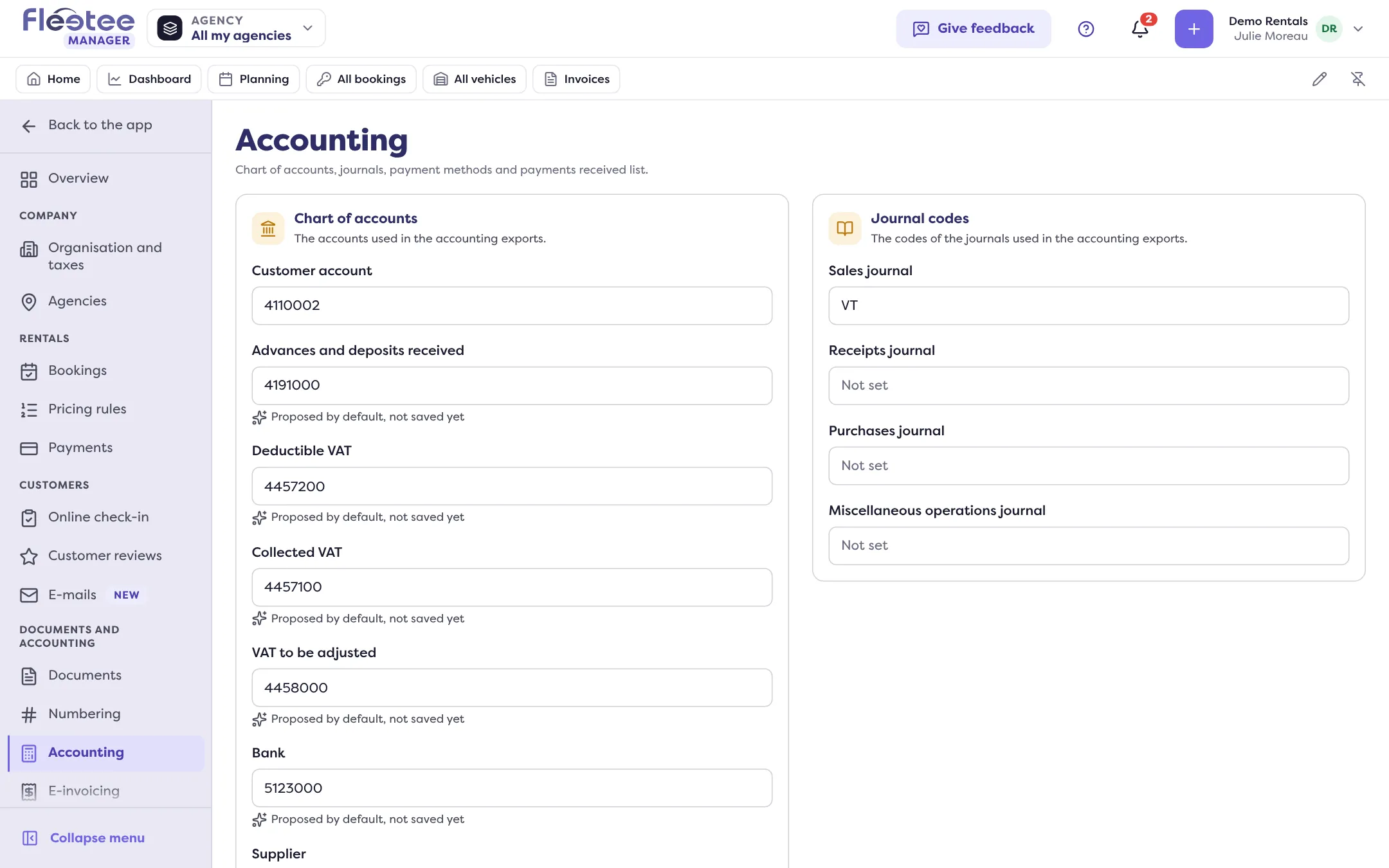
Fleetee does not keep the books: it puts in the exports the codes you give it. If the company invoices per agency, pick the agency at the top of the page: the codes apply to it.
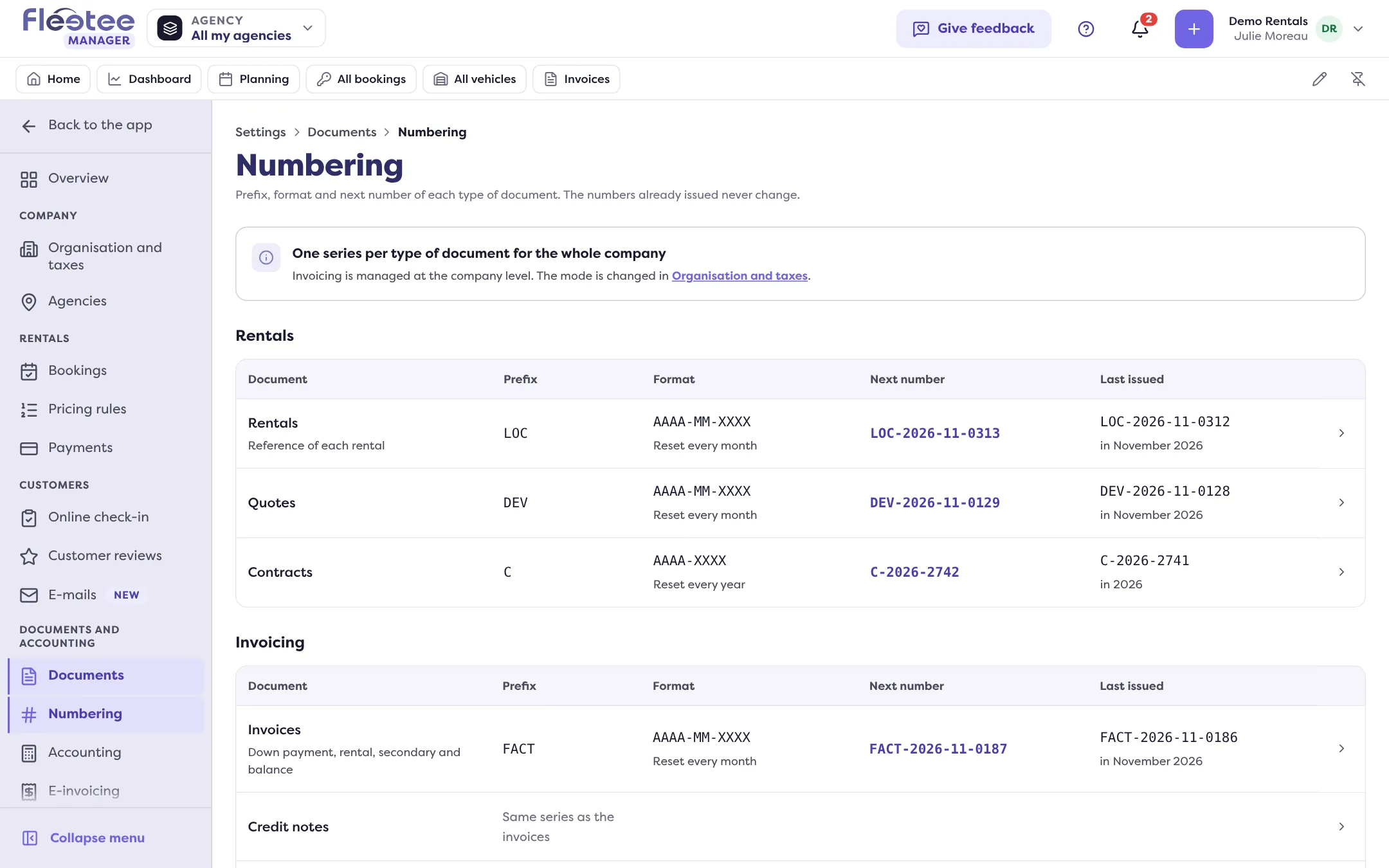
In Settings › Numbering, each document type has its prefix (10 characters at most), its format (with or without a date, reset daily, monthly, yearly or never) and its next number. Numbers already issued never change.
Key steps
Open Settings › Accounting
Check the chart of accounts and the journal codes, then “Save”.
Complete the payment methods
Change the codes of the methods provided, or “Add a method”.
Open Settings › Numbering
Prefix, format and next number, document by document.
Your turn
Compare with your software
Open Settings › Accounting and compare the chart of accounts codes with your accounting software’s. Note the differences before changing anything.
Further reading
Check what you learned
Answer every question correctly to complete the lesson.
Progress kept on this device. Soon with your Fleetee Account.