

How do I enter a vehicle’s purchase price, lease and costs?
- Manager v3
- Administrator
- Agency manager
- Accountant
In short. In the vehicle’s file › Profitability (or from Finance › Profitability), “Edit” records the acquisition (purchase, loan, LOA, LLD…) and “Add a cost” the costs (insurance, fuel, tyres…). Fleetee works out depreciation and balance.
For Profitability to be exact, Fleetee needs to know how each vehicle was acquired and what it costs to run. With no acquisition, a vehicle uses its category’s average price, and its balance is only an estimate.
Entering this needs the right to see profitability and to edit vehicles or purchases. The administrator, the agency manager and the accountant have it by default; an accountant goes through Finance › Profitability (they do not open the vehicle’s file). A role without that right reads the figures without changing them.
Enter the acquisition
Open the vehicle’s Profitability
In the vehicle’s file, Profitability panel, or from Finance › Profitability, by clicking the vehicle’s line.
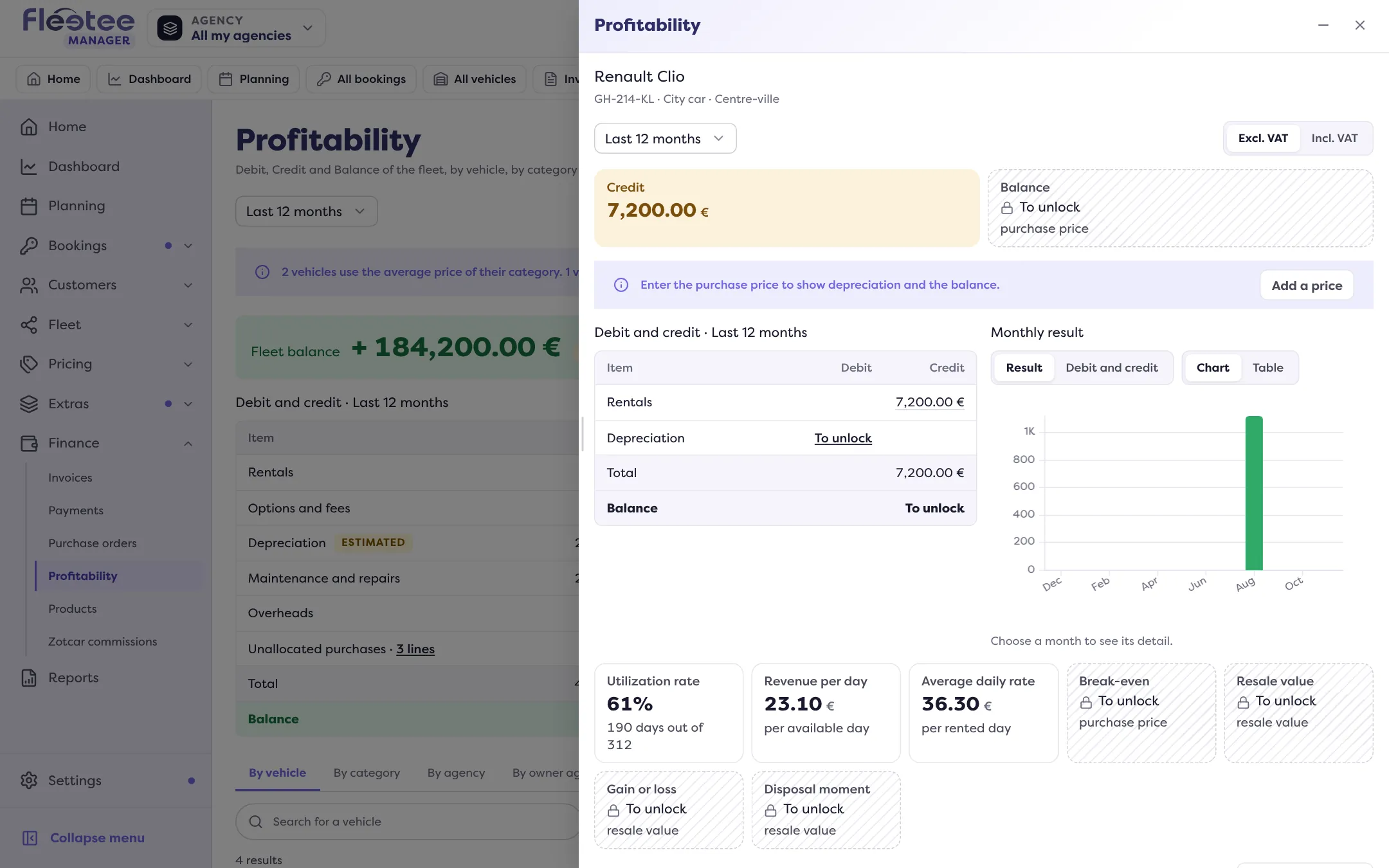
Click “Edit” in “Acquisition”
Choose the acquisition mode: Cash purchase, Loan, Lease with option to buy, Long-term lease, Finance lease, Leasing or Other.
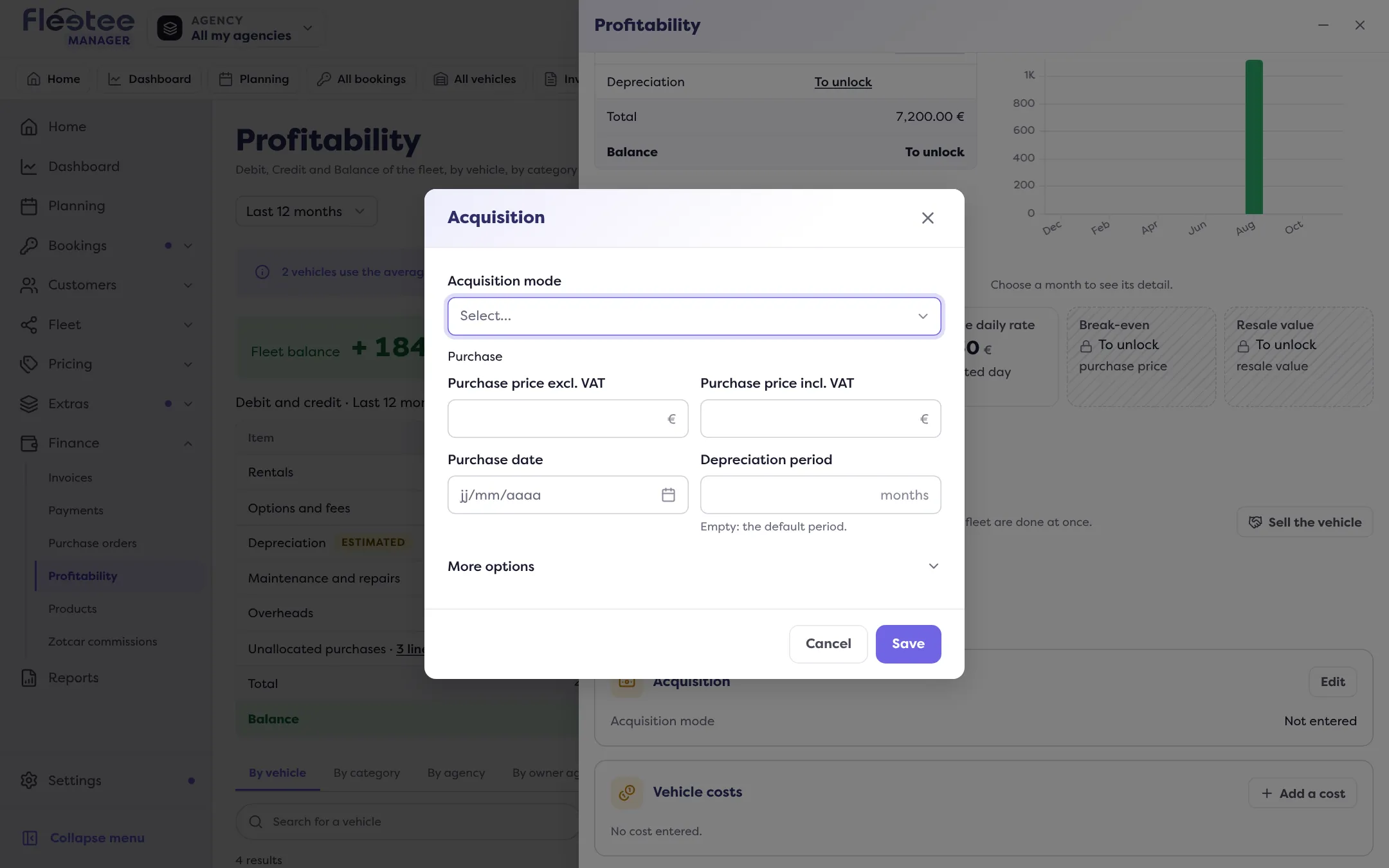
Fill in what the mode asks
- Cash purchase (and Other): purchase price excl. VAT (the incl. VAT amount is calculated with the company’s VAT), purchase date, depreciation period (empty: the default period); under “More options”: in service, residual value excl. VAT (empty: fully depreciated), negotiated buyback and serial number.
- Loan: Contract block (instalment excl. VAT, principal excl. VAT, contract start and end), Purchase block (price, purchase date, depreciation period) and, under “More options”, the term in instalments (empty: calculated from the dates), in service, residual value, buyback and serial number.
- Lease with option to buy, Long-term lease, Finance lease, Leasing: monthly payment excl. VAT, contract start and end; under “More options”: term (number of payments; empty, calculated from the dates), down payment excl. VAT and serial number. Payments go to the Debit each month of the contract.
- Negotiated buyback (except for a lease): the price and date agreed with your supplier; they replace the residual value and the depreciation period.
Read the calculation and save
Fleetee shows the preview (“Depreciation: … excl. VAT per month for … months”) and flags unusual values (excl. and incl. VAT equal while VAT applies, purchase date too late…). Save: “Acquisition saved”.
Bought several vehicles together? On the Profitability page, “Enter by batch” writes the same acquisition on all the ticked vehicles.
Add a cost
Click “Add a cost”
In the Vehicle costs block of Profitability.
Fill in the cost
Category: Insurance, Fuel, Tyres, Cleaning, Taxes or Other. Amount excl. VAT and VAT. Recurrence: One-off, Monthly or Yearly; a recurring cost has a “Starting on” date and can have an End. A Note is possible.
Save
“Cost saved”: the vehicle’s Debit is recalculated. “Edit” and “Delete” undo a cost.
If the vehicle already has this kind of expense in your purchases over 24 months, Fleetee warns you: only enter it here if it is not there, otherwise it would count twice.
What about the lease?
For a vehicle on a finance lease, LOA, LLD or leasing, the acquisition’s monthly payment is the right place: it replaces depreciation in the Debit. When the vehicle is sold, see Sell a vehicle.
Where to find it: Vehicle file › Profitability › “Add a cost”; Finance › Profitability › a vehicle
Where to find it: Vehicle file › Profitability › “Add a cost”; Finance › Profitability › a vehicle
Go further
Updated on 18 November 2026 with version 3.0