

The profitability of each vehicle
What each vehicle earns and costs: the Credit from bookings, the Debit from depreciation, lease payments and costs, and why a balance may be “estimated”.
Objective
By the end of this lesson, you will know how to read the Profitability page, what goes into Credit and Debit, and how to make your figures accurate.
The essentials
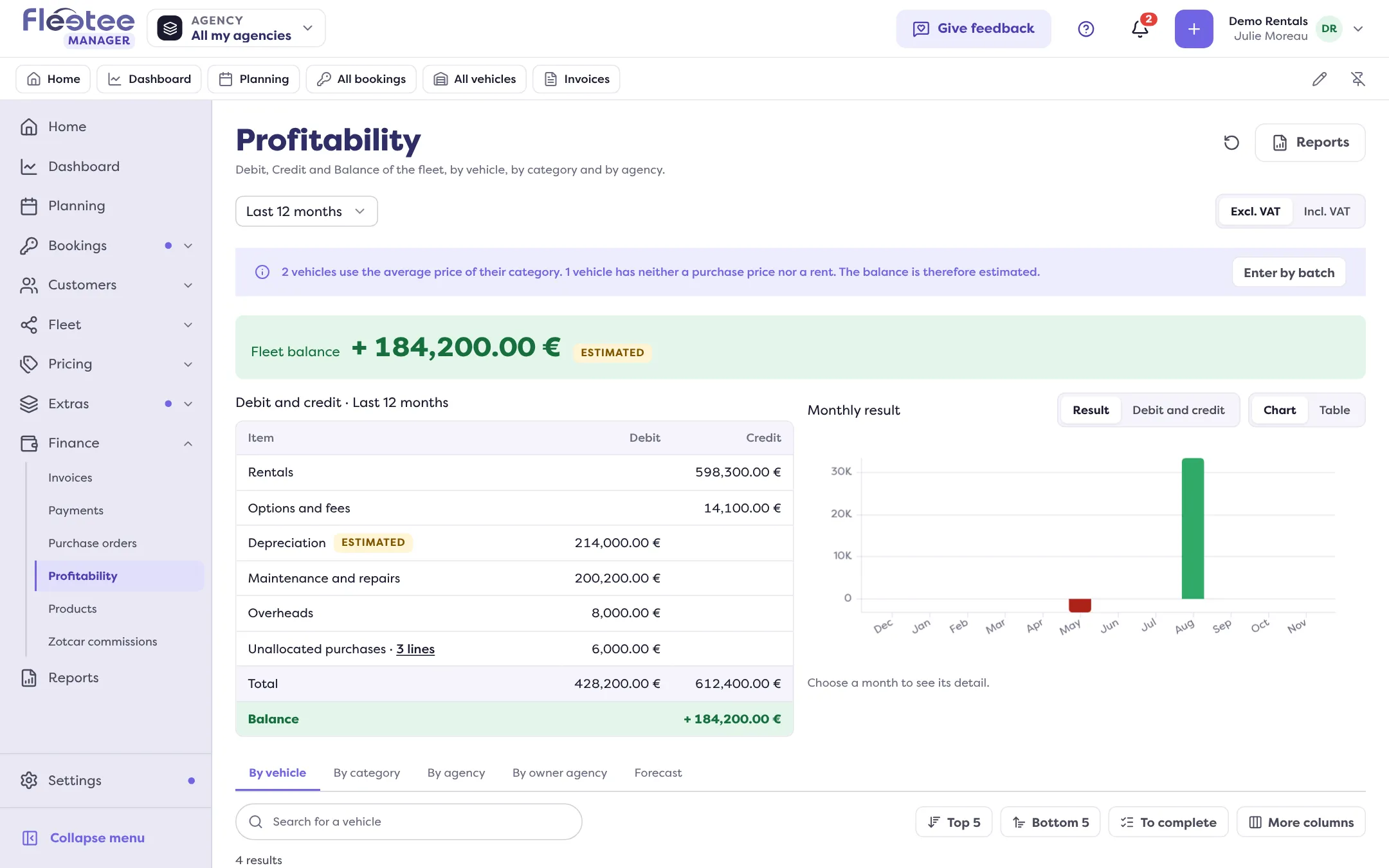
Julie asks herself a simple question: do all five of her cars make money? The Finance › Profitability page answers, vehicle by vehicle, with three columns:
- Credit: what completed bookings bring in (excluding tax, net of discounts), with their options and fees, spread month by month in proportion to rented days;
- Debit: what the vehicle costs. Depreciation (or lease payments, for a lease or finance lease), loan interest, maintenance, insurance, fuel, tyres, cleaning, taxes, claims;
- Balance: Credit minus Debit.
The Top 5, Bottom 5 and To complete lists isolate the cases to look at, and the Notes column flags a vehicle In deficit or To sell.
A figure is only right if Fleetee knows the vehicle. With no purchase price and no lease payment, it uses the category’s average price, and the balance is estimated: the page says so. So Julie enters the acquisition of each car (cash purchase, loan, lease…) in the Profitability panel of its record, and its recurring costs (monthly insurance, for example) with “Add a cost”. Five cars bought together? “Enter by batch” writes the same acquisition on all of them.
Key steps
Open Finance › Profitability
By vehicle, By category, By agency, Forecast tabs.
Enter a vehicle’s acquisition
Vehicle record › Profitability panel › “Acquisition” › “Edit”: the mode, then what it asks for. Fleetee shows the calculated depreciation before saving.
Add a cost
“Add a cost”: category (Insurance, Fuel, Tyres…), amount excluding VAT, recurrence.
If a cost is already in your purchases linked to the vehicle, do not enter it a second time: Fleetee warns you, otherwise it would count twice.
The Profitability page is open to the administrator, agency managers and the accountant. The accountant goes through Finance › Profitability and does not open the vehicle record.
Further reading
Check what you learned
Answer every question correctly to complete the lesson.
Progress kept on this device. Soon with your Fleetee Account.