

Your everyday screens
Old screen, new screen: bookings, customers and fleet. Most keep a similar name; Pick-ups and returns, Maintenance and Categories bring old screens together.
Objective
By the end of this lesson, you will know how to find in v3 every screen you used day to day.
The essentials
On the left the old screen, on the right its place in v3.
Day to day
- Getting started → Home (progress, “Show me”)
- Dashboard → Dashboard
- Booking planning → Planning
- Bookings list → Bookings › All bookings
- Pick-ups and returns planning → Bookings › Pick-ups and returns
- Quotes, Traffic tickets, Claims → Bookings › Quotes, Traffic tickets, Claims
Customers
- Customers → Customers › All customers
- Customer reviews → Customers › Customer reviews
- Sent e-mails → Customers › E-mails
Fleet
- Assets → Fleet › All vehicles (or the word of your trade)
- Inspection reports → Fleet › Inspection reports
- Work orders and Issue reports → Fleet › Maintenance (tabs)
- Asset types and Categories → Fleet › Categories
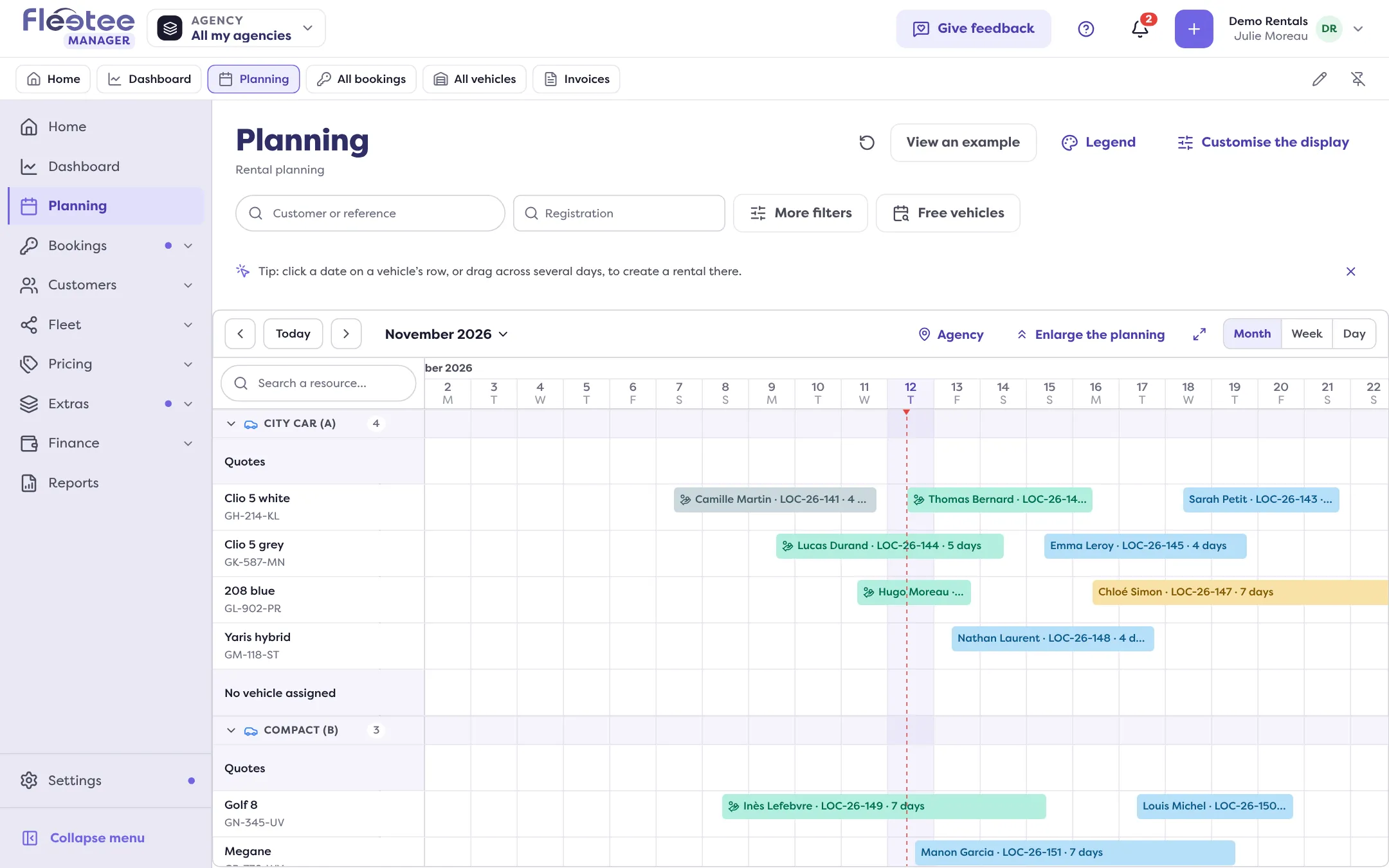
Cannot find it? The search at the top of the screen (Ctrl+K or ⌘K) finds a booking, a customer or a vehicle from two characters, and the Quick access bar keeps your favourite pages one click away.
Key steps
Find your bookings list
Bookings › All bookings.
Find your planning
Planning, and Bookings › Pick-ups and returns for the day.
Find maintenance
Fleet › Maintenance: To do, Work orders, Issue reports, Maintenance plans.
Pin your pages
Quick access bar › pencil › “Pin”.
Your turn
Pin your three screens
Pick the three screens you opened most in the old version, find them with the list above and pin them in the Quick access bar. It only changes your own display.
Further reading
Check what you learned
Answer every question correctly to complete the lesson.
Progress kept on this device. Soon with your Fleetee Account.