

Pricing, finance and settings
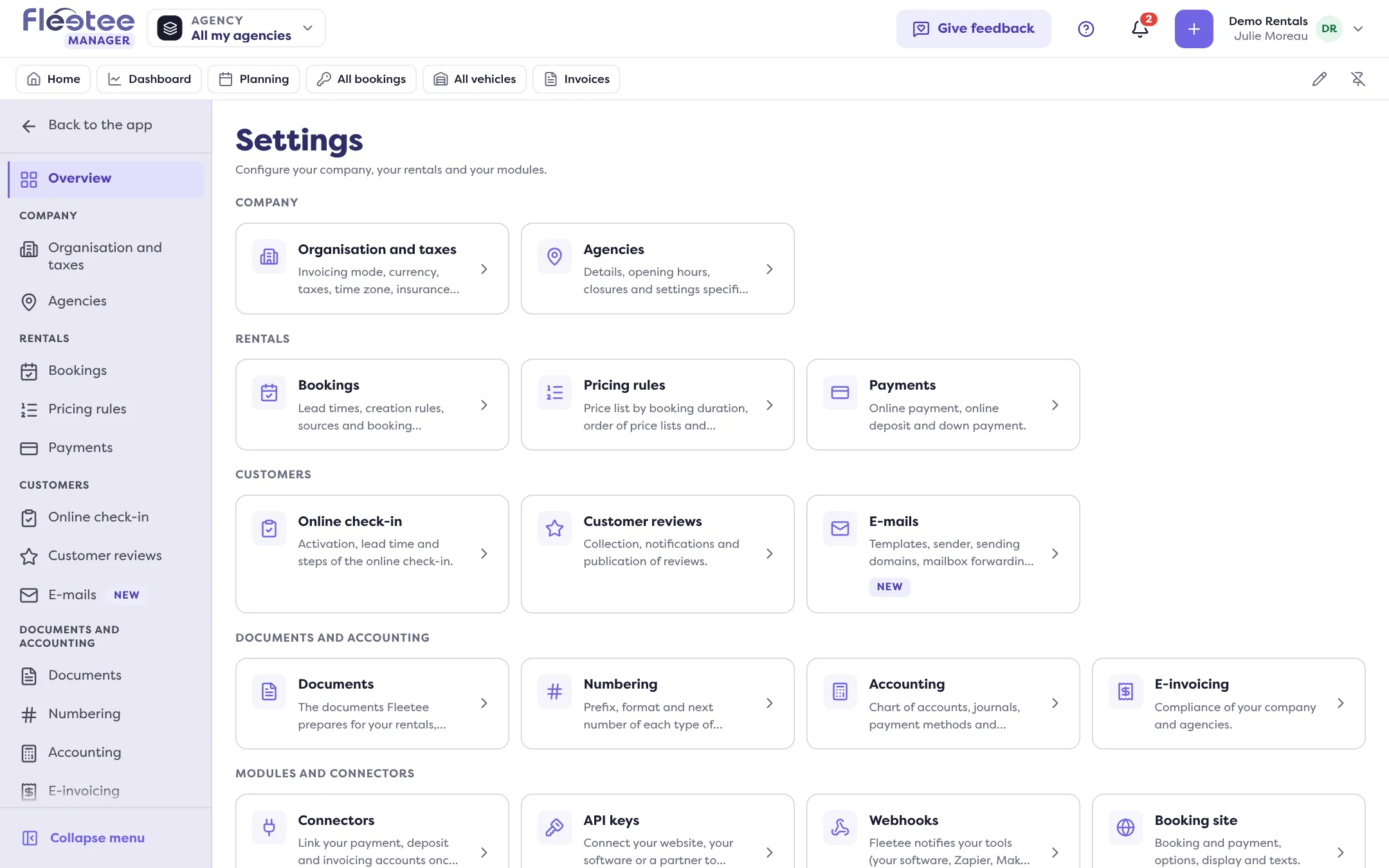
Prices are split between Pricing and Extras, exports become Reports, and all of Admin’s settings are now in Settings, at the bottom of the menu.
Objective
By the end of this lesson, you will know how to find your prices, finance and settings in v3.
The essentials
Pricing and extras
- Prices by category → Pricing › Prices
- Pricing groups → Pricing › Prices › Price lists
- Season calendar → Pricing › Seasons
- Forfaits (fixed-price rate packages) → Pricing › Rate packages
- Discount codes → Pricing › Discount codes
- Options, Packages, Mileage, Deductibles → Extras (same sections; “Deductibles and deposits”)
- Return and cancellation fees → Extras › Other fees
Finance and reports
- Invoices, Payments, Products → Finance › Invoices, Payments, Products
- Purchase orders and Suppliers → Finance › Purchase orders (tabs)
- Exports → Reports
Settings
- Admin › Settings → Settings (at the bottom of the menu)
- Admin › Agency list → Settings › Agencies
- Admin › Documents → Settings › Documents
- Accounting › Settings → Settings › Accounting
- E-invoicing → Settings › E-invoicing
- Booking settings › Reviews → Settings › Customer reviews
- Booking site settings → Settings › Booking site (opens in Fleetee Web)
The invoicing mode, currency, taxes and time zone are in Settings › Organisation and taxes.
These pages depend on your role: rental agents have no Pricing, Finance or Reports; accountants currently have Profitability and, in Settings, Accounting and Numbering.
Key steps
Find your prices
Pricing › Prices, then Price lists.
Find your extras
Extras › Options, Packages, Mileage, Deductibles and deposits.
Find your exports
Reports › “New report”.
Find your settings
Settings, at the bottom of the menu, then the overview.
Your turn
Check your prices at a glance
Open Pricing › Prices and compare a category’s base price with the one you had in the old version. It is the same data: you change nothing.
Further reading
Check what you learned
Answer every question correctly to complete the lesson.
Progress kept on this device. Soon with your Fleetee Account.