

How do I find my way around the Fleetee Manager menu?
- Manager v3
- Administrator
- Agency manager
- Rental agent
- Accountant
In short. The left menu groups your screens by job: Home, Dashboard, Planning, then the groups Bookings, Customers, Fleet, Pricing, Extras and Finance, Reports, and Settings at the bottom. Everyone sees only their own pages.
The left menu is ordered by use: what you open every day is at the top. A group appears only if it holds at least one page you may see.
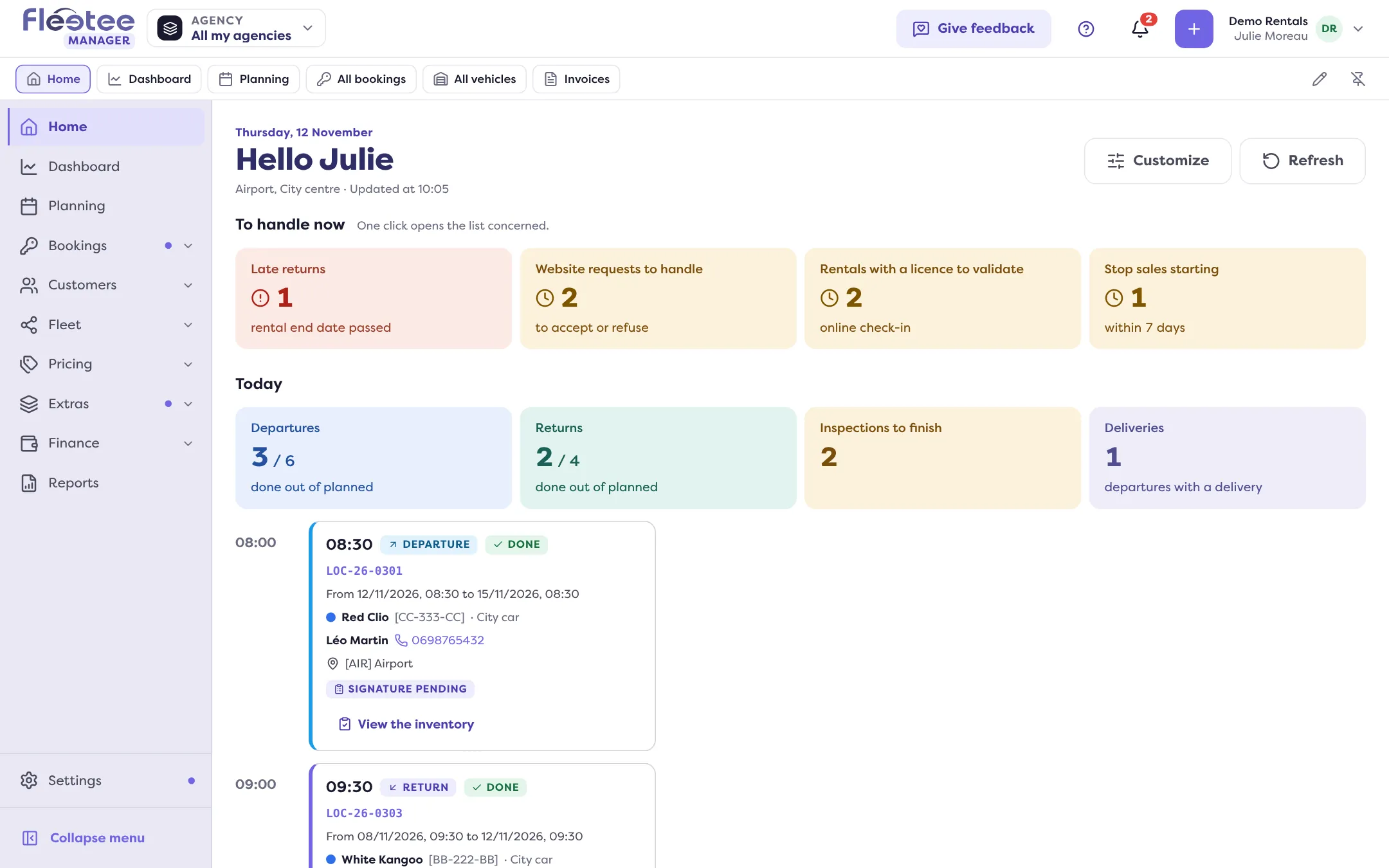
The three pages at the top
- Home: your starting point, with what needs your attention. See What does the Home page show me each morning?.
- Dashboard: your activity figures.
- Planning: your vehicles and their bookings on a calendar. See How do I read the bookings planning?.
The groups
- Bookings: All bookings, Pick-ups and returns, Stop sales, Quotes, Deposits, Traffic tickets, Claims and Sources to check (for companies that receive bookings from external channels).
- Customers: All customers, Customer reviews, E-mails, Inbox, Tasks, Prospects and Segments.
- Fleet: All vehicles, Inspection reports, Maintenance and Categories. If you rent something other than cars, the word “vehicles” adapts to your business.
- Pricing: Prices, Seasons, Rate packages and Discount codes. Price lists are reached from “Prices”.
- Extras: Options, Stocks, Packages, Mileage, Deductibles and deposits, Other fees.
- Finance: Invoices, Payments, Purchase orders, Profitability and Products.
- Reports, just below the groups.
The bottom of the menu
Settings and Website. Settings open their own menu: see Where are all the Fleetee settings?. Users, the company and the subscription are in “My account”, from your account menu.
Small landmarks
- The menu collapses: “Collapse menu” keeps only the icons, “Keep open” leaves it unfolded.
- “New” marks a page you have not opened yet and that did not exist in the old version.
- The quick-access bar, under the header, keeps your favourite pages. “Pin this page” adds the open page; the pencil (“Edit the quick-access bar”) lets you rename, move or remove a shortcut.
- The Help menu (the “?”): step by step, free training, contacting support. See How do I get a step-by-step guided tour of Fleetee?.
- The header search: How do I quickly find a booking, a customer or a vehicle?.
- The Trash: a deletion is undone with “Undo” right after, or from the Trash page. See How do I restore something I deleted by mistake?.
Everyone sees their pages
The pages depend on your role and your rights. See What can each role do?. On a phone, the menu opens from the top-left button: see Can I use Fleetee Manager on my phone?. To find a screen of the old version: Where is my old screen in v3?.
Where to find it: Side menu, on the left of the screen
Where to find it: Side menu (Home, Dashboard, Planning, Bookings, Customers, Fleet, Pricing, Extras, Finance, Reports; Settings at the bottom)