

How do prices work in Fleetee?
- Manager v3
- Administrator
- Agency manager
In short. A rental’s price starts from its price list: the customer’s, otherwise the start agency’s, otherwise the one matching the duration, otherwise the default. In the list: prices by category, duration and season, then packages, options, mileage and fees.
The pricing pages are reserved to the administrator and the agency managers. A rental agent sees a rental’s price but cannot change the prices.
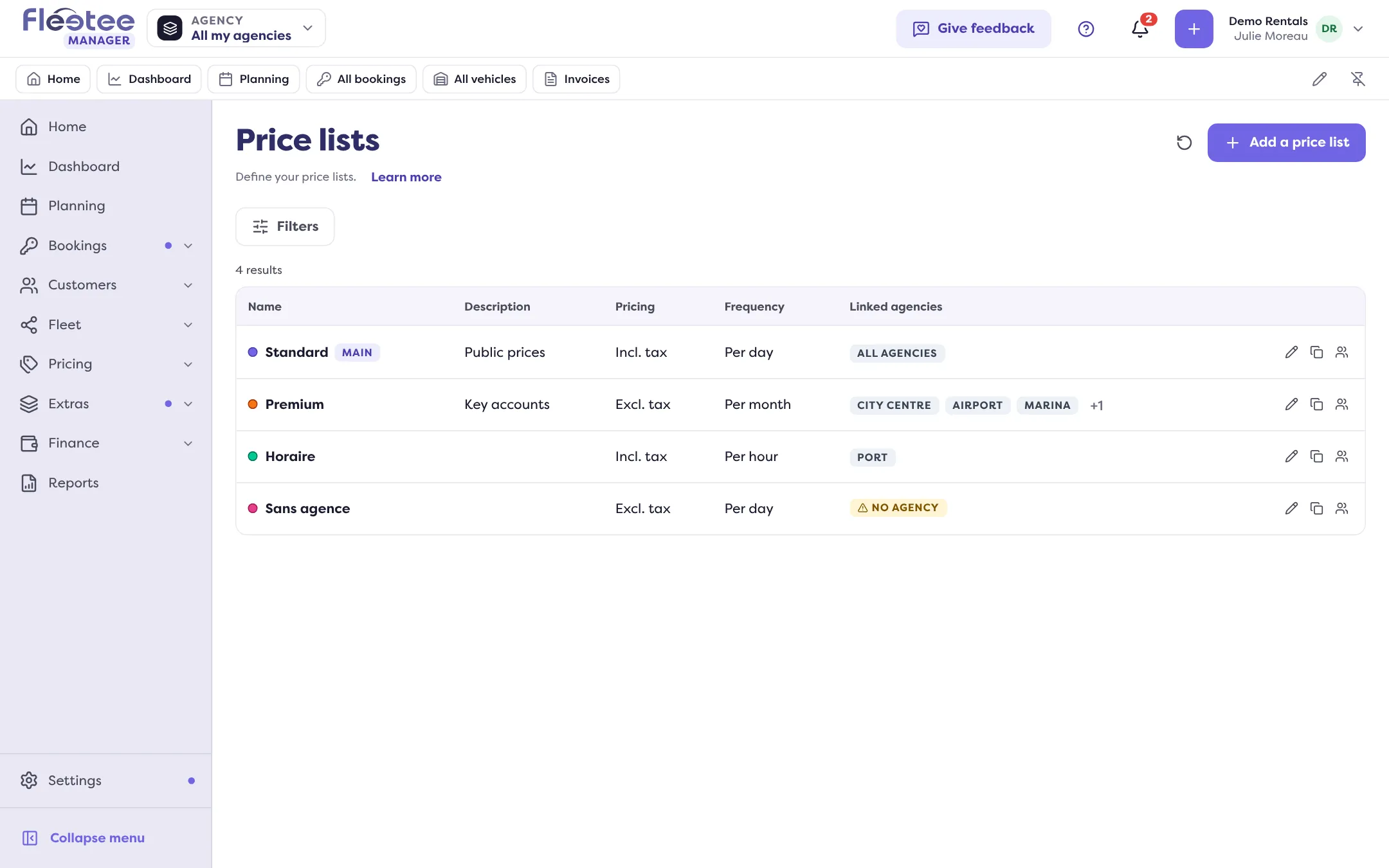
In Fleetee, everything starts from the price list. A price list gathers a complete set of prices: prices by category, seasons, packages, options, kilometer stages, deductibles and deposits, and return fees. You can have several, for example one per clientele or channel (professionals, website…).
Which price list applies to a rental?
When a rental is created, Fleetee takes the first price list that fits, in this order:
- the customer’s price list, if their record has one (Apply a price list to a customer);
- the start agency’s price list, if the agency has one;
- the price list for the rental duration, if a duration rule matches (Settings › Pricing rules);
- the default price list (“Main”).
The creation form says where the price list comes from: “Customer price list”, “Agency price list”, “Price list for the rental duration” or “Main price list”. You can choose another by hand.
What the price list contains
- Base price per category, then prices by duration (the price drops as the duration grows) and prices by season: Enter my prices and Create my seasons.
- Rate packages (weekend, week…): Create a rate package.
- Options and packages: Create options.
- Mileage: Unlimited or by stages.
- Deductibles and deposits: Set deductibles and deposits.
- Return and cancellation fees: Return fees, Cancellation fees.
Discount codes (Pricing › Discount codes) come off the total: Create a discount code.
Unit and taxes
The price list says whether its prices are per hour, per day or per month (“Pricing frequency”) and whether they are including or excluding tax (“Pricing”). Changing either does not convert the prices already entered: check them afterwards.
If the price is not what you expected
Read Why is the calculated price not the one I expected?.
Where to find it: Pricing › Prices
Where to find it: Pricing › Prices
Go further
- How do I enter my category prices per hour, day or month?
- How do I create a price list and choose the default one?
- How do I apply a price list to a customer or a type of customer?
- How do I create my seasons and their prices?
- Why isn’t the calculated price the one I expected?
- How do I create extras (child seat, additional driver…)?
Updated on 18 November 2026 with version 3.0