

Why can’t a signed inspection report be changed any more?
- Manager v3
- Administrator
- Agency manager
- Rental agent
In short. As soon as an inspection’s PDF is generated, it is sealed: no more signature, no return to waiting, no new generation. The document given to the customer thus stays the reference, in case of a dispute.
An inspection serves as proof: the vehicle’s condition at departure or return, signed by the customer. So that this proof no longer moves, Fleetee seals the inspection as soon as its document is produced.
What “sealed” means
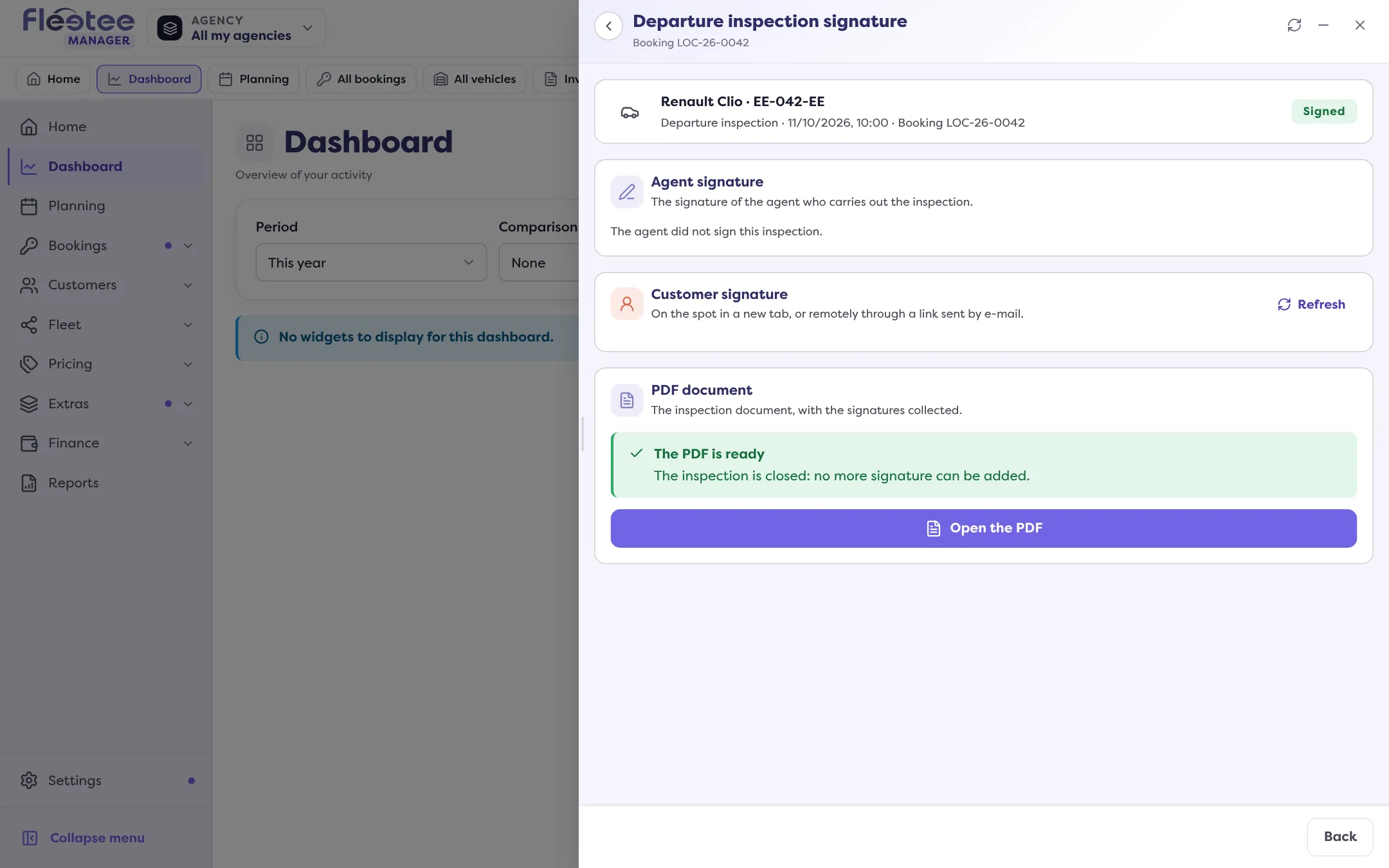
An inspection is sealed when it is finished and its PDF is generated. In Manager, the signature page says it: “The inspection is closed: no more signature can be added.” From then on:
- no signature can be added or replaced;
- the inspection does not go back to “Waiting for signature”;
- the document is not regenerated: the existing PDF stays the reference.
The signature screens then refuse any new signature: the signature page sent to the customer and the digital-key app receive a refusal saying the inspection is already generated and signed, with the link to the existing document.
Why
Accepting a signature afterwards would put the inspection back to waiting while its PDF already exists, without that signature: there would be two versions and a stuck inspection. The seal avoids this trap.
What to do before generating
- Check the signatures: if the agent or the customer has not signed, Fleetee asks “Generate without all the signatures?” and says what is missing. Only confirm if it is intended: the missing signature will not appear on the document.
- Check the values (mileage, fuel, damage) before having it signed: once the PDF is produced, they no longer change.
- A customer to sign remotely: send them the link (“Send the link by e-mail”) before generating the PDF. The customer’s signature closes the inspection and generates its PDF.
One exception: the double signature
For a double-signature contract, the company’s signature can be added after generation: Fleetee then reopens the inspection as waiting for signature and regenerates the document with both signatures. This is the only case where a sealed inspection is reopened, and it goes through this planned path, never through a plain new signature.
What if a mistake slipped in?
A sealed inspection is not corrected. Note the discrepancy in the rental’s comments or, if there is damage, create a claim from the inspection (“Create a claim”), and contact support if you think the document must be regenerated. See also How do I do an inspection from Manager?.
Go further
Updated on 18 November 2026 with version 3.0