

How do I set my chart of accounts and accounting codes?
- Manager v3
- Administrator
- Accountant
In short. In Settings › Accounting, the “Chart of accounts” (9 accounts) and “Journal codes” (4 journals) cards give the codes used in your accounting exports. Edit the fields then “Save”. Per agency if you invoice per agency.
Accounting codes tell your accounting software which account and which journal to use for each entry of the export. Fleetee does not keep your books: it supplies the codes you give it.
Open Settings › Accounting
The page is in the Documents and accounting section. Only the administrator and the accountant can reach it.
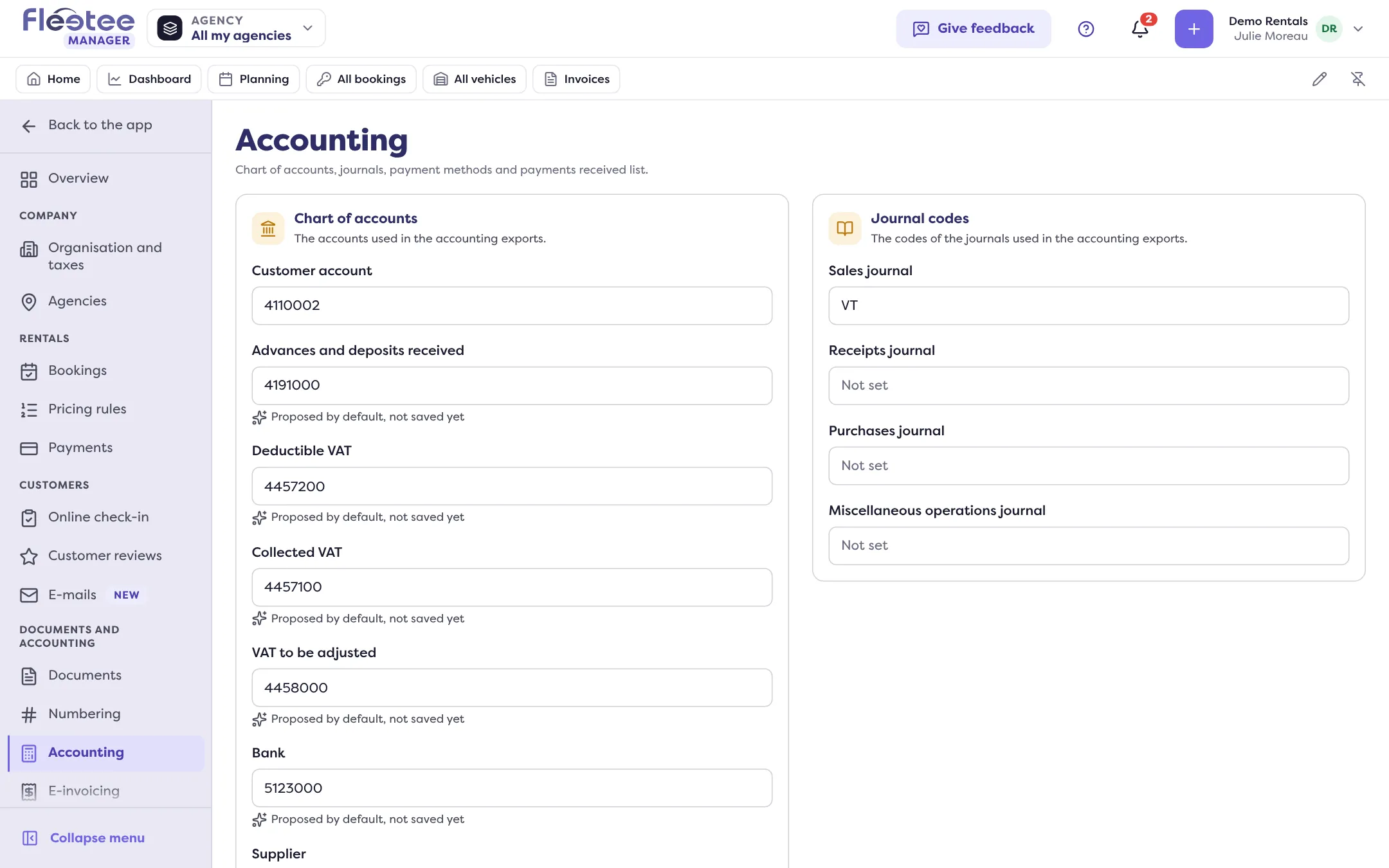
“Chart of accounts” card
It holds the accounts of your exports: Customer account, Advances and deposits received, Deductible VAT, Collected VAT, VAT to be adjusted, Bank, Supplier, Rentals and Discounts. As long as nothing is saved, some fields are prefilled: the line “Proposed by default, not saved yet” says so.
“Journal codes” card
It gives the code of each journal: Sales journal, Receipts journal, Purchases journal, Miscellaneous operations journal.
Edit, then save
Change the fields of a card and click “Save” (or cancel). The card shows “Saved”.
The Payment methods and Payments received list cards are on the same page: read Create my payment methods. The “Payments received list” card sets the period shown by default (Today, Yesterday, Last 7 days, Last month, Last 3 months, Last 12 months).
A separate account for each agency
If your company invoices per agency, the page offers, under “Settings of”, the company then each agency. An agency follows the company until you click “Customize for …”; its values are then marked “Specific to …” and replace the company’s for that agency. Read Invoice when you have several agencies.
An agency with its own settings is read alone by the exports: the company’s values do not fill in those it leaves empty.
Going further
The account for down payments (“Advances and deposits received”) is the one used by the down payment invoice: Ask for a down payment. Taxes and their codes are set in Settings › Organisation and taxes (“Taxes and currencies” link). To produce the file: How do I make my accounting export?.
Where to find it: Settings › Accounting
Where to find it: Settings › Accounting
Go further
Updated on 18 November 2026 with version 3.0