

How do I invoice when I have several agencies?
- Manager v3
- Administrator
In short. In Settings › Organisation and taxes, Organisation card: “A single invoicing” (everything under the company’s name) or “Invoicing per agency” (own numbering, documents, taxes, currency, e-invoicing account). Documents already issued do not change.
There are two ways to invoice when you have several agencies. Only an account administrator can change this choice.
Open Settings › Organisation and taxes
In the Organisation card, under Invoicing mode, the Current choice is shown. The card also says how many agencies already have their own accounting settings.
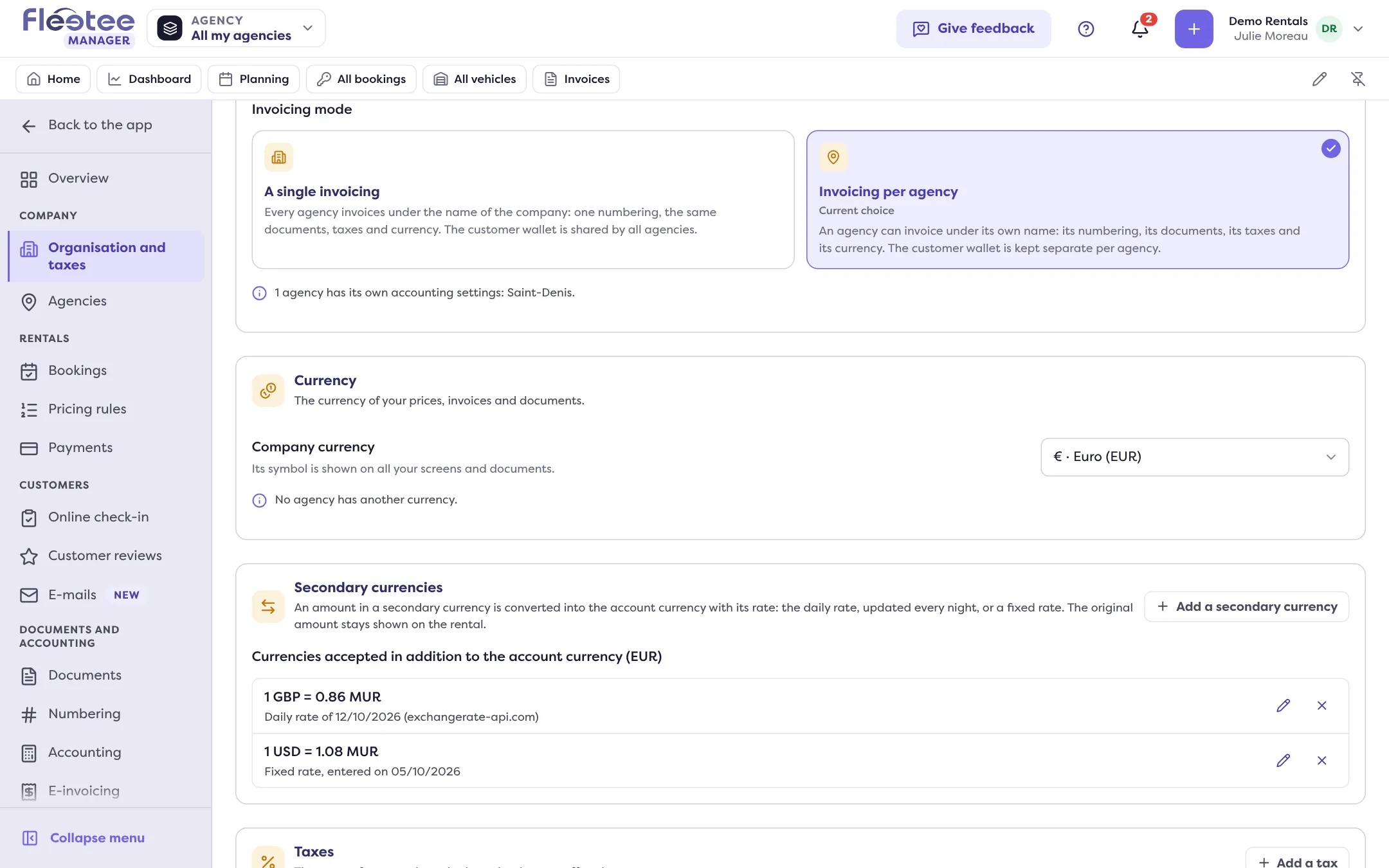
Choose the mode
“A single invoicing”: every agency invoices under the name of the company, with one numbering, the same documents, the same taxes and the same currency. “Invoicing per agency”: an agency can invoice under its own name, with its numbering, its documents, its taxes and its currency.
Read what the choice changes, then confirm
Manager shows the list of effects (“Switch to invoicing per agency?” or “Go back to a single invoicing?”) before you confirm. Documents already issued do not change and keep their number.
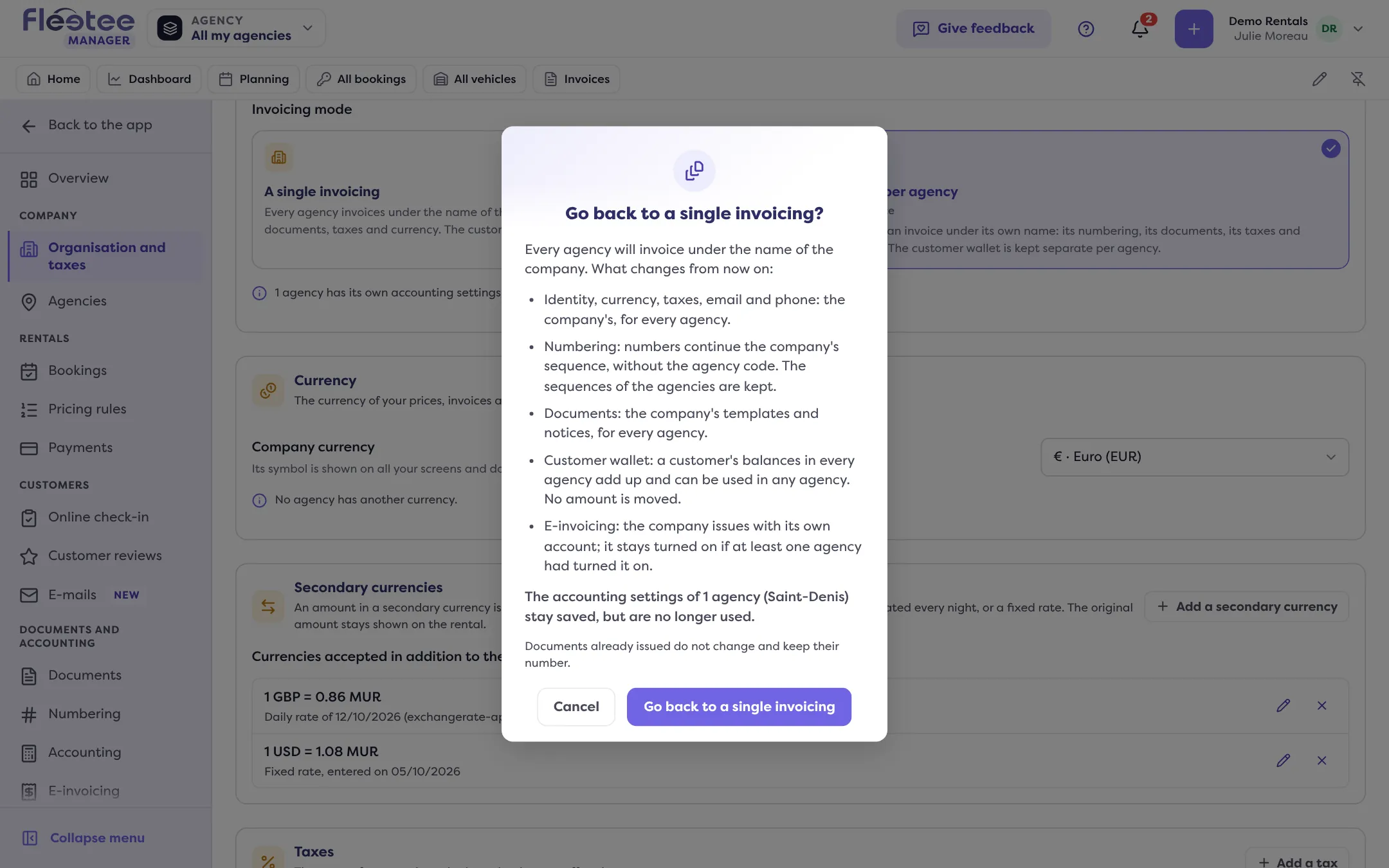
What changes when each agency invoices under its own name
- Identity, currency, taxes, email and phone: an agency with its own accounting settings invoices with them; the others keep the company’s.
- Numbering: each agency has its own sequence of numbers, with its code in the reference. Read Set the numbering.
- Documents: each agency has its templates and its mentions.
- Chart of accounts and accounting codes: “Customize for …” in Settings › Accounting. Read Set my chart of accounts.
- Customer wallet: a balance can only be used in the agency where it was built up. No amount is moved. Read The customer wallet.
- E-invoicing: each agency issues with its own account, to be connected. Read How do I connect my SuperPDP account? and Get my company ready.
- Products and rentals: they take the taxes of their start agency.
Going back to a single invoicing
Nothing is deleted: the agencies’ own settings stay saved, but are no longer used. Numbers pick up the company’s sequence, without the agency code, and the agencies’ sequences are kept. A customer’s balances in all agencies add up and can be used in any agency.
Who sets what?
The administrator sets the mode and the company. An agency manager sets what concerns their agencies (numbering, e-invoicing accounts) when invoicing is per agency.
Where to find it: Settings › Organisation and taxes › Organisation
Where to find it: Settings › Organisation and taxes › Organisation
Go further
- How do I set up my company: invoicing, currency, taxes and time zone?
- How do I set the numbering of my invoices and documents?
- How do I set my chart of accounts and accounting codes?
- How do I connect my SuperPDP account?
- How do I get my company ready for e-invoicing?
- What is the customer wallet: credit or voucher?
Updated on 18 November 2026 with version 3.0