

The return and the deposit
Do the return inspection against the pick-up, review the return fees, then release the deposit. Retaining an amount from the deposit is for the agency manager or the administrator.
Objective
By the end of this lesson, you will know how to do the return inspection, review the fees and release the deposit, knowing what belongs to your manager.
The essentials
The customer is back at 6 pm. In Fleetee Check, Karim taps the card marked Return (or Late), then Start return.
On return, everything is compared with the pick-up the customer signed:
- Information: the pick-up values show next to mileage and fuel;
- Condition: for each side, the pick-up photo shows as the reference. Karim taps Nothing to report if the side is unchanged, or Report to photograph and circle the difference. Every side must be checked;
- Summary: the calculated return fees (fuel, cleaning…), to review with the customer. They are not calculated offline.
After the signatures, Finish: the booking is Completed and the vehicle is available again.
Then the deposit. In Manager, Karim opens the booking, Pricing & payments, Deposit block. He reads the amount, the platform or method, the end of the hold and the movements.
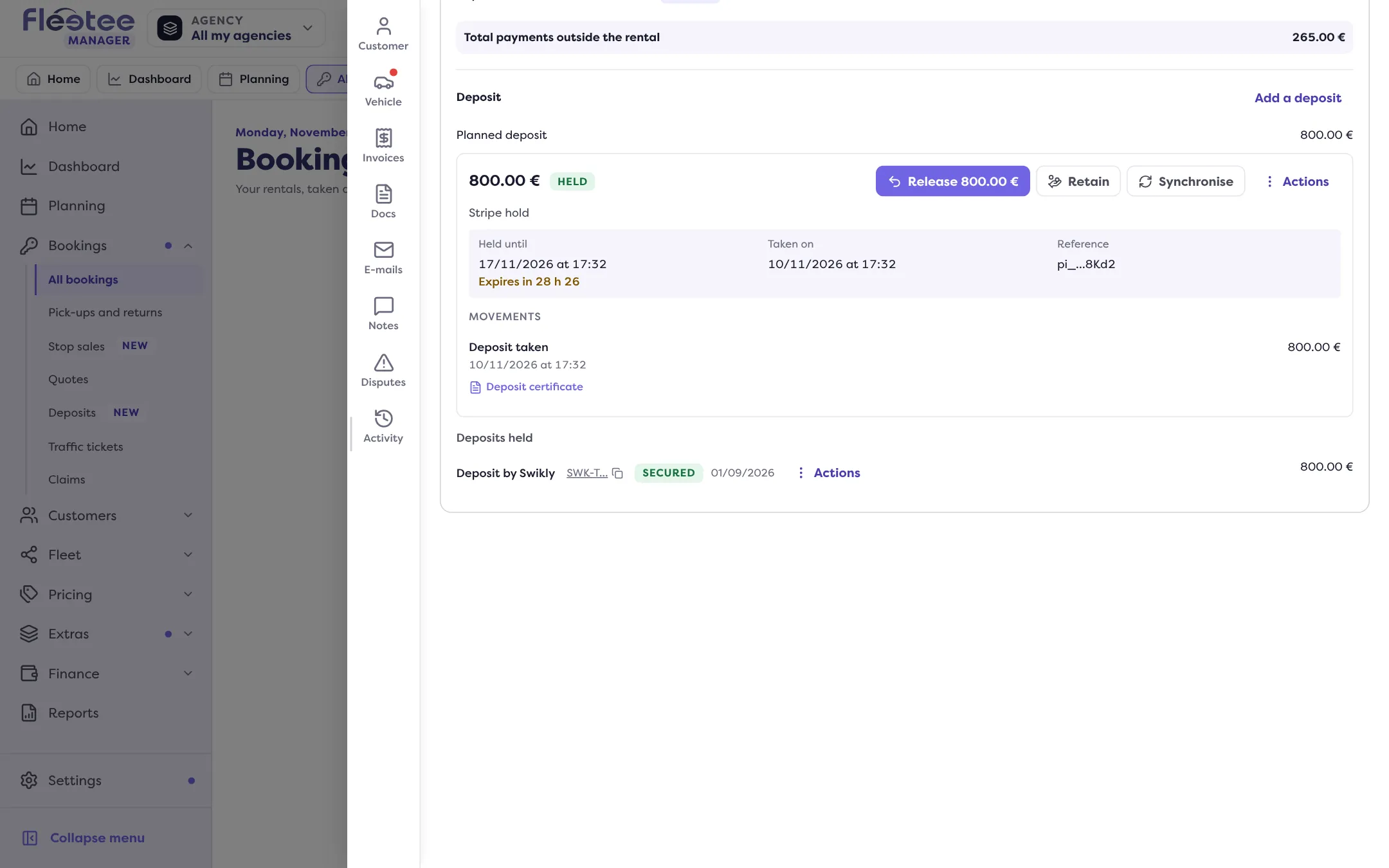
He clicks Release. With Stripe, Swikly or PayZen, Fleetee asks the platform to release it. For a cheque or cash, Karim records how he gave it back and the date. Each action produces its release certificate, to hand to the customer.
Retaining an amount from a deposit is not an agent’s action: it is for the agency manager and the administrator. If fees are due, Karim shows them in the return inspection and tells his manager, who invoices and then retains from the deposit. In that case, Karim does not release the deposit right away.
Key steps
Do the return in Check
Card marked Return › “Start return”: readings, every side checked, new damage circled.
Review the return fees
At the Summary, with the customer, then signatures and “Finish”.
Release the deposit
Manager › the booking › Pricing & payments › Deposit › “Release”.
Hand over the certificate
It is attached to the movement, in the Deposit block.
Your turn
Read a Deposit block
Open a completed booking of your agency, then Pricing & payments › Deposit. Find the method, the status and the certificate of the hold. Do not click “Release” if the deposit is not due back.
Further reading
Check what you learned
Answer every question correctly to complete the lesson.
Progress kept on this device. Soon with your Fleetee Account.