

Taking payments at the counter
Record a payment taken at the counter, send a payment link, add an advance to a wallet: what agents collect. Invoices, credit notes and refunds belong to the manager or the administrator.
Objective
By the end of this lesson, you will know how to take payments at the counter and get a customer to pay remotely, and what is not your role.
The essentials
The pick-up card said “Left to pay: €120.00”. The customer pays by card on the agency’s terminal. Karim opens the booking, Pricing & payments, then Add a payment:
- Record a payment: the amount is proposed from what is left to pay; he picks the method (card, cash, cheque, transfer…), the agency and the date, then Save the payment. The amount left to pay is recalculated. A payment on a “Reserved” booking confirms it: the panel says so first;
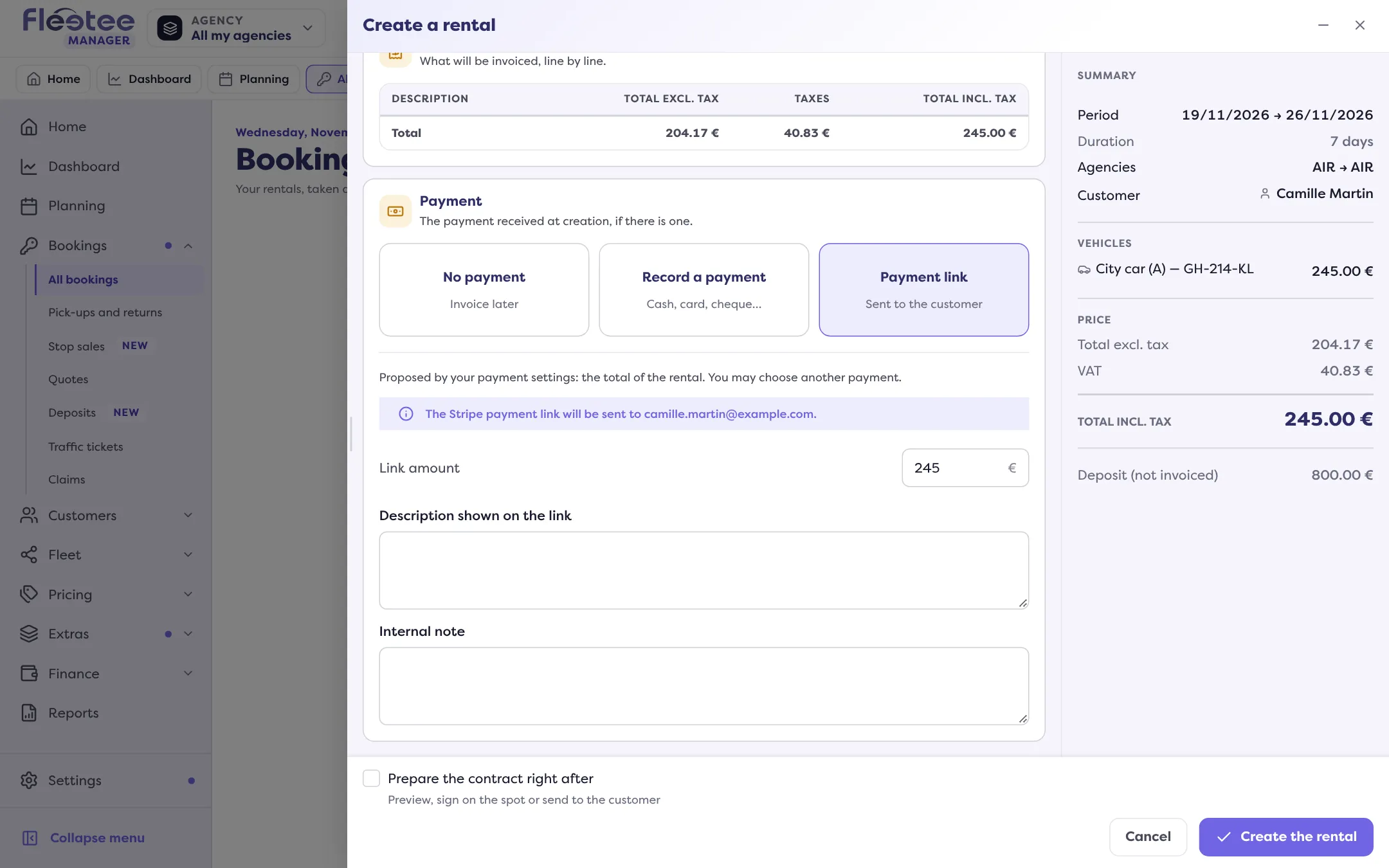
- Payment link: the customer receives a ready-to-pay link by e-mail. You need a linked payment provider and the customer’s e-mail;
- Wallet: if the customer has credit with you.
A customer pays an advance for a future booking? In their record, Customer account panel, Wallet card, Add credit: it creates a payment with its receipt.
Agents collect, they do not invoice. Creating or cancelling an invoice, issuing a credit note, refunding or giving a voucher is for the agency manager and the administrator. For a refund, Karim hands over.
Key steps
Open the booking
Pricing & payments: the Payments block and the amount left to pay.
Click “Add a payment”
“Record a payment” for what is paid in front of you, “Payment link” for a remote payment.
Save
Amount, method, agency, date, then “Save the payment”.
Hand over the receipt if needed
The payment’s Actions menu › download the receipt.
Your turn
Work out a price without creating anything
Open “Create a rental”, enter dates, the agency and a category: the summary gives the price, then the Payment step shows the three choices. Close without creating: nothing is saved.
Further reading
Check what you learned
Answer every question correctly to complete the lesson.
Progress kept on this device. Soon with your Fleetee Account.