

Return a deposit
Give a deposit back from the rental’s Deposit block: Fleetee releases it at Stripe, Swikly or PayZen; otherwise, you record the method.
Objective
By the end of this lesson, you will know how to give a deposit back at the end of a rental, from the rental page, whether a platform took the deposit or not.
The essentials
Mr Dupont brings his Clio back on time, tank full, without a scratch. The check-in inspection is signed: Julie can give his deposit back straight away. It all happens in the Deposit block, with a single button: “Release”.
What Fleetee does next depends on how the deposit was taken:
- with a platform (Stripe, Swikly, PayZen, and Gando for a deposit in euros), Fleetee asks the platform to release it and waits for its answer. A comment is enough. “Synchronise” reads the status again at any time;
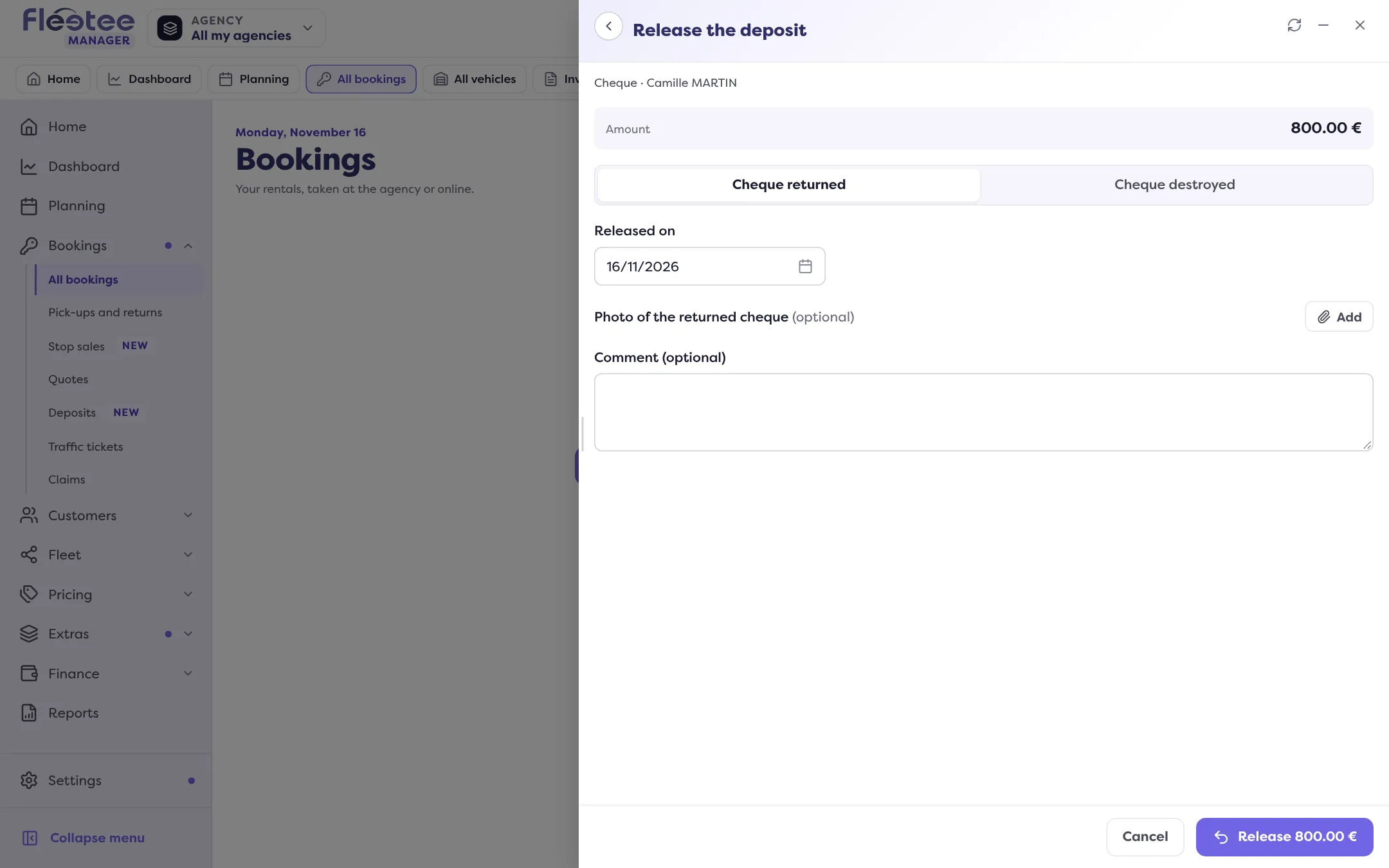
- without a platform, you gave the deposit back yourself: you record how (cheque returned or destroyed, cash returned, hold released on the card terminal, transfer…) and the date. A proof, such as a photo of the returned cheque, is optional.
Either way, the action produces its release certificate, attached to the movement, ready to hand to the customer.
Key steps
Open the rental page
Pricing & payments › Deposit block.
Click “Release”
The “Release the deposit” panel opens; what it asks depends on how the deposit was taken.
Complete it, then confirm
With a platform, an optional comment; without a platform, the method and the date.
Where to find it: Rental page › Pricing & payments › Deposit › “Release”
Releasing a deposit is open to the administrator, agency managers and rental agents.
Further reading
Check what you learned
Answer every question correctly to complete the lesson.
Progress kept on this device. Soon with your Fleetee Account.