

Planning your day
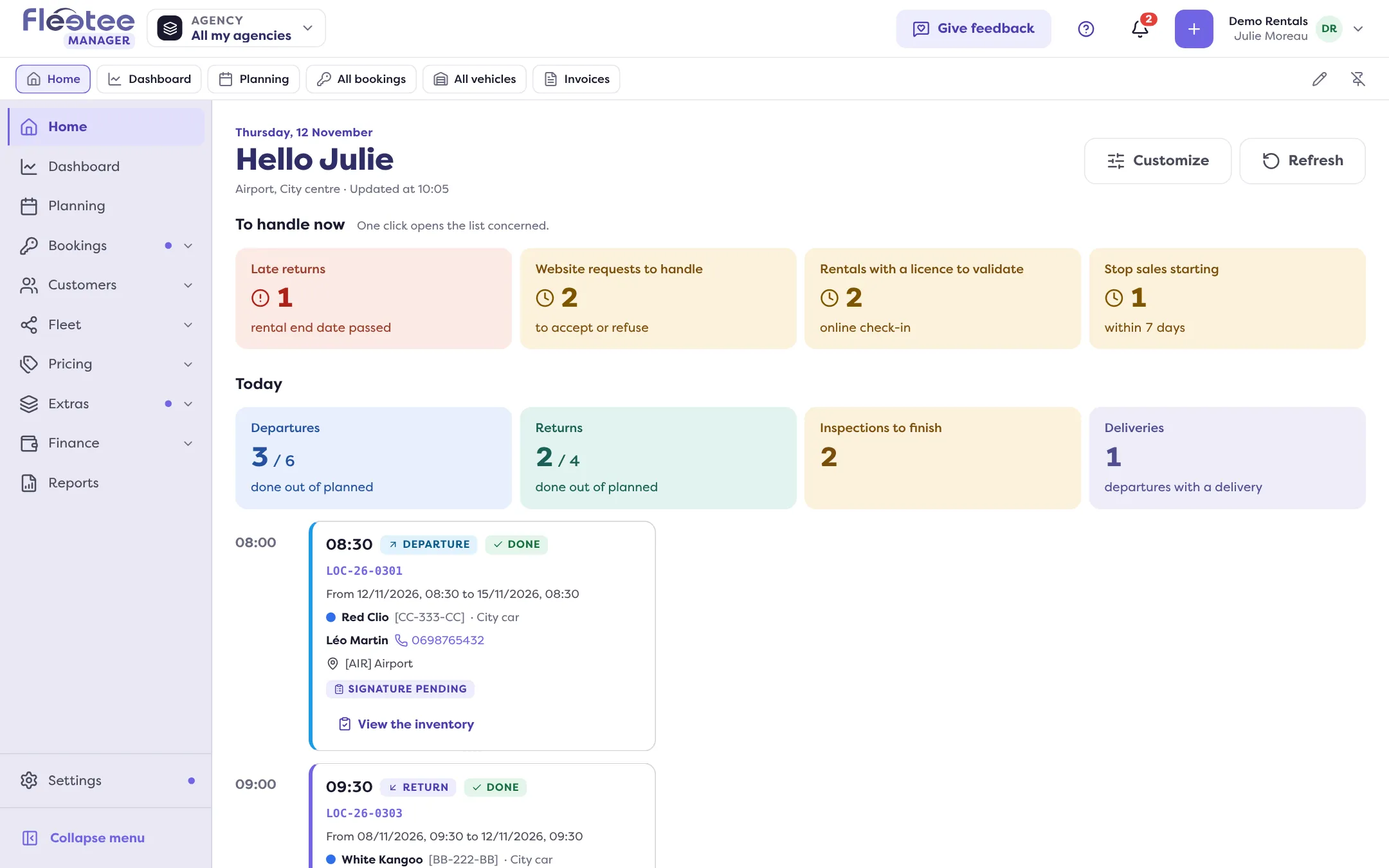
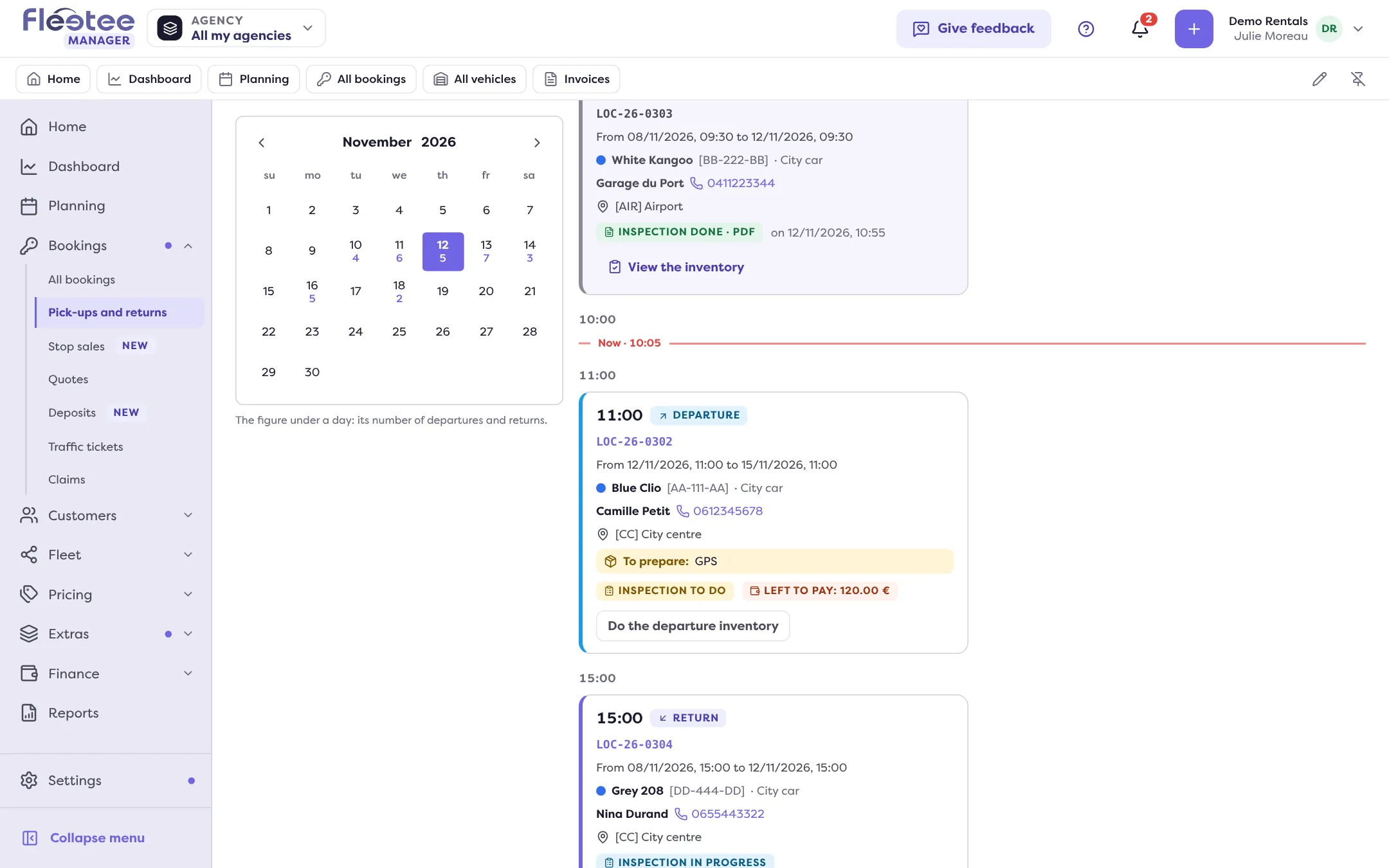
Each morning, Home tells you what is urgent and Pick-ups and returns lists, hour by hour, what leaves and comes back: what to prepare, what is left to pay, the inspection to do.
Objective
By the end of this lesson, you will know how to read your day in Fleetee Manager: what is urgent, what leaves, what comes back and what to prepare.
The essentials
Karim is a rental agent at Demo Rentals. His menu is an agent’s: Home, Planning, Bookings (All bookings, Pick-ups and returns, Quotes, Traffic tickets, Claims), Customers, Fleet and his notifications. No figures, no prices, no accounting: that is on purpose.
At 8 am he opens Home. At the top, what needs action: a late return, a website request, a licence to validate. Below, the current day. Every figure opens the list behind it.
Then he goes to Bookings › Pick-ups and returns. Three figures (Departures, Returns, Inspections to finish), then one card per booking, sorted by hour. The card tells him everything before the customer arrives: the customer and their number, the vehicle, what to prepare (“To prepare: GPS”), what is left to pay and where the inspection stands.
If Karim is limited to some agencies, he only sees those. The agency selector, right of the logo, narrows the view further to a single agency.
Key steps
Start with Home
Handle “To handle now” first: late returns, requests, licences.
Open Pick-ups and returns
Bookings › Pick-ups and returns: read today’s figures, then the cards hour by hour. “Next day” prepares tomorrow.
Prepare what the cards say
Extras to prepare, amount left to collect, inspection to do.
Open the booking from its card
A click on the card opens the booking’s record, with its Customer, Vehicle, Docs… panels.
Your turn
Read tomorrow
Open Bookings › Pick-ups and returns, click “Next day” and note, for the first pick-up, what to prepare and what is left to pay. You change nothing.
Further reading
Check what you learned
Answer every question correctly to complete the lesson.
Progress kept on this device. Soon with your Fleetee Account.