

How do I record an advance payment for a customer?
- Manager v3
- Administrator
- Agency manager
- Rental agent
In short. In the customer’s record, “Customer account” panel, Wallet card, “Add credit”: amount, collecting agency, method and date. It creates a payment with its receipt and feeds the wallet.
A customer pays an advance, for example before a series of bookings. You record it in their wallet: it will pay for their bookings or invoices (What is the customer wallet: credit or voucher?).
Open the customer’s record
In Customers › All customers, click the customer, then the “Customer account” panel.
Click “Add credit”
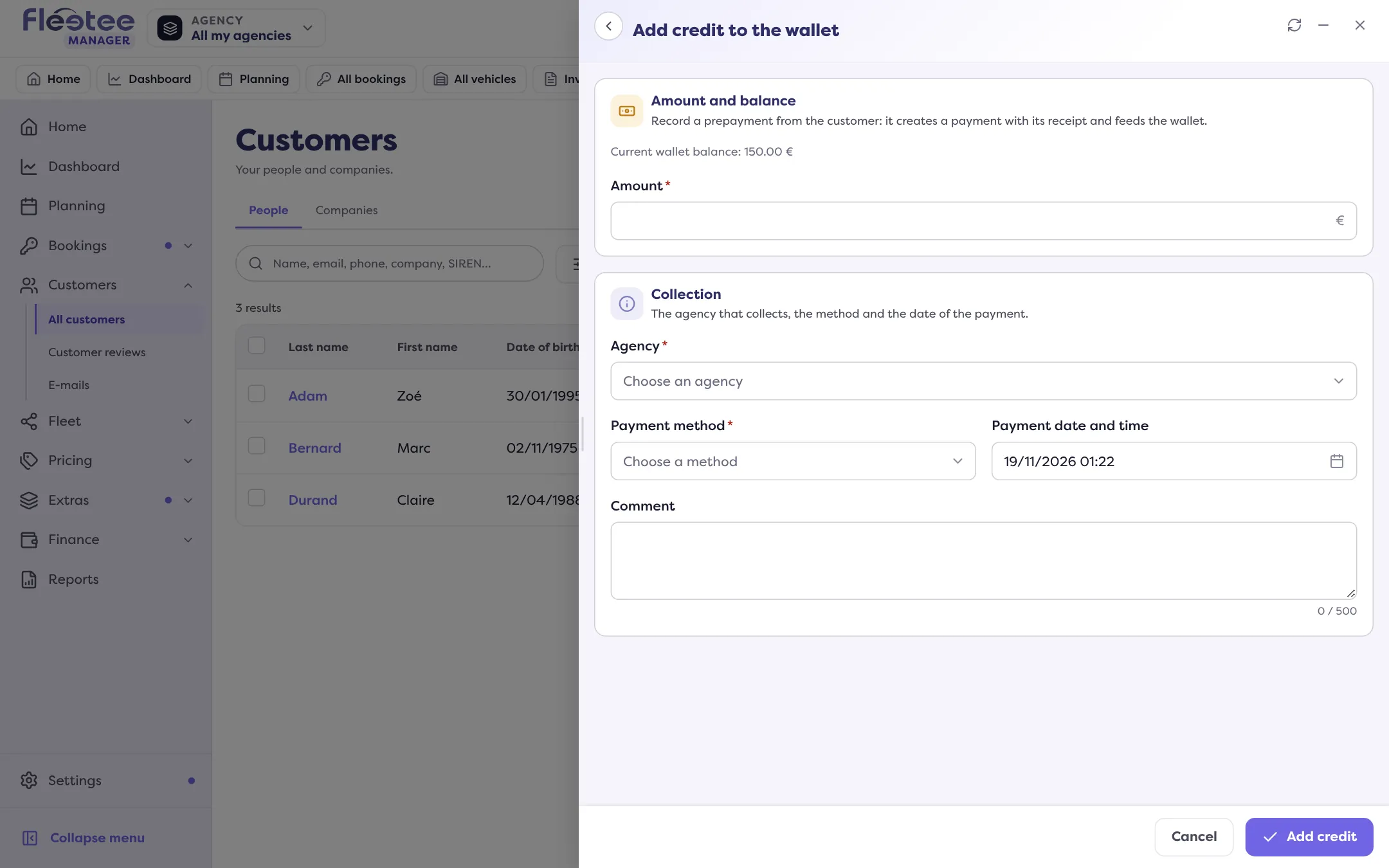
On the Wallet card. The “Add credit to the wallet” form explains: “Record a prepayment from the customer: it creates a payment with its receipt and feeds the wallet.” It shows the current balance and computes the new balance.
Fill in the payment
Amount (above 0, two decimals at most), Agency that collects, Payment method and Payment date and time (not in the future). A Comment is optional.
Click “Add credit”
“… added to the wallet of …”: the payment appears in the wallet History.
Later
- The balance is deducted from an invoice with “Use the wallet”: How do I settle an invoice with the customer’s wallet?.
- An advance can be refunded (“Refund”), up to what the chosen agency collected in prepayments. A voucher cannot be refunded: How do I give a voucher, and can it expire?.
- The button is missing if the customer is deleted (their wallet stays viewable) or if your role does not allow the operation.
Where to find it: Customer record › “Customer account” › Wallet › “Add credit”
Where to find it: Customer record › “Customer account” › Wallet › “Add credit”