

Connectors: payments, deposits, e-invoicing
In Settings › Connectors, the administrator links their Stripe, PayZen, Swikly, Gando or SuperPDP accounts once. Settings › Payments then says what each account is for.
Objective
By the end of this lesson, you will know how to link the company’s payment, deposit and e-invoicing accounts, and say what each one is for.
The essentials
Julie wants her customers to pay and leave their deposit online. It takes two steps.
Link, once: in Settings › Connectors, Payments or Deposits tab, she opens the provider’s card and follows its panel. Stripe connects at Stripe, with no key to copy; PayZen and the others ask for the shop and its keys; Swikly for its account; Gando for a sign-up at Gando, then a check.
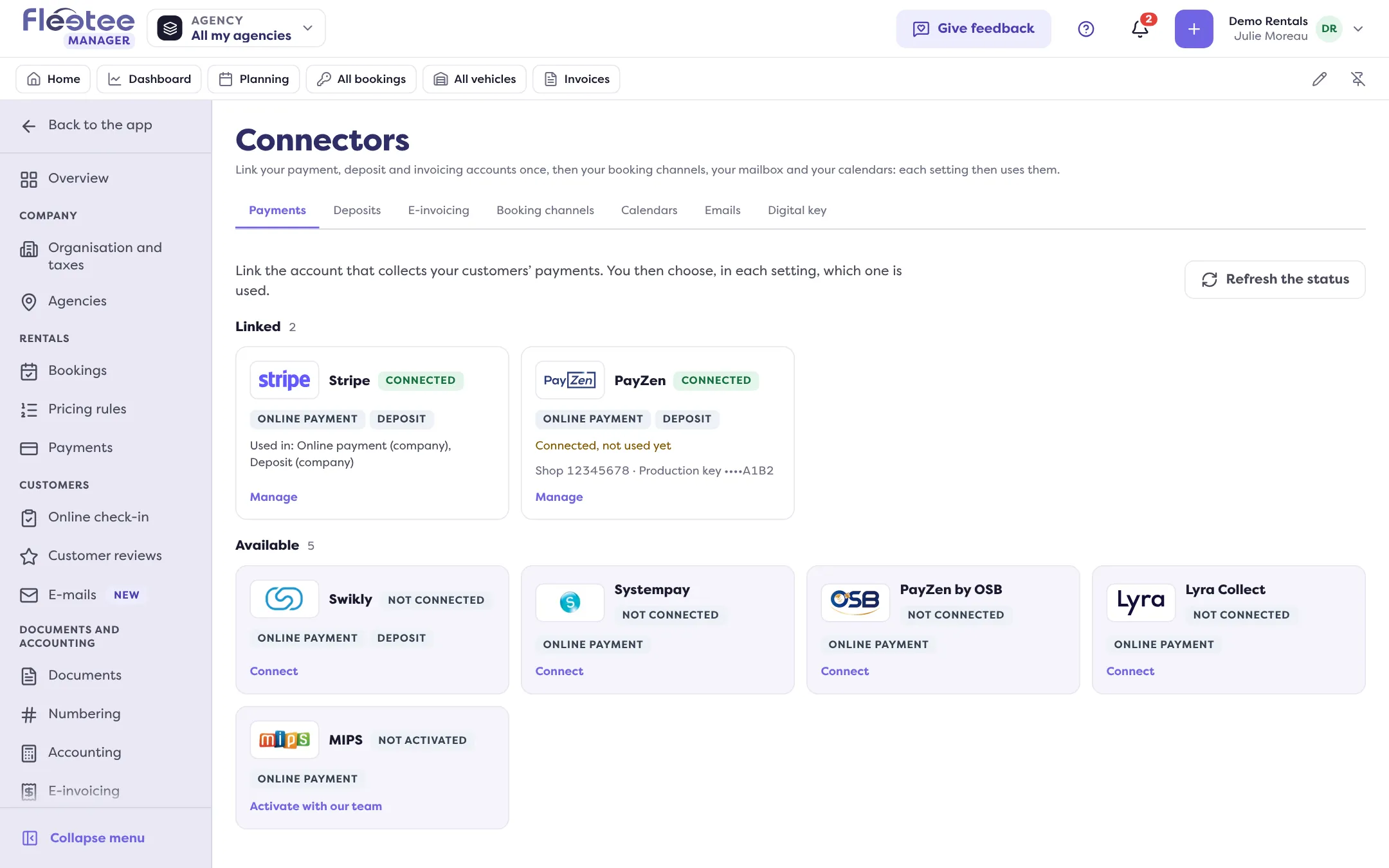
Say what each account is for: in Settings › Payments, three cards, Online payment, Online deposit and Down payment, each with “Edit”. Each applies to the whole company or to some agencies: an agency can have its own provider.
For e-invoicing, the Connectors’ E-invoicing tab links the SuperPDP account: “Connect to SuperPDP”, identity check of the legal representative at SuperPDP, then back to Fleetee. Settings › E-invoicing lists what is left to complete.
The same centre also links your booking channels (course “Selling on channels”) and your mailbox.
A provider’s test mode collects no real money. Turn it off, with the production key, before opening payment to your customers.
Key steps
Open Settings › Connectors
Payments or Deposits tab, then the provider’s card.
Link the account
Follow the provider’s panel.
Say what it is for
Settings › Payments: Online payment, Online deposit, Down payment.
Prepare e-invoicing
Connectors › E-invoicing › SuperPDP, then Settings › E-invoicing.
Your turn
List your accounts
Open Settings › Connectors and note, tab by tab, what is linked. Then open Settings › Payments and check that each linked account is actually used. Turn nothing off.
Further reading
Check what you learned
Answer every question correctly to complete the lesson.
Progress kept on this device. Soon with your Fleetee Account.