

What is a payment provider’s test mode for?
- Manager v3
- Administrator
In short. Test mode uses your provider’s test key: you can try a payment without any real money being collected. Turn it off, and enter the production key, before opening payment to your customers.
Test mode checks that online payment works without collecting real money. Fleetee then uses your provider’s test key instead of the production key.
Where to set it
In Settings › Connectors, open the provider’s card. For PayZen, Systempay, PayZen by OSB and Lyra Collect, the panel asks for the shop identifier, the production key and the test key, with the “Test mode” switch. Settings › Connectors is reserved for the administrator. See How do I connect my Stripe, PayZen or Swikly account to Fleetee?.
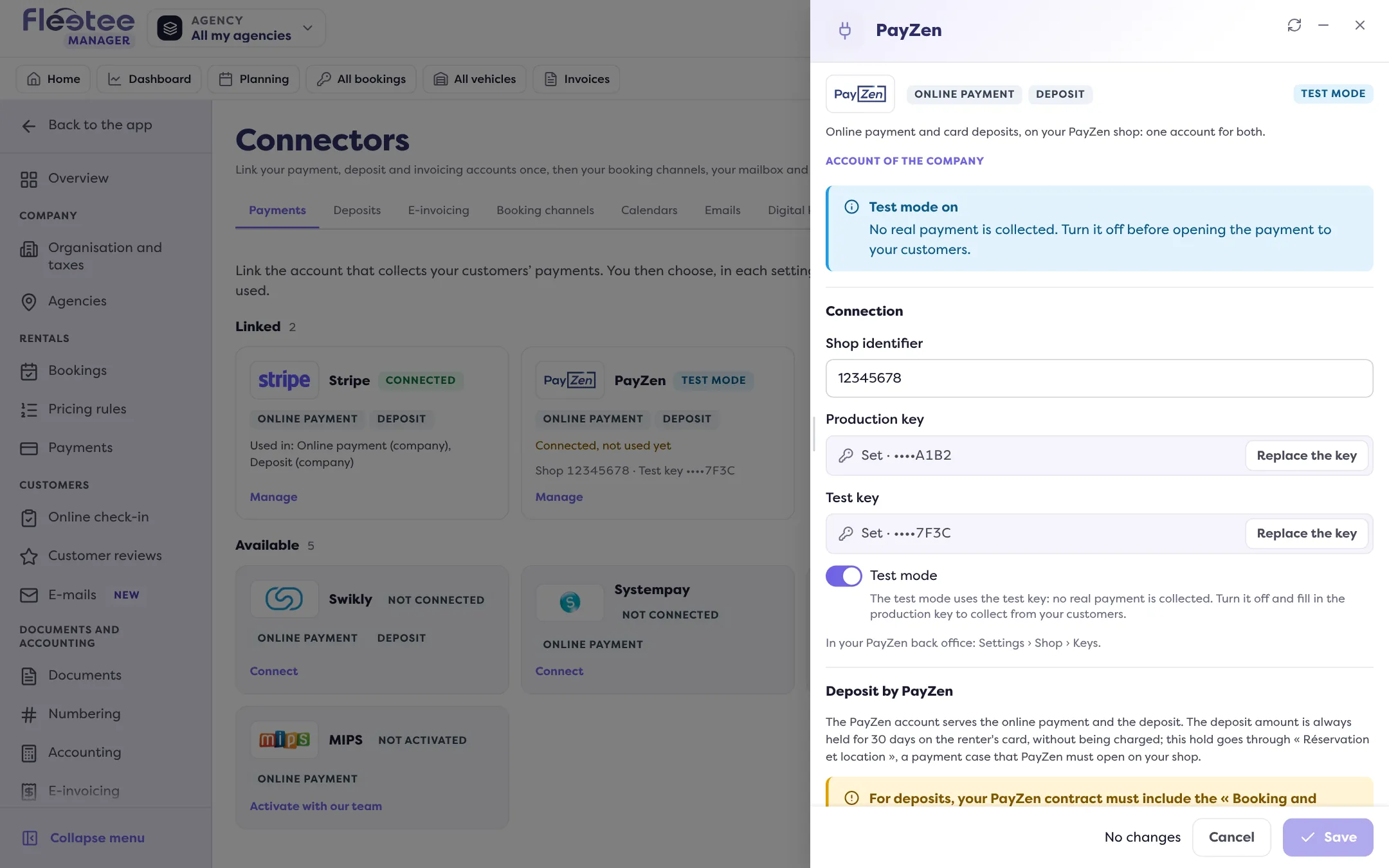
While test mode is on, the panel shows “Test mode on: no real payment is collected”, and the provider’s card carries the “Test mode” state.
How to use it
- Turn “Test mode” on and enter the test key.
- Make a trial payment (for example with a How do I make a test booking without skewing my figures? and a payment link) using your provider’s test cards.
- When all is well, turn off “Test mode” and enter the production key. The panel reminds you: “Turn it off before opening the payment to your customers.”
As long as test mode stays on, no real payment is collected: your customers do not really pay. Check the card’s state before turning online payment on (How do I set up online payment, online deposits and down payments?).
Where to find it: Settings › Connectors › the provider’s card › “Test mode” switch
Where to find it: Settings › Connectors › the provider’s card › “Test mode” switch