

How do I show the data of a single agency?
- Manager v3
- Administrator
- Agency manager
- Rental agent
In short. In the header, to the right of the logo, the agency selector picks “All my agencies” or a single agency. Lists, figures, the planning and Home are then limited to that agency. The choice is kept for you.
If your company has several agencies, you can work on one at a time. The choice applies to the whole application, without changing page.
Open the agency selector
It is in the header, to the right of the logo. It shows the current agency, or “All my agencies”. On a phone, open your account menu: the “Change agency · … agencies” row opens the list on a second screen (“Menu” button to go back).
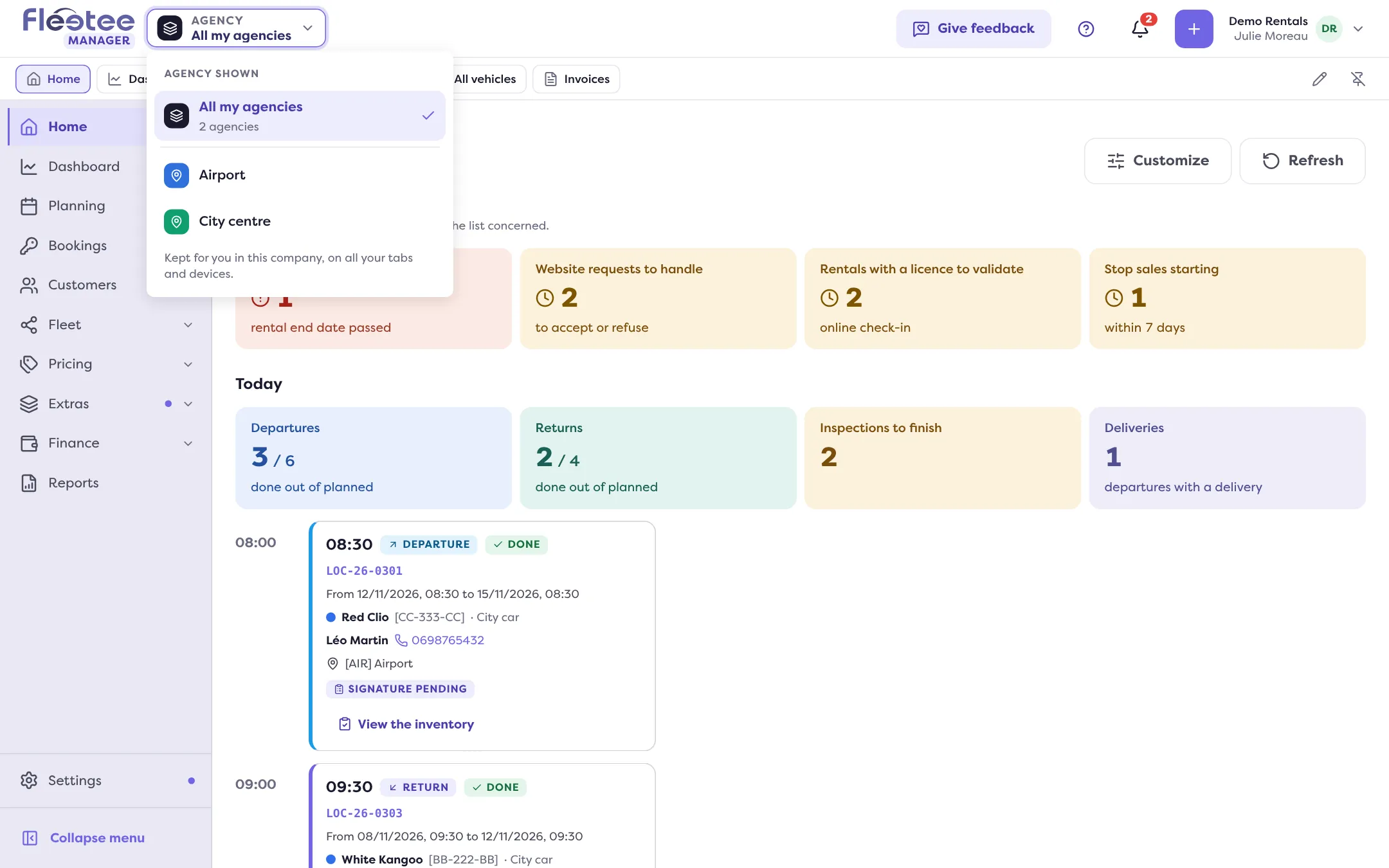
Choose “All my agencies” or an agency
Beyond eight agencies, the selector offers “Search for an agency”, the agencies “Chosen recently” and “All your agencies, A to Z”.
Wait for the update
Fleetee announces “Agency: …” then “The open pages and windows are up to date.”
What the choice changes
- Lists, figures, the planning, the dashboard and Home show only the chosen agency. A list’s agency filter then offers only the agencies in your selection; with a single agency chosen, it disappears.
- Creation forms take the chosen agency: a field shows the “Chosen agency” tag (for example a booking’s start agency). To create elsewhere, click “Change agency” in the form: the whole application switches agency, and what you typed stays.
- With “All my agencies”, nothing is fixed.
An object from another agency
If you open a booking, a customer or an invoice that belongs to an agency other than the chosen one, Fleetee shows “Outside the chosen agency”. You can view and edit it, but it does not appear in your lists or figures while the other agency is chosen. The “Switch to …” button changes agency.
Good to know
- You only see your agencies. An agency that is not yours is never offered: “This agency is not one of yours. Nothing changed.” An administrator sees all the company’s agencies.
- Only one agency? The selector shows it (“Your only agency”) with no choice.
- The choice is kept for you, in this company, on all your tabs and devices.
- Currencies. With an agency chosen, amounts are in that agency’s currency.
- Settings do not follow the selector. A price list, a discount code or an API key keep their own choice of agencies.
To create an agency and set its opening hours, see How do I create an agency and set its opening hours and closures.
Where to find it: Header, to the right of the logo: agency selector; on a phone, account menu › “Change agency”
Where to find it: Header, to the right of the logo: agency selector (“All my agencies”). On a phone: account menu › “Change agency”