

Withhold from a deposit
Keep all or part of the deposit for charges, by settling the final invoice or a secondary invoice; the balance is returned.
Objective
By the end of this lesson, you will know how to keep part of a deposit for charges, from the rental or from the invoice, and what the customer receives afterwards.
The essentials
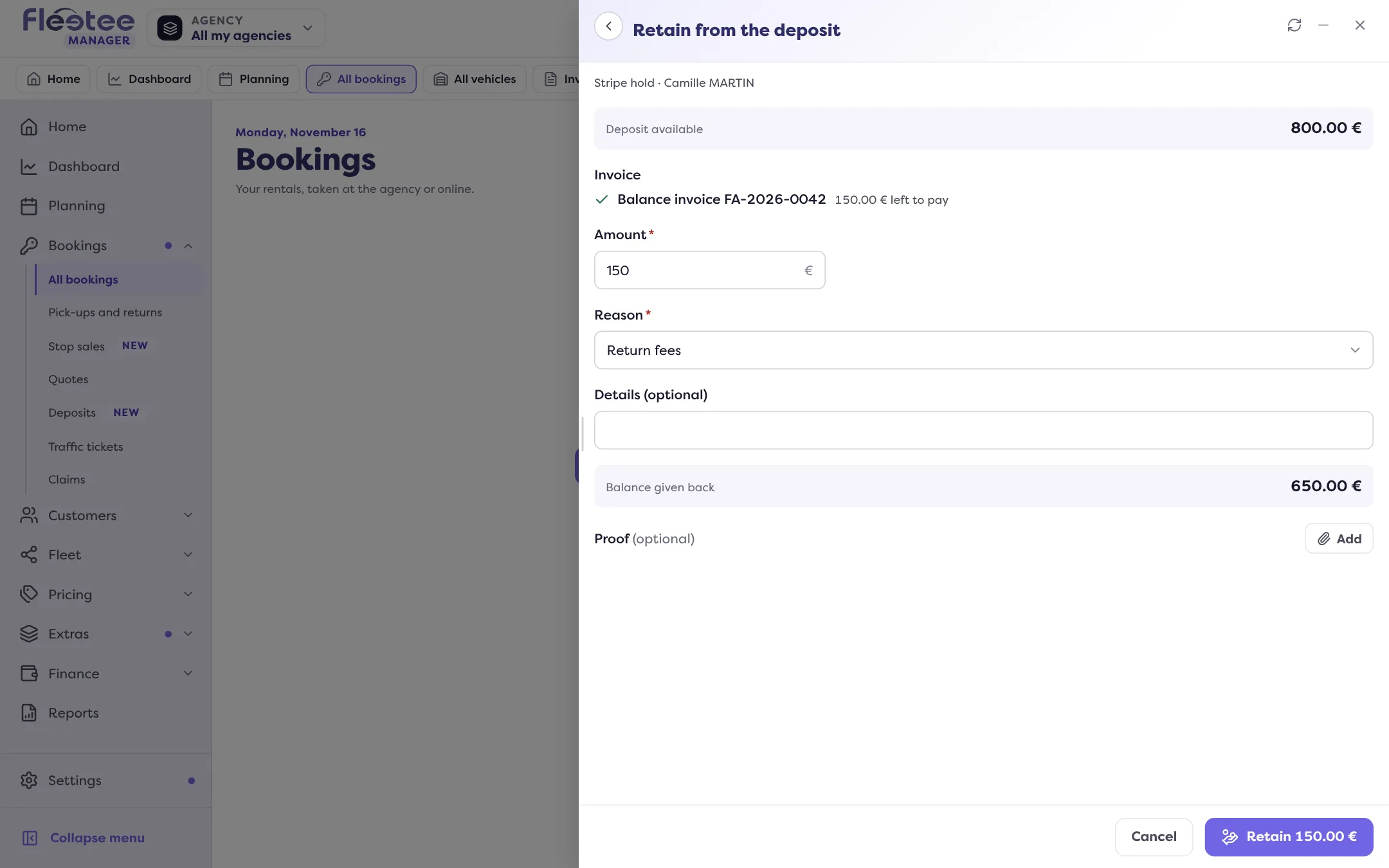
Mrs Martin brings the car back with the tank half empty and seats to clean: €150 of return fees. Her deposit is €800. Julie wants neither to keep everything nor to charge €800 and refund €650 later: she retains €150, and the balance is returned.
A retention is not a separate action: it settles an invoice. Julie chooses the invoice to settle (the final invoice, or a secondary invoice), the amount and the reason, and adds a proof. The invoice payment is recorded as “Deposit”, and the rest of the deposit is returned in the same movement.
With Stripe, one rule to know: the platform only charges once per deposit. So group all charges on one invoice before retaining.
If Julie is already on the invoice, she does not have to go back to the rental: in Payments, the “Settle this invoice” block shows the deposit next to “Collect”, with “Retain from the deposit”.
The customer gets a trace of each step: the retention detail (reason and proofs) and the release certificate for the balance.
Key steps
Prepare the invoice
The final invoice (or a secondary invoice) carries the charges to settle (chapter 5).
Click “Retain”
In the rental’s Deposit block, or “Retain from the deposit” from the invoice.
Choose the invoice, the amount and the reason
Add a proof. The panel shows the balance that will be returned.
Confirm
The payment is recorded as “Deposit”, the balance is returned.
Retaining from a deposit is reserved to the administrator and agency managers: a rental agent can release a deposit, not retain from it. Retention works with Stripe, Swikly, PayZen, or a deposit recorded as a cheque.
Further reading
Check what you learned
Answer every question correctly to complete the lesson.
Progress kept on this device. Soon with your Fleetee Account.