

How do I keep part of a deposit for charges?
- Manager v3
- Administrator
- Agency manager
- 1:02
In short. In the rental’s Deposit block, click “Retain” to withhold it: choose the invoice to settle, the amount and the reason, and add a proof. The payment is recorded with the “Deposit” method and the balance is returned.
Withholding from a deposit is reserved to the administrator and the agency managers: a rental agent can release a deposit but not withhold from it.
You can keep all or part of the deposit for charges by settling the final invoice or a secondary invoice. It works with a deposit taken through Stripe, Swikly or PayZen, or recorded as a cheque.
From the Deposit block
Open the rental page
The Deposit block is in Pricing & payments. It shows what the deposit still holds.
Click “Retain”
The “Retain from the deposit” panel opens with the available deposit.
Choose the invoice, the amount and the reason
Choose the invoice to settle (final invoice or secondary invoice), enter the amount and the reason, for example “Return fees”, and add a proof. The panel shows the balance that will be returned.
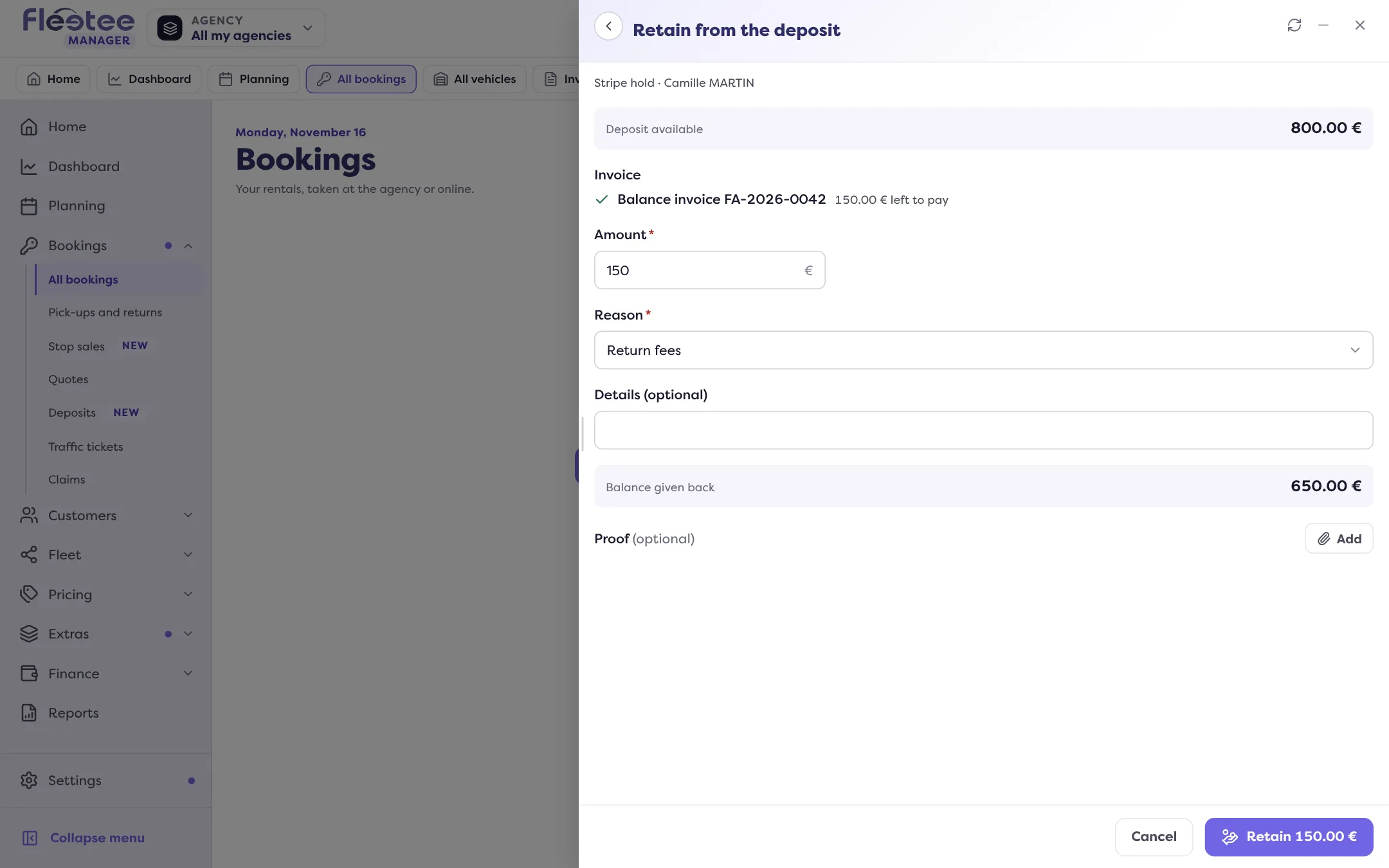
Confirm the withholding
The invoice payment is recorded with the “Deposit” method, and the rest of the deposit is returned.
From the invoice
Already on the invoice? In Payments, the “Settle this invoice” block shows the rental’s deposit next to “Collect”, with what it still holds. A click on “Retain from the deposit” opens the withholding with the invoice already chosen.
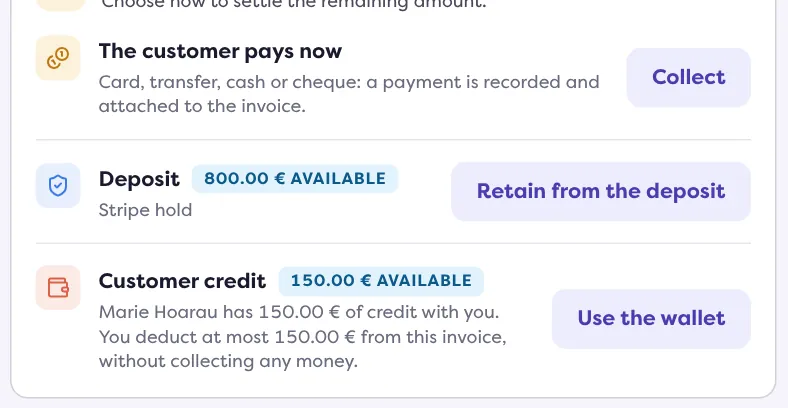
Where to find it: Final or secondary invoice › Payments › “Retain from the deposit”
What happens next?
The withholding details and the certificate for the returned balance are attached to their movements, in the Movements of the Deposit block, ready to hand to the customer.
Where to find it: Rental page › Pricing & payments › Deposit › “Retain”
Go further
Updated on 18 November 2026 with version 3.0