

Options, deductibles and deposits
Offer a child seat or an additional driver, and set per category what the customer may owe (the deductible) and what they leave as a guarantee (the deposit).
Objective
By the end of this lesson, you will know how to create an option, tell a deductible from a deposit, and set the deposit amount of each category.
The essentials
A booking’s price does not stop at the daily rate. An option is equipment or a service added to the booking: child seat, additional driver, GPS… It is added in one click and appears on the contract and the invoice. Julie creates a child seat at €5 a day, with a question “child’s age” that the agent fills in when booking.
Two notions look alike but do different jobs, and you need to tell them apart before the deposits chapter:
- the deductible is what stays at the customer’s charge after damage. Julie offers a standard deductible, included, and a partial buy-back paid per day;
- the deposit is the amount left as a guarantee at pick-up. It is not a payment: it is returned at the end, or part of it is kept for charges.
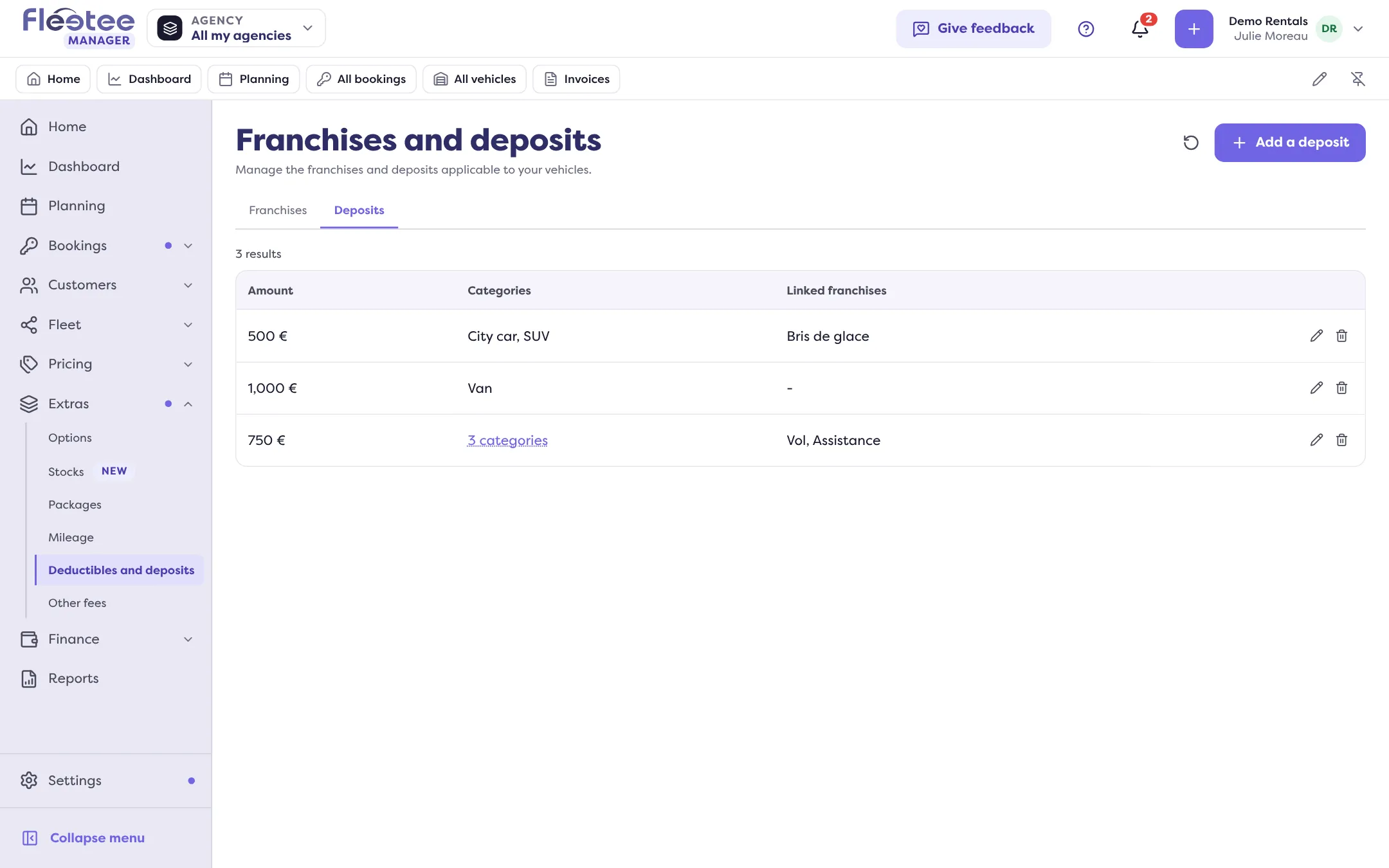
Both are set per category and per price list, in Extras › Deductibles and deposits, and each deductible is linked to a deposit. The planned amount then shows on every booking, in the Deposit block.
Key steps
Create an option
Extras › Options › “Add an option”: name, price, price type (“On the rental” or “Per day”), categories concerned. “To prepare” makes it show in Departures and returns.
Add a deposit
Extras › Deductibles and deposits, Deposits tab › “Add a deposit”: the amount and the categories. Once created, the amount is fixed: to change it, create a new deposit.
Add your deductibles
Deductibles tab › add a deductible: the amount, free or paid, the linked deposit and the categories.
Options, deductibles and deposits are pricing pages: reserved to the administrator and agency managers.
Your turn
Prepare your standard deposit
In Extras › Deductibles and deposits, add the deposit for your city cars (for example €800) and link it to your standard deductible. You will meet it again in chapter 4.
Further reading
Check what you learned
Answer every question correctly to complete the lesson.
Progress kept on this device. Soon with your Fleetee Account.