

How do I create extras (child seat, additional driver…)?
- Manager v3
- Administrator
- Agency manager
In short. In Extras › Options, “Add an option”: name, price (on the rental or per day), categories concerned, description and image. A “behaviour” adds the option by itself, like the additional driver. Group them with “Option groups”.
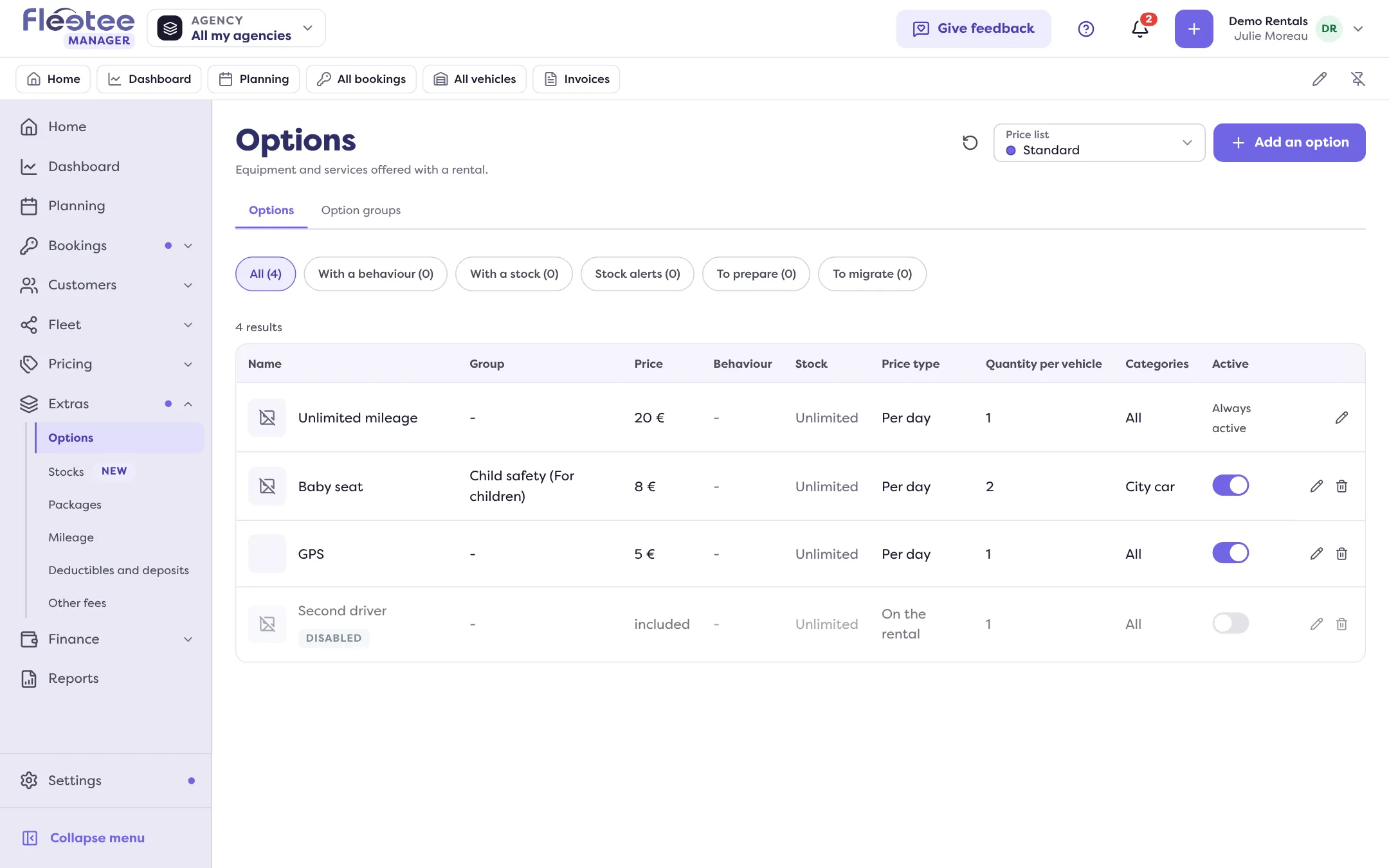
An option is equipment or a service offered with a rental: child seat, additional driver, GPS, prepaid fuel… It is added to a rental in one click and shows on the contract and the invoice. Options depend on a price list: first choose the price list at the top of the page.
Open Extras › Options
The page has two tabs: Options and Option groups. Click “Add an option”.
In “What the customer sees”, name and price the option
Fill in the “Option name”, the “Price”, the “Price type” and a “Description”. The price type is “On the rental” (one price) or “Per day” (or per month, per hour, according to the price list’s frequency).
Cap the price of a per-day option, if needed
“Maximum price”: the option’s price is capped at this amount, whatever the length of the rental.
Add an image
“Choose an icon”, or “Upload a photo” (JPG or PNG, 5 MB maximum).
Limit the option to some categories
Choose “All categories” or “Some categories”: the option is only offered for the vehicles of the chosen categories.
Set the quantity and the group
“Quantity per …”: how many of the option a rental can take. “Option group” files the option in a group. “To prepare” makes it show in Pick-ups and returns: to prepare at the departure, to get back at the return.
Click “Save”
Message: “Option created successfully.”
A child seat
Create the option with its price, then, in “Information to ask”, click “Add a question” to ask for example the child’s age: choose the type of answer (text, number, date or list of choices), tick “Required” and “One answer per unit” (with 2 baby seats, two answers). The answer follows the option’s line, up to the contract. A missing answer is pointed out when the rental is saved, without blocking it.
An additional driver
In the “Behaviour” section, choose “Additional driver”: one line per driver added to the holder, with no manual adding. The “Additional drivers offered” setting takes a number off the quantity. Other behaviours exist: young driver, delivery, prepaid fuel, cleaning included, unlimited mileage, cancellation insurance. Without a behaviour, the option is added by hand.
Conditions
The “Conditions” section reserves the option to a duration, makes it mandatory by a rule, or links it to other options (“Requires”, “Incompatible with”). On the website and through the API, a booking that does not respect a condition is refused. In Fleetee Manager, it is only a warning: nothing is blocked.
Option groups
In the Option groups tab, “Add an option group”: an “Internal name”, a “Public name”, the options to attach, and “Only one choice in this group” if the customer must take only one.
Turn an option off
The switch in the Active column turns an option off without deleting it: it is then marked “Disabled”. The option tied to unlimited mileage always stays active.
Where to find it: Extras › Options
Where to find it: Extras › Options
Go further
Updated on 18 November 2026 with version 3.0