

Following unpaid invoices and preparing the accounts
The “To collect” tab of invoices, the Payments page, and the accounting export for your accountant: know every week what is still owed.
Objective
By the end of this lesson, you will know how to spot invoices to collect and overdue ones, find a payment, and prepare the accounting export.
The essentials
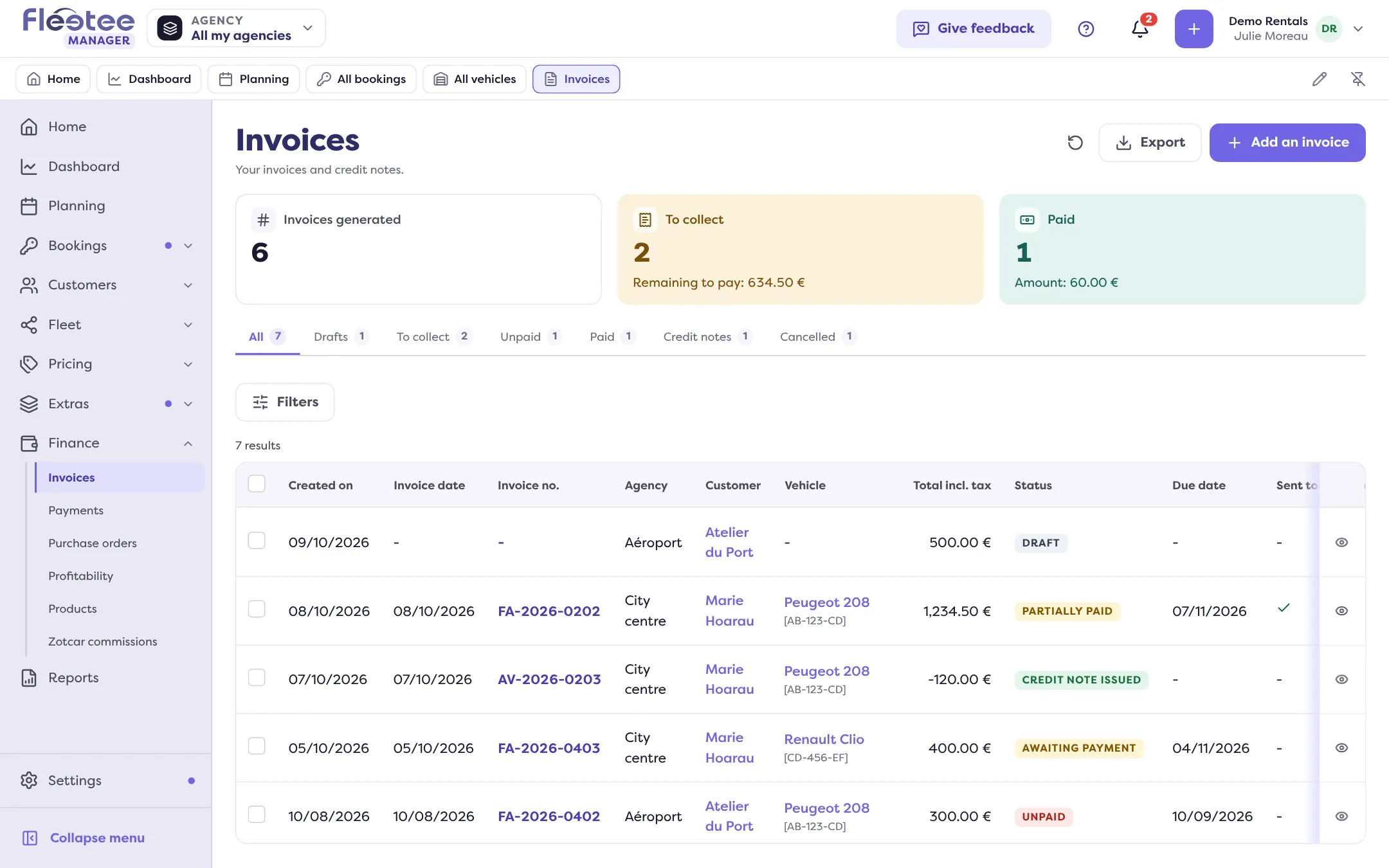
Every Monday, Julie checks the money. She starts with Finance › Invoices, To collect tab: invoices “Awaiting payment” and “Partially paid”, with what is left to pay and the due date. An invoice is overdue when its due date has passed and something is left to pay; “Customize” › “Highlight the rows to deal with” colours those rows.
To chase a customer, she opens the invoice: “Send to the customer” sends the document again, “Collect” records a payment received. Home helps too: the To follow › Invoicing card counts drafts, invoices to collect and unpaid ones.
Beware of one trap: the “Unpaid” status is not calculated. The administrator or the agency manager sets it by hand, with “Change the status”, to mark an invoice they consider lost or disputed.
The Finance › Payments page is the other side: everything that came in and went out (collections, refunds, deposits, suppliers), filtered by date, customer, method or agency. And for the accountant, the accounting export is a report: from the invoices or payments list, “Export” › “Accounting entries”, with the standard of their software (Sage, EBP, Cegid…). Drafts are not included, deposits never.
Key steps
Open Finance › Invoices › To collect
Sort by due date, highlight overdue invoices.
Chase or collect
In the invoice: “Send to the customer” or “Collect”.
Find a payment
Finance › Payments: All, Collections, Refunds, Deposits, Suppliers tabs.
Prepare the accounting export
“Export” › “Accounting entries”, choose the standard, then “Generate the report”: download it from Reports once it is “Ready”.
The Invoices and Payments pages, like reports, are reserved to the administrator and agency managers.
Further reading
Check what you learned
Answer every question correctly to complete the lesson.
Progress kept on this device. Soon with your Fleetee Account.