

How do I keep track of unpaid invoices?
- Manager v3
- Administrator
- Agency manager
In short. In Finance › Invoices, the “To collect” tab lists the invoices to be paid with their amount left to pay, and “Unpaid” those you marked as such. On Home, To follow › Invoicing gives the same counts.
These pages are reserved to the administrator and the agency managers. With another role, ask one of them.
Open Finance › Invoices
The list has tabs with a counter: All, Drafts, To collect, Unpaid, Paid, Credit notes, Cancelled.
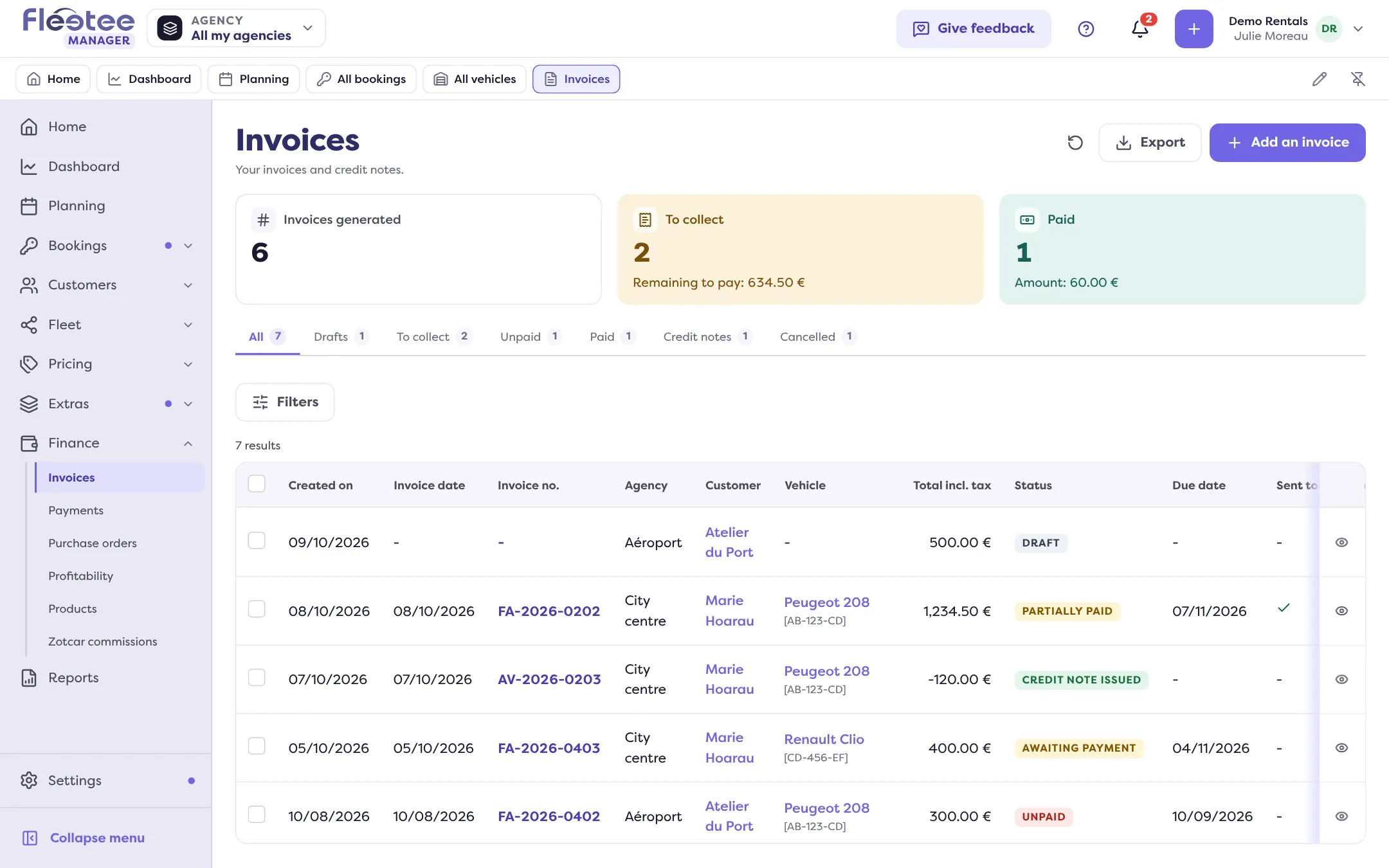
Open the “To collect” tab
It gathers the invoices “Awaiting payment” and “Partially paid”. The “Remaining to pay” column shows, with “Due date”.
Spot the overdue invoices
An invoice is overdue when its due date has passed and an amount is left to pay. In Customize, the highlight “Highlight the rows to deal with” colours these rows (Overdue) and those the customer has not fully paid (Left to pay).
Remind or collect
Open the invoice: “Send to the customer” sends the document again, “Collect” records the payment, and a payment already collected can be reconciled.
The figures at the top of the list
The figure cards follow the filters: Invoices generated, To collect (with the amount left to pay), Paid (with their amount). In Customize, Figures part, you can add others: Overdue (with the amount left to pay), Amount due, Unpaid, Drafts, Credit notes, Cancelled.
You can also filter by Invoice no., customer name, invoice date, due date, agency, document type… and save a filter as a view.
What does “Unpaid” mean?
The Unpaid status does not come from the calculation of the payments: the administrator or the branch manager chooses it, with “Change the status” (the choices are “Awaiting payment”, “Paid” and “Unpaid”). It only changes the status: no payment is changed, nothing is refunded. The invoices marked this way are in the Unpaid tab.
From Home
On Home, the To follow › Invoicing card counts the Drafts, the invoices To collect and the Unpaid ones. Each line opens the filtered list. A line “Customers to complete for e-invoicing” flags customer records to complete: read How do I get my company ready for e-invoicing?.
Where to find it: Finance › Invoices; Home › To follow › Invoicing
Where to find it: Finance › Invoices; Home › To follow › Invoicing
Go further
Updated on 18 November 2026 with version 3.0