

Where can I find all my payments?
- Manager v3
- Administrator
- Agency manager
In short. In Finance › Payments: five tabs (All, Collections, Refunds, Deposits, Suppliers), filters by date, customer, method, status and agency, and a click on the line to open the payment, its receipt, its invoice and its rental.
These pages are reserved to the administrator and the agency managers. With another role, ask one of them.
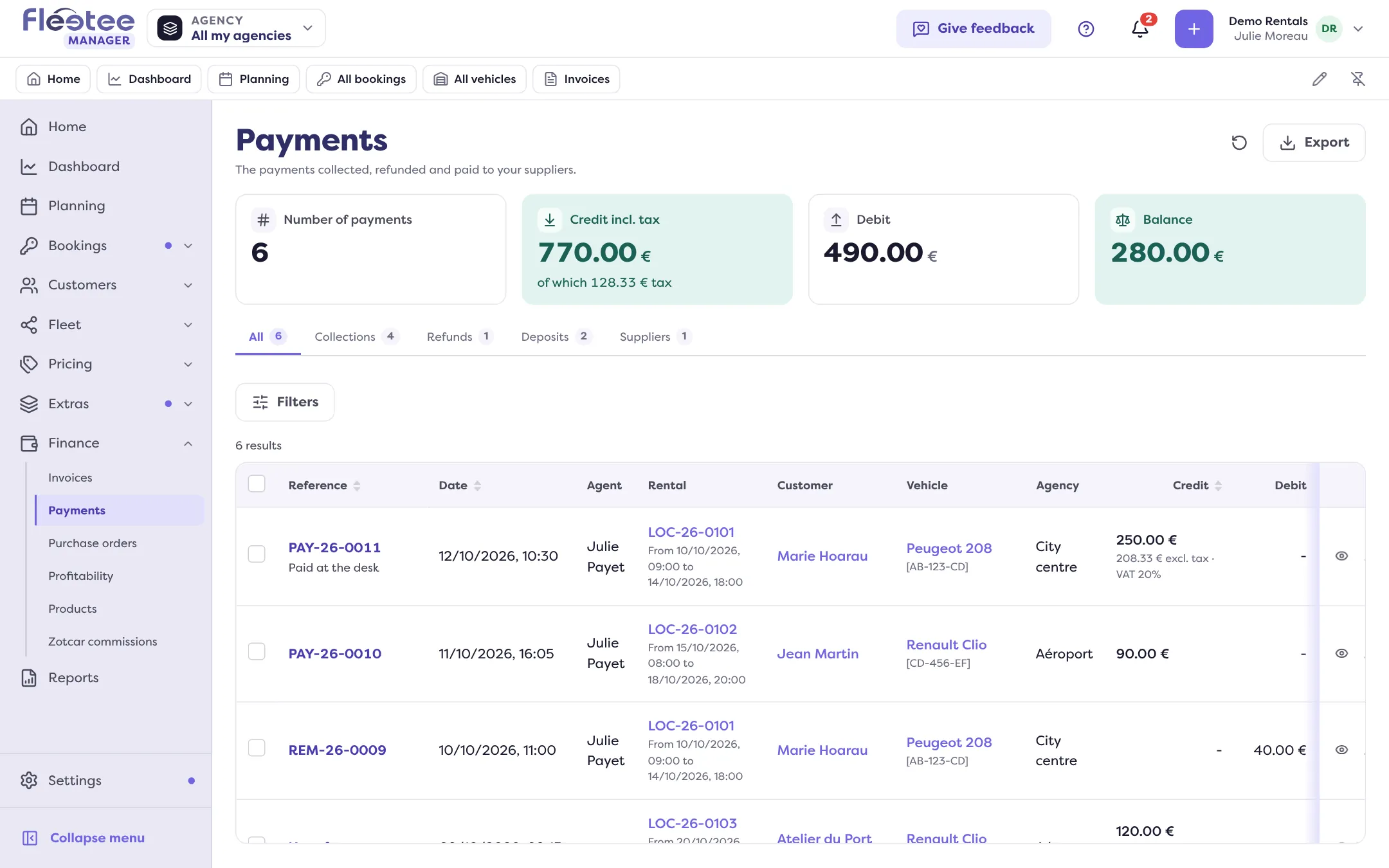
The Payments page gathers the payments collected, refunded and paid to your suppliers. Use it to find a payment, check what came in over a period, or open a payment to refund it or match it to an invoice.
Open Finance › Payments
Choose a tab: All, Collections, Refunds, Deposits or Suppliers. A deposit only shows in its own tab.
Filter
The filters are: Payment date, Rental reference, Customer name, Registration, Card type, Payment method, Status (Waiting, Waiting - payment link sent, Paid, Expired) and Agency. On the Deposits tab, a filter separates the Held deposits from those To return. The “Clear filters” button removes them.
Read the columns
Reference, Date, Agent, Rental, Customer, Agency, Credit, Debit, Total, Payment method, Type, Status and Documents (the payment or refund receipt). The Debit of a refund or of a payment to a supplier is the sum paid out.
Click the line
The payment opens: amount, status, attached invoice, rental and customer (“Open invoice …”, “Open rental …”, “Open the file of customer …”), and the Activity (link sent, payment, invoice attached, refund…). Depending on the payment, you can also cancel it, match it to an invoice or send its link again.
The figures of the selection
The page can show figures that follow your filters: number of payments, payments collected (tax included), money paid out (refunds and suppliers), the balance between what came in and what went out, and, for deposits, those taken, given back and still held. You choose them in Customize.
The period offered on opening
It is set in Settings › Accounting, “Payments received list” card: read Set my chart of accounts and accounting codes.
Going further
- A customer asks for a refund: Refund a customer.
- A payment is not attached: Match a payment to an invoice.
- A file for your accountant: How do I make my accounting export?.
Where to find it: Finance › Payments
Where to find it: Finance › Payments
Go further
Updated on 18 November 2026 with version 3.0