

Can I settle a traffic ticket or a claim with the customer wallet?
- Manager v3
- Administrator
- Agency manager
In short. Yes, once the invoice for the ticket or claim has been created and validated: on the invoice, Payments tab, “Settle this invoice” block, “Use the wallet”. The invoice must have a customer, and that customer must have credit available with you.
The wallet doesn’t plug into the ticket or claim directly: it settles the invoice that re-bills them.
Create the invoice
Traffic ticket: ticket page, Billing tab, Create an invoice (How do I re-invoice a traffic ticket to the customer?). Claim: claim page, Billing tab (How do I bill a claim to the customer?).
Validate the invoice
A draft can’t be settled: validate it first.
Use the wallet
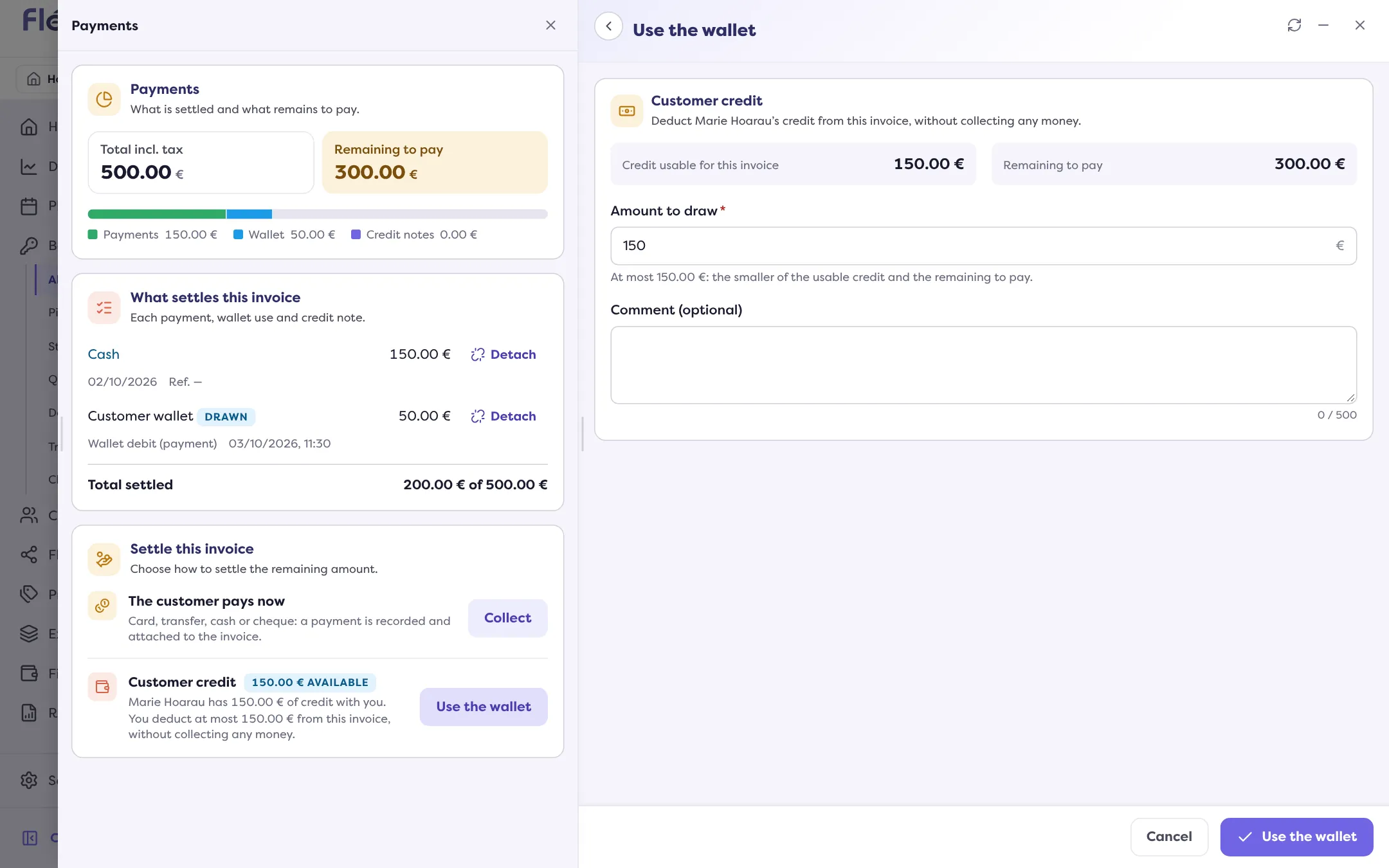
On the invoice, Payments tab, Settle this invoice block, Customer credit card: Use the wallet. Enter the amount, at most the usable credit and the amount left to pay. No money is collected: the credit is deducted from the invoice. See How do I settle an invoice with the customer’s wallet?.
When it isn’t possible
- “This invoice has no customer: there is no wallet to use.”: attach the invoice to a customer.
- “… has no credit available with you.”: the customer has no usable advance or voucher.
- “This invoice can no longer be settled.”: it is already settled, cancelled, or it is a credit note.
Where to find it: Invoice › Payments › “Settle this invoice” › “Use the wallet”
Where to find it: Invoice › Payments › “Settle this invoice” › “Use the wallet”
Go further
Updated on 18 November 2026 with version 3.0