

How do I settle an invoice with the customer’s wallet?
- Manager v3
- Administrator
- Agency manager
In short. On the invoice, Payments tab, “Settle this invoice” block: “Use the wallet”. Enter the amount (at most the usable credit and the remaining to pay): no money is collected, the credit is deducted from the invoice.
This is reserved to the administrator and the agency managers. With another role, ask one of them to do it.
If the customer has credit with you (prepayment or voucher), you can deduct it from an invoice without collecting any money. To understand this credit, read What is the customer wallet?.
Open the invoice, Payments tab
The “Settle this invoice” block only appears if the invoice can still be settled. Otherwise it says “This invoice can no longer be settled.”
Find “Customer credit”
The line says “… has … of credit with you. You deduct at most … from this invoice, without collecting any money.” and a badge “… available”. If the customer has no credit, the button is greyed out: “… has no credit available with you.” With no customer on the invoice: “This invoice has no customer: there is no wallet to use.”
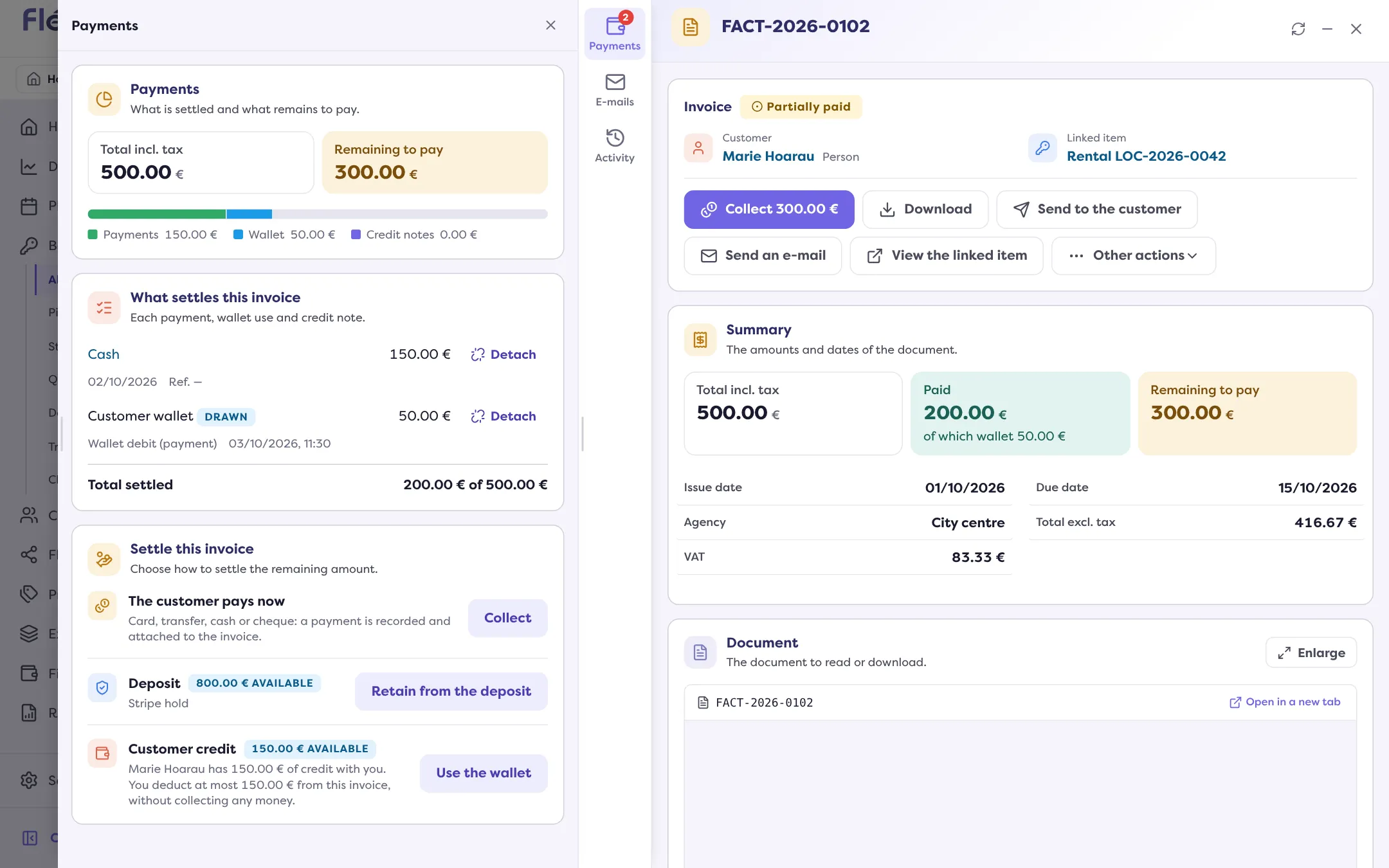
Click “Use the wallet”
The page opens with the Credit usable for this invoice and the Remaining to pay.
Enter the amount
The “Amount to draw” is at most the smaller of the usable credit and the remaining to pay. It is proposed by default. Add a comment if needed.
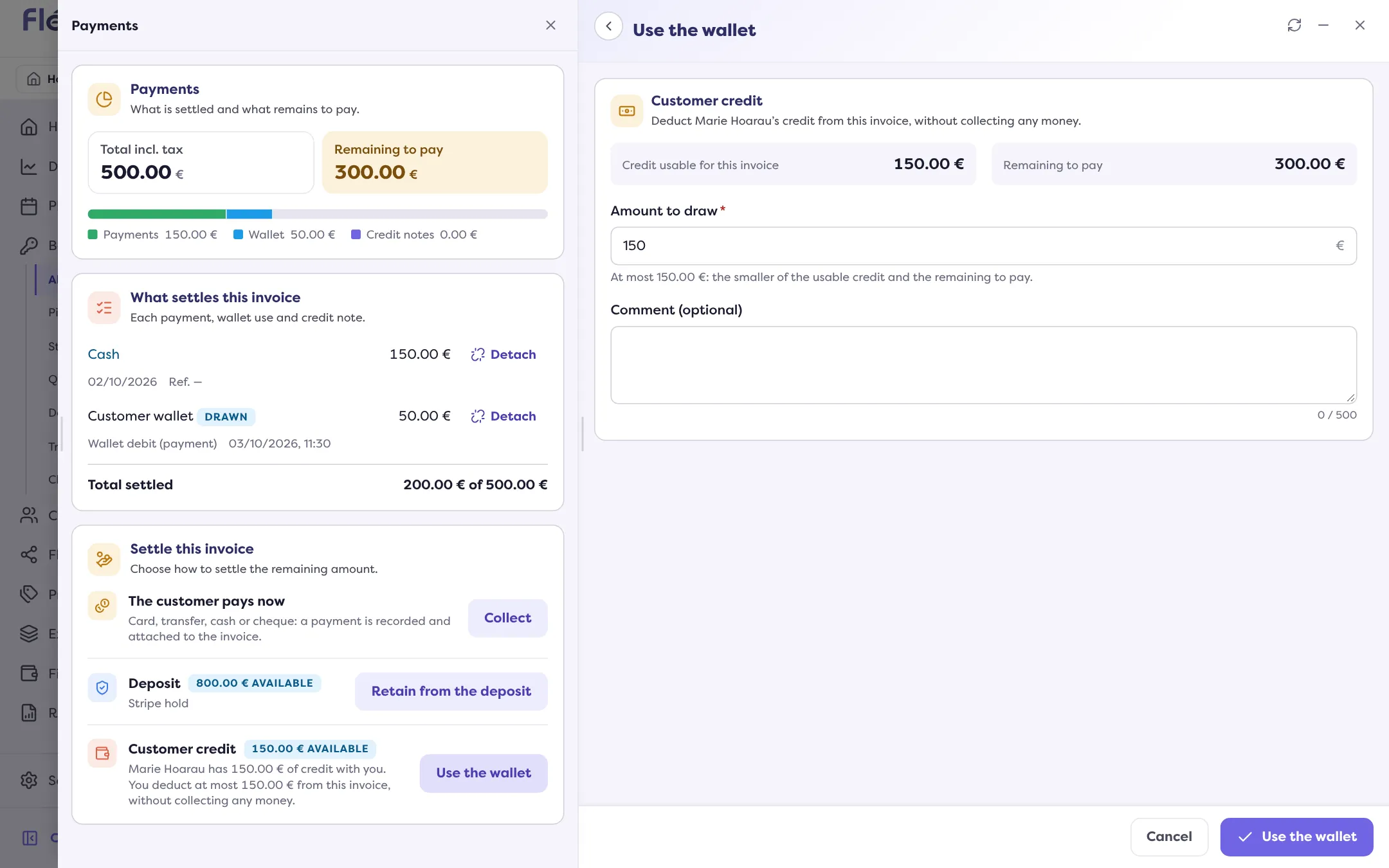
Click “Use the wallet”
Manager announces “… drawn from …’s wallet.”. The use appears in the invoice’s lines, as “Customer wallet … Drawn”.
For a rental being created
In the payment step of a rental or of a balance invoice, choose “Wallet”: the customer’s wallet pays all or part, and the amount used is attached to the invoice created, up to what it owes. If the customer has no credit but the rental’s other customer does, Manager says so: choose them as the customer to use it.
Made a mistake: cancel the use
In the rental’s payments, a wallet use is removed with “Cancel” (Actions menu of the line): the amount is credited back to the customer’s wallet. On the invoice, “Detach” cancels the reconciliation of the use with the invoice.
Where to find it: Invoice › Payments › “Settle this invoice” › “Use the wallet”
Where to find it: Invoice › Payments › “Settle this invoice” › “Use the wallet”
Go further
Updated on 18 November 2026 with version 3.0