

What is the customer wallet: credit or voucher?
- Manager v3
- Administrator
- Agency manager
- Rental agent
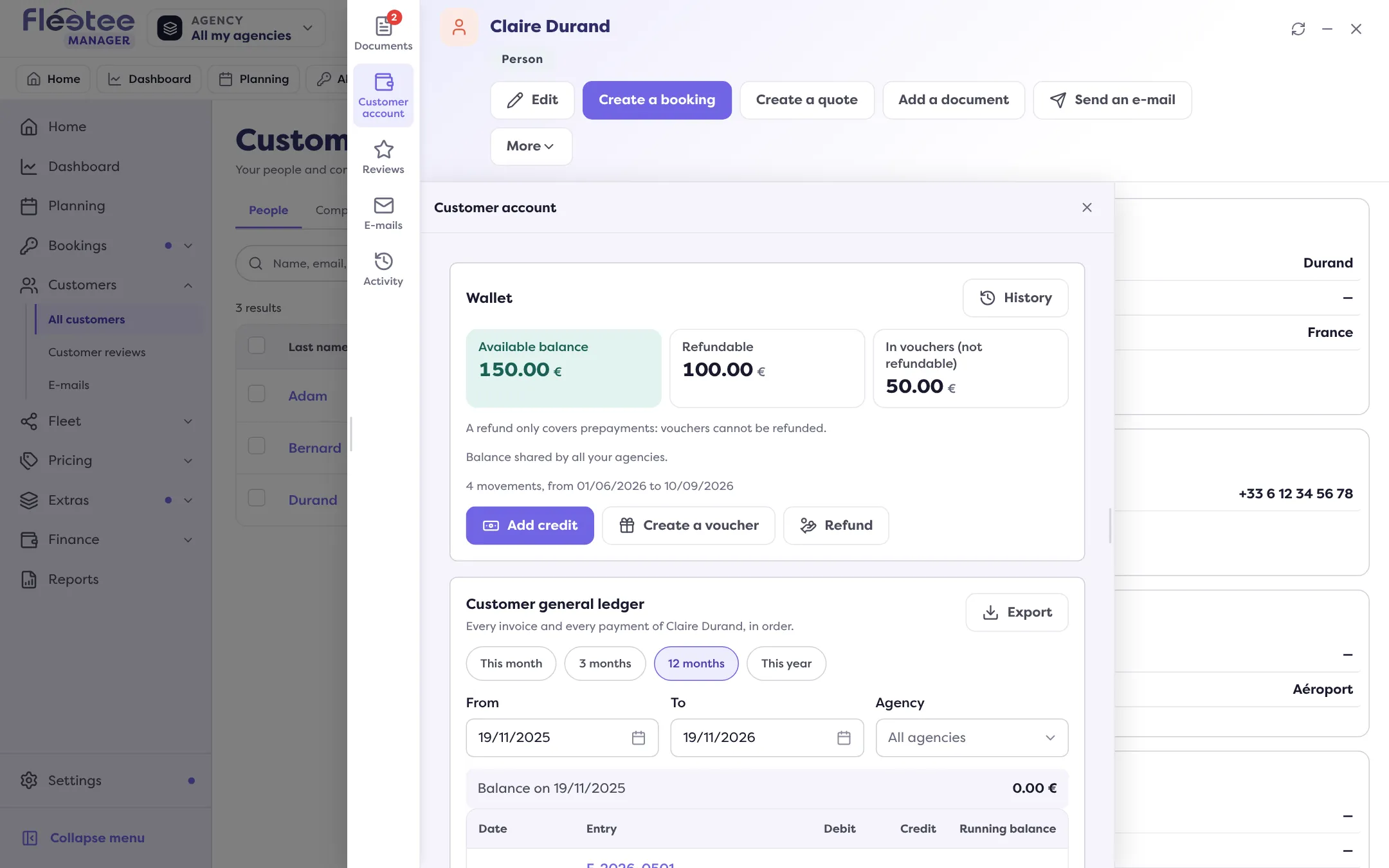
In short. The wallet is the credit a customer has with you: prepayments, which are refundable, and vouchers, which are not. It pays for a rental or an invoice. You read it on the customer record, Customer account panel.
A customer’s wallet is their credit with you: money already paid or a credit offered, which they can use to pay later. It is in the customer’s record, Customer account panel, Wallet card.
Two kinds of credit
- Prepayment: the customer paid in advance. The money is theirs: it is refundable.
- Voucher: a credit you offer (goodwill, compensation). It cannot be refunded: it can only be used to pay. It can have an end date (“Valid until”): without a date it does not expire; with a date it can be used until the evening of that day.
The card shows the Available balance, the Refundable part and the part In vouchers (not refundable). A refund only covers prepayments.
How the wallet is filled
- Add credit: record a prepayment from the customer. It creates a payment with its receipt and feeds the wallet (agency, method and date to enter).
- Create a voucher: offer a credit, with an end date if you wish.
- A credit note or a cancelled payment: when you cancel an invoice with a credit note or cancel a payment, you can credit the customer’s wallet rather than refund them. Read Cancel an invoice with a credit note.
How it is spent
When creating a rental, with “Wallet” in the payment, or on an invoice, with “Use the wallet”: read Settle an invoice with the customer’s wallet. The prepayment is used first, then the voucher.
The card’s actions
- Add credit and Refund (“Refund the wallet”): a refund leaves the bank of one agency, so it is limited to what that agency collected in prepayments. It is disabled when there is nothing to refund or when the balance is only vouchers.
- Create a voucher and Refund are reserved for the administrator and the agency manager; Add credit is open to the other roles.
- History: every credit and every use, with the tiles Credited, Used and Available credit (including what expires soon), and filters by type, agency and period.
A shared wallet or one per agency
Depending on your setting, the balance is shared by all your agencies (“Balance shared by all your agencies”) or specific to each agency, added up on the record (“Balance of each of your agencies, added up”).
Where to find it: Customer record › Customer account › Wallet
Where to find it: Customer record › Customer account › Wallet
Go further
Updated on 18 November 2026 with version 3.0