

How do I re-invoice a traffic ticket to the customer?
- Manager v3
- Administrator
- Agency manager
In short. On the traffic ticket’s page, Billing tab, “Create an invoice”: the form opens with the driver or customer and the lines prefilled. Check, save the draft, then validate it. A driver or a customer must be attached.
Once the traffic ticket is recorded, you can re-invoice it to the driver (or to the rental’s customer). The invoice is an “other invoice” of the rental, tagged “traffic ticket”.
Open the traffic ticket, Billing tab
In Bookings › Traffic tickets, click the line. The Billing tab shows the traffic ticket’s invoice, with its state, and what is left to invoice.
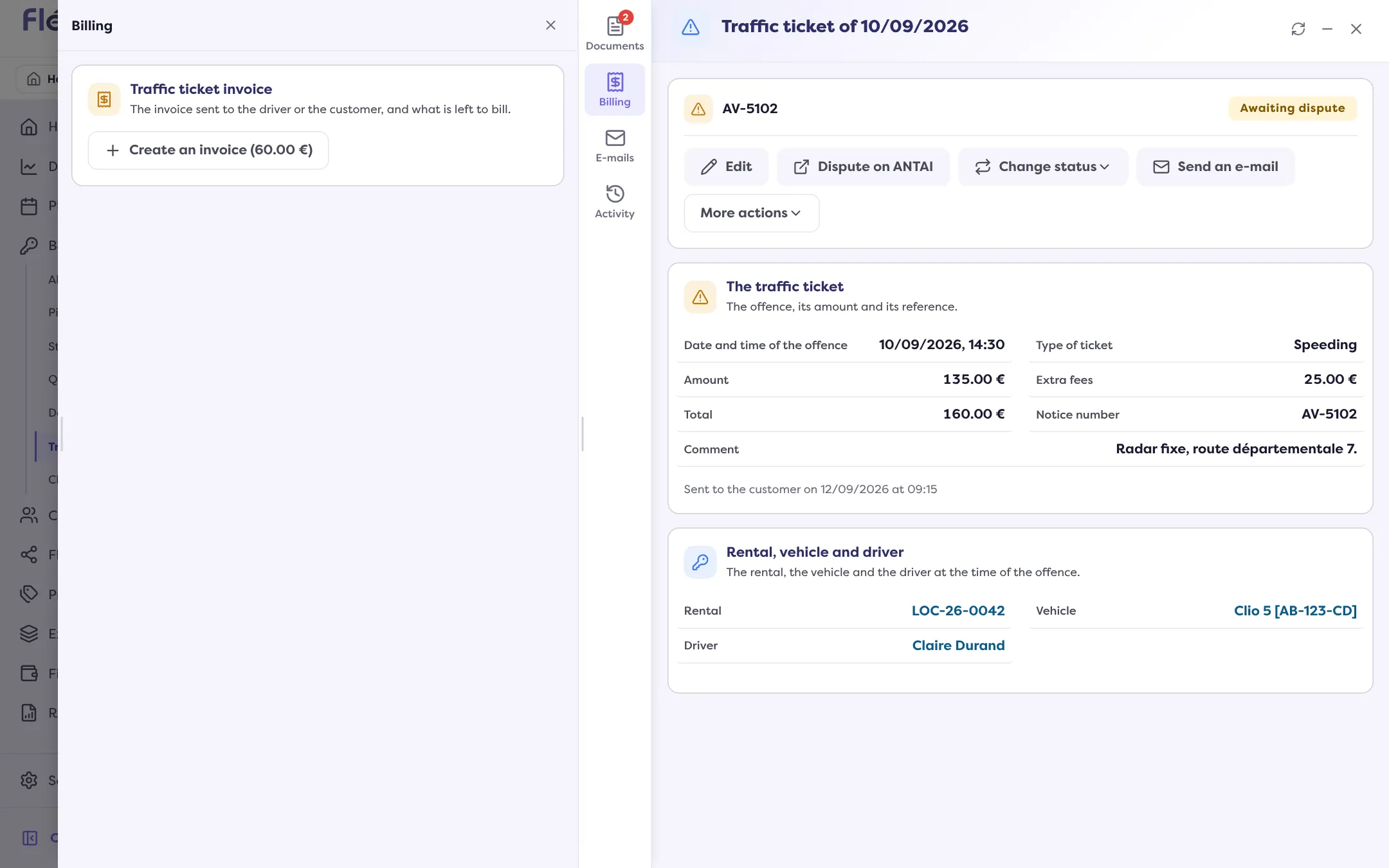
Click “Create an invoice”
The “New invoice” form opens with the traffic ticket already chosen as the object: the customer and the agency are taken over, and the lines are prefilled from the traffic ticket. If the lines could not be loaded: “add them by hand”.
Check the lines and the due date
Correct the products, quantity, prices, the Due date, the Particular conditions if needed. The Summary gives the total.
Click “Create the invoice”
The invoice is saved as a draft: “The invoice was saved as a draft.” Then validate it to give it its number: read Validate an invoice and send it.
When the button does not work
- “No driver or customer is linked to this traffic ticket: add one before creating an invoice.” Edit the traffic ticket (“Edit”) to choose the driver; otherwise fill in a customer on the rental.
- “A draft invoice already exists. Resume it rather than creating a new one.” Click “Resume the draft”.
- “Nothing is left to invoice”: the planned amount is already covered by the existing invoices.
After the invoice
- The traffic ticket’s amount and additional fees can no longer be changed while an active invoice is attached.
- A traffic ticket that is invoiced or paid can no longer be deleted.
- A traffic ticket invoice is settled like any invoice (payment, wallet, matching a payment). A retention on the deposit only targets the rental’s balance or secondary invoices: it is not offered on a traffic ticket invoice.
- The traffic ticket’s status does not change by itself: set it to Paid by hand when it is.
Where to find it: Traffic ticket page › Billing › “Create an invoice”
Where to find it: Traffic ticket page › Billing › “Create an invoice”
Go further
Updated on 18 November 2026 with version 3.0