

Can I cancel a traffic ticket or claim invoice?
- Manager v3
- Administrator
- Agency manager
- Rental agent
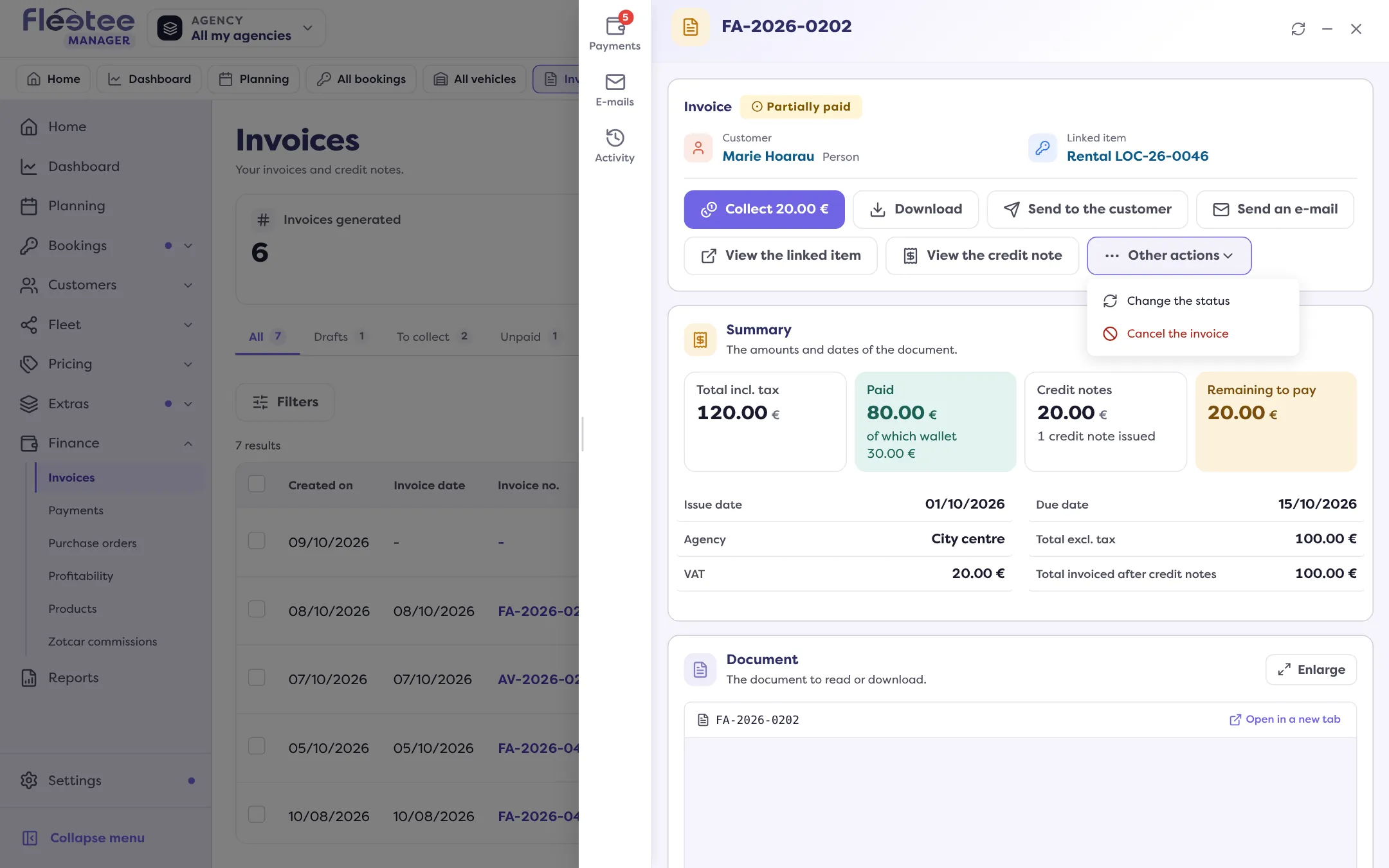
In short. Yes, like any validated invoice: open it, “Cancel the invoice”, choose the amount and what happens to the payments, then “Generate the credit note”. A draft is deleted. Once cancelled, the claim’s pricing unfreezes.
Yes. The invoice of a traffic ticket or a claim is an invoice like any other: once validated, it cannot be deleted, it is cancelled with a credit note.
If the invoice is a draft
A draft has no number: “Delete the draft” is enough. See How do I validate an invoice and send it to the customer?.
If the invoice is validated
Open the invoice
From Finance › Invoices, or from the Billing panel of the traffic ticket or the claim.
Click “Cancel the invoice”
The panel has three steps: Amount (full or partial), Payments, Credit note.
Choose what happens to the payments
Refund (reserved for the administrator and the agency manager), credit the customer’s wallet, or none.
Click “Generate the credit note”
The credit note is issued and can no longer be edited. The detail is in How do I cancel an invoice with a credit note?.
What it changes for the file
- Claim: as long as an active invoice is attached, the damage pricing is frozen and the claim cannot be deleted (“Cannot delete: an active invoice is linked to this claim. Cancel or delete it first.”). Once the invoice is cancelled with a credit note, you can correct the pricing, then invoice again (How do I bill a claim to the customer?).
- Traffic ticket: you can re-invoice afterwards (How do I re-invoice a traffic ticket to the customer?).
The “Cancel the invoice” button is missing if a credit note already covers the whole invoice or if your role does not allow it.
Where to find it: Invoice › “Cancel the invoice” › “Generate the credit note”
Where to find it: Invoice › “Cancel the invoice” › “Generate the credit note”
Go further
Updated on 18 November 2026 with version 3.0