

How do I bill a claim to the customer?
- Manager v3
- Administrator
- Agency manager
In short. On the claim’s page, Billing tab: choose what is billed (damages, franchise), set the extra fees, then “Create an invoice”. The lines are prefilled; the invoice is a draft to validate. Price the damages first.
Once a claim is priced, you can bill it to the rental’s customer. The invoice is an “other invoice” of the rental, tagged “claim”.
Before you start
- The claim is attached to a rental with a customer: otherwise, “No customer is attached to the rental linked to this sinister. Set a customer on the rental before creating an invoice.”
- At least one damage is priced, or a franchise is selected: otherwise, “No amount to invoice. Cost at least one damage or select a franchise.” Read Report a claim.
Open the claim, Billing tab
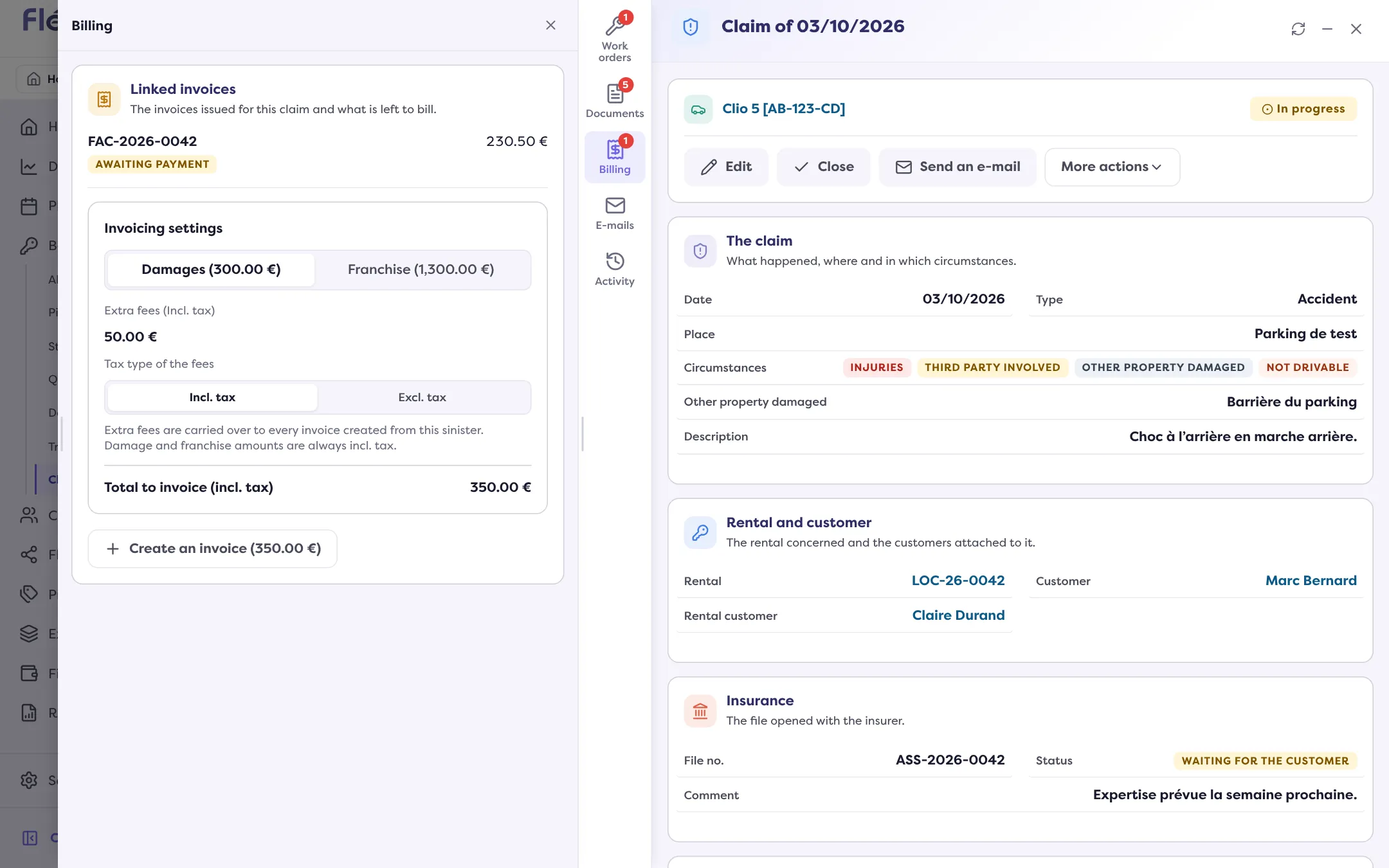
In Bookings › Claims, click the line, then the Billing tab. It shows the figures: Total to invoice, Invoiced, Paid, Left to invoice and Left to pay.
Choose what you bill
Under Invoicing settings, choose the Amount to invoice: the Damages (with their total) or the Franchise. If the claim carries franchises, select the Franchises to invoice. Damage and franchise amounts are always incl. tax.
Set the extra fees
The Extra fees are carried over to every invoice created from the claim. Choose their Tax type of the fees: Incl. tax or Excl. tax.
Click “Create an invoice”
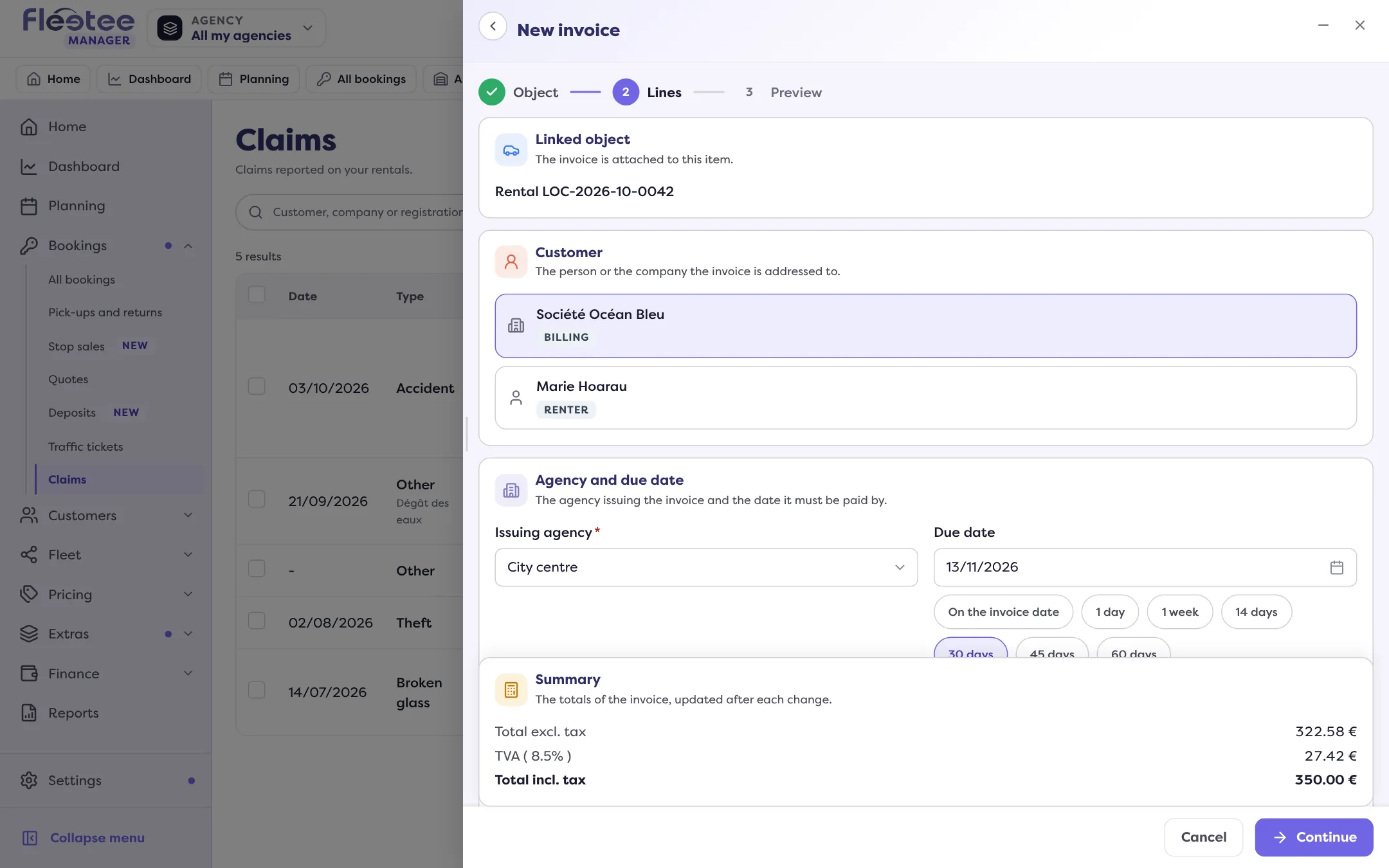
The invoice form opens with the claim as its object, the rental’s customer and the prefilled lines. If an amount is left to invoice, the button shows it: “Create an invoice (…)”. Check the lines, the due date and the conditions.
Save, then validate
“Create the invoice” saves a draft: “The invoice was saved as a draft.” Validate it to give it its number: read Validate an invoice and send it.
What the invoice freezes
Once an active invoice is attached, the invoicing settings can no longer be changed and the damage pricing is frozen. To change, cancel the invoice with a credit note or delete the draft. An existing draft is not doubled: the button becomes “Resume the draft”.
Settle the invoice
The customer pays as for any invoice: payment, wallet, matching a payment. What they owe for a claim can also be taken from the deposit: however, a retention only targets the rental’s balance or secondary invoices, not a claim’s invoice. Read Retain from a deposit.
When everything is invoiced: “Nothing is left to invoice: the planned amount is fully covered by the existing invoices.”
Where to find it: Claim page › Billing › “Create an invoice”
Where to find it: Claim page › Billing › “Create an invoice”