

How do I use a credit note, and does it change what is left to pay?
- Manager v3
- Administrator
- Agency manager
In short. A credit note is not “applied” to another invoice: it cancels its own invoice, in whole or in part, and reduces what is left to pay by as much. To give the money back to the customer, credit their wallet or refund them.
This is reserved to the administrator and the agency managers. With another role, ask one of them to do it.
A credit note is attached to one invoice, the one it cancels: you cannot spend it on another. It is issued from the invoice, with “Cancel the invoice”; read Cancel an invoice with a credit note.
What the credit note changes on the invoice
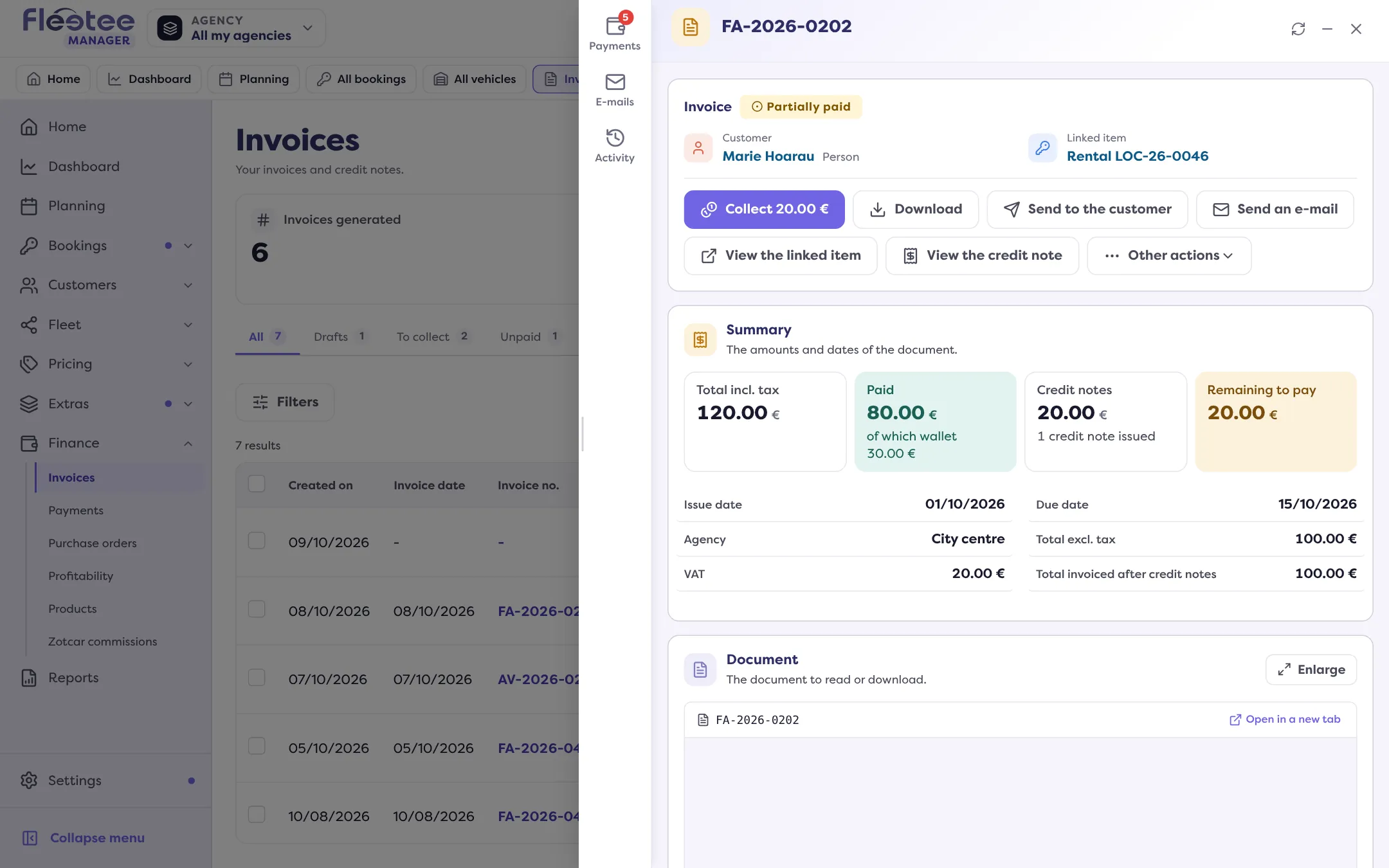
- It reduces what is left to pay. The invoice’s Payments tab shows three parts: payments, wallet and credit notes. The foot shows the Total settled against the invoice total. The invoice is settled when nothing is owed any more.
- Total credit note: the invoice becomes “Cancelled by credit note”.
- Partial credit note: the invoice becomes “Credit note issued”. Other partial credit notes remain possible, up to the cancellable balance.
- Under the invoice, the “Credit notes of …” list shows each credit note with a negative amount; the credit note has its own number and its own document.
What happens to the payments
At the Payments step of the cancellation, three cases:
- No payment: the credit note is simply issued, with no cash movement.
- The credit note is covered by what is still owed: the payments stay attached to the invoice, no cash operation. What is left to pay goes down.
- The customer overpaid: choose “Credit the customer’s wallet” (recommended: the amount can be reused later), “Refund the customer” or “Do not refund” (the payments are detached from the invoice and can be used for another invoice).
Reuse the money on another invoice
If you credit the customer’s wallet, you can then settle another invoice with it: read Settle an invoice with the customer’s wallet. The wallet is explained in What is the customer wallet?.
Send or edit the credit note
Generating the credit note does not send it to the customer: use “Send to the customer” on the credit note. An issued credit note can no longer be edited: read Can I edit an invoice that is already validated?.
Where to find it: Invoice › “Cancel the invoice”; invoice › Payments
Where to find it: Invoice › “Cancel the invoice”; invoice › Payments