

How do I know a booking belongs to a group?
- Manager v3
- Administrator
- Agency manager
- Rental agent
In short. The file of a grouped booking shows a “Group GRP-… · N vehicles” banner at the top with “View group”. It may also say “Invoiced with the group” or the booking’s share of a group payment.
A booking that belongs to a group does not look different from the others, except for a banner at the top of its file. A single booking has none.
What the banner says
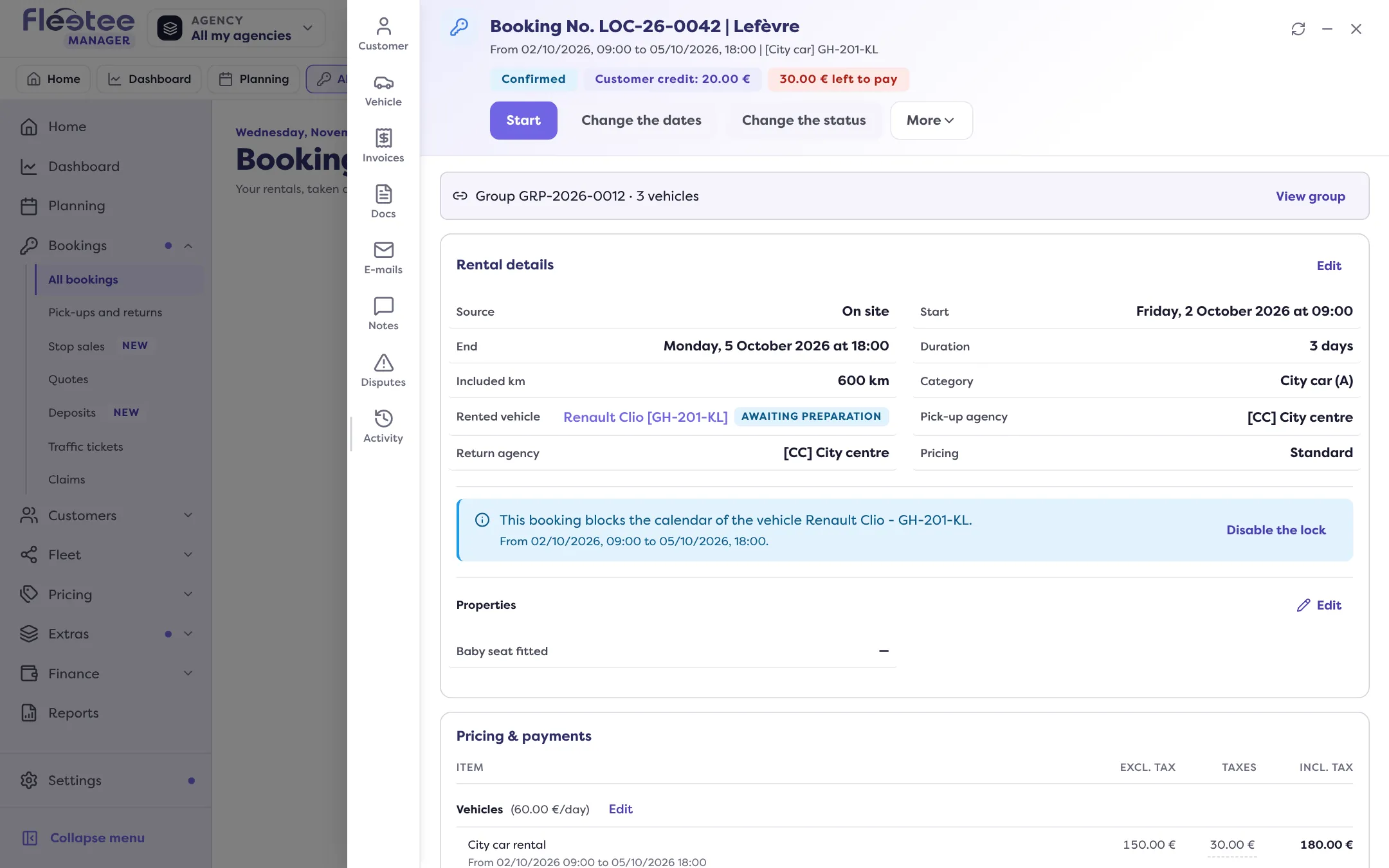
- “Group GRP-2026-0012 · 3 vehicles”: the group’s reference and the number of vehicles.
- “View group”: opens the group file over the booking (What does a booking group file show?).
- If the group holds bookings of agencies you do not see, the banner adds “N other vehicles in other agencies”.
The lines below
- “Invoiced with the group”: the group’s invoice covers this booking. Once issued, “View the invoice” opens it (How do I invoice a booking group?).
- “Share of payment PAY-… of group GRP-…: €50.00”: a group payment was split; this line gives this booking’s share.
- On a group quote: “Lead quote of the group” or “Quote of the group”. The lead quote is the one that sends, gets signed and converts the whole group.
Elsewhere than the file
- On the Planning, each bar of the group carries a mark: How do I spot a group on the planning?.
- In the bookings list, the “Group” column, and the “In a group” filter.
- In the booking’s Activity: Where do I see a group’s changes in the history?.
Where to find it: File of a booking in the group, at the top; Planning
Where to find it: File of a booking in the group, at the top; Planning
Was this article helpful?
Go further
Updated on 18 November 2026 with version 3.0