

How do I cancel a whole group at once?
- Manager v3
- Administrator
- Agency manager
- Rental agent
In short. In the group file, “Cancel all” shows a preview of each rental cancelled, the total after cancellation and the balance. You say who cancels (the renter or the customer) and, if it is the renter, what happens to the payments. Rentals that have already left are left alone.
Cancelling a group means cancelling each of its rentals. Rather than doing it one by one, “Cancel all” handles them together, after a preview.
Open the group file
From a rental of the group, “View group”. See What does a booking group file show?.
Click “Cancel all”
The “Cancel all · GRP-…” window opens with the preview of each rental.
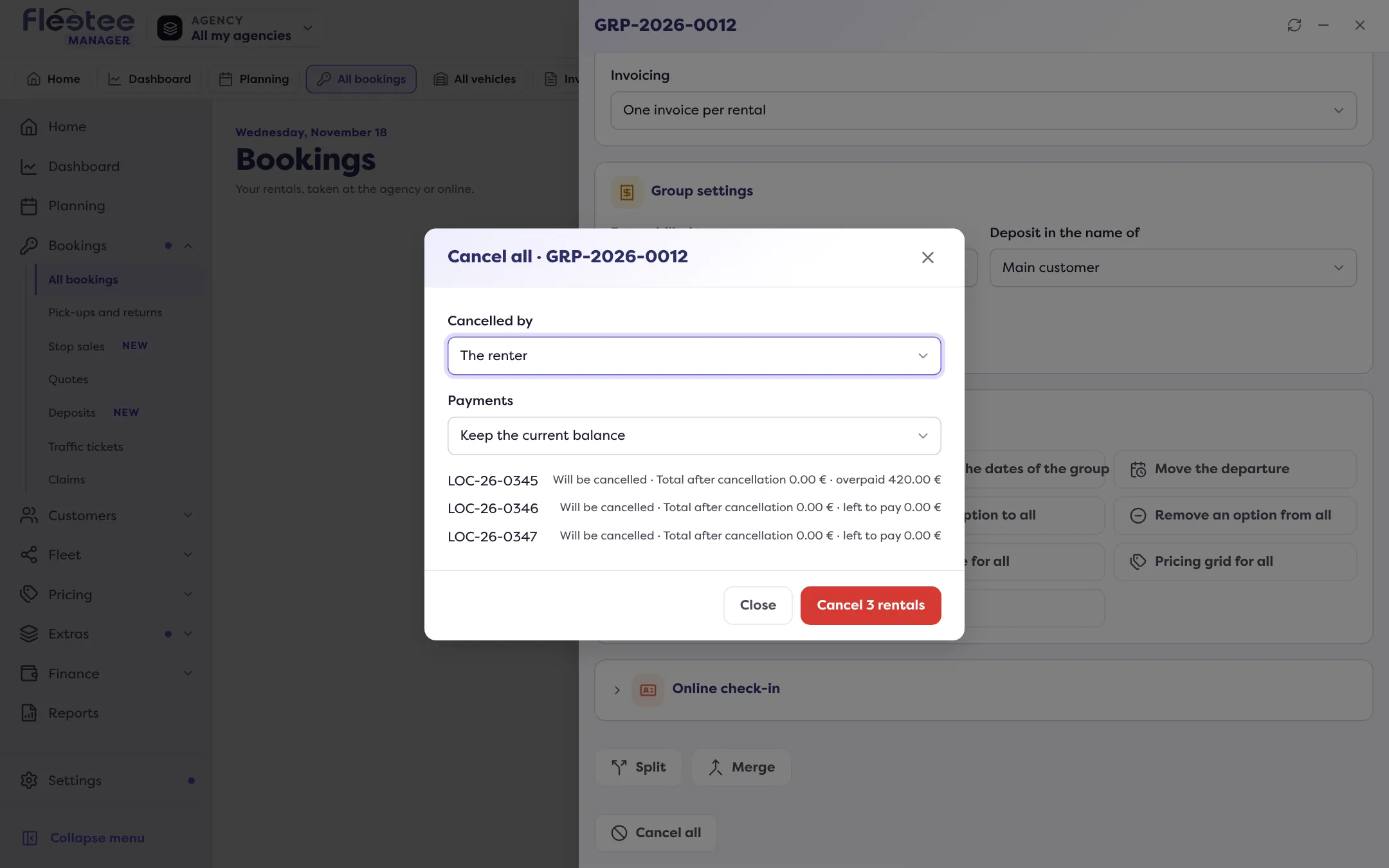
Say who cancels
“Cancelled by”: The customer (status “Cancelled by the renter”) or The renter (status “Internal cancellation”). Each rental’s cancellation fees are recalculated.
For a cancellation by the renter, choose what happens to the payments
As for a single rental’s cancellation: keep the current balance, or refund the payments (the balance will be negative). This choice is reserved for the administrator and the agency manager.
Read the preview, then click “Cancel N rentals”
Each line says what will happen: “Will be cancelled”, “Already cancelled”, “Already out”, “Completed”, or “Cannot be cancelled”. It gives the “Total after cancellation” and the “left to pay” or the “overpaid” amount.
What is left alone
A rental that has already left or is finished is not cancelled: it is “Left”. A rental already cancelled does not change either.
The group’s payments
When the group has a single payment, Fleetee shows for each rental “Payment of the group: …” and “Refundable on the payment of the group: …”. With a refund, it announces “Refunded on the payment of the group: …”. If it could not refund: “Payment of the group not refunded: refund it from “Payments” of the group.” Any “unallocated” amount remains to be refunded from “Payments”.
If the cancellation stops partway
Fleetee says “2 rentals cancelled, the rest could not be” and names the one that failed. Click “Retry”: only what is left is processed.
A group of quotes
For a group of quotes, the button becomes “Cancel N quotes”: no “Cancelled by”, no refund.
Where to find it: Group file › “Cancel all”
Where to find it: Group file › “Cancel all”
Go further
Updated on 18 November 2026 with version 3.0