

How do I settle an invoice with the deposit?
- Manager v3
- Administrator
- Agency manager
In short. On a balance or secondary invoice, open Payments: the “Settle this invoice” block offers “Retain from the deposit”. Enter the amount and the reason; the payment is recorded in “Deposit” mode and the balance is returned.
Withholding from a deposit is reserved to the administrator and the agency managers: a rental agent can release a deposit but not withhold from it.
Your customer owes fees (fuel, cleaning, damage…) and you hold their deposit? Settle the invoice without leaving the invoice: the rental’s deposit is offered next to “Collect”.
Before you start
- The invoice is a balance invoice or a secondary invoice of the rental, validated and not yet settled. If it is still a draft, Manager says so: “The balance invoice must be completed before retaining from the deposit”, with “Open the invoice”.
- The rental has a deposit that Fleetee can retain: taken with Stripe, Swikly or PayZen, or declared as a cheque. Read Retain from a deposit.
- With no invoice to settle, the panel answers “No invoice to settle.” and offers to create the balance invoice or a secondary invoice: read Create a rental’s balance invoice.
Open the invoice, Payments part
From Finance › Invoices or the rental’s Invoices panel, open the invoice, then the Payments tab.
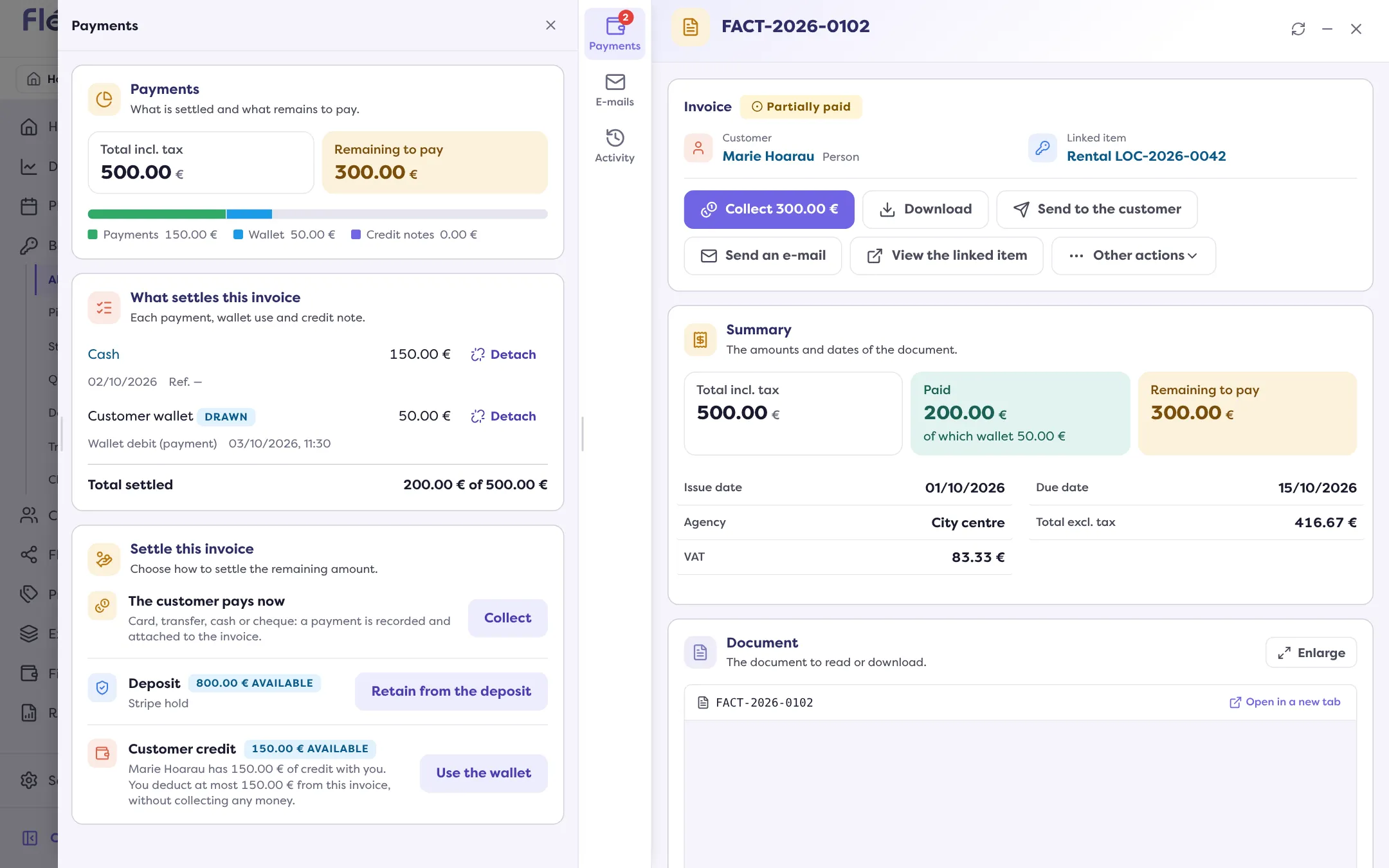
Find “Settle this invoice”
The block offers “Collect”, “Use the wallet” and, if there is one, a Deposit line with what it still holds (“… available”) and its method.
Click “Retain from the deposit”
The “Retain from the deposit” page opens, with the invoice already chosen. It shows the Deposit available.
Enter the amount and the reason
The Amount starts at the most you can take: the smaller of what the deposit holds and what the invoice still asks. Choose a Reason: Return fees, Damage, Deductible, Fuel, Cleaning, Late return, Traffic fine or Other. With “Other”, Details are required. You can attach a Proof (PDF, PNG or JPEG, 10 MB at most).
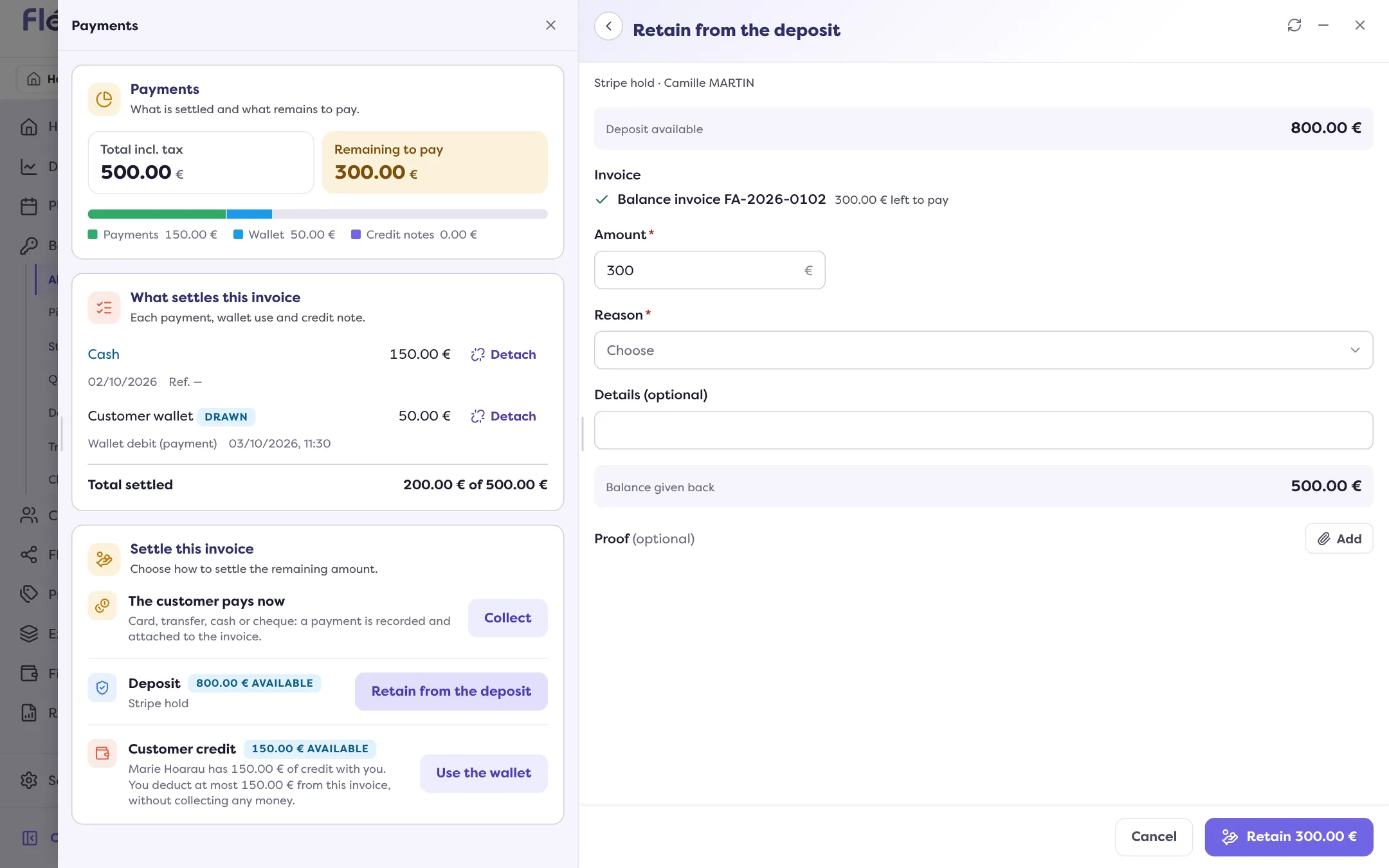
Check the balance, then click “Retain …”
The Balance given back is what goes back to the customer. Manager announces “Retention recorded.”
What happens
- A payment in “Deposit” mode is attached to the invoice; it settles it in whole or in part.
- The rest of the deposit is returned: with Stripe and PayZen, the platform releases it together with the retention; for a declared deposit, you choose whether to give it back (“Give the balance back”); with Swikly, the balance is not returned with the retention.
- A retention detail is attached to the movement, ready to hand to the customer: read Which deposit certificates to hand over.
If the platform does not answer straight away, the deposit shows “Being checked with …”: the result arrives afterwards.
When it is refused
| Message | What it means |
|---|---|
| Amount above what is available. | The deposit does not hold that sum. |
| Amount above what is left to pay. | The invoice asks for less. |
| The platform does not retain less than … | Some platforms have a minimum (€10 at Gando). |
| The platform only collects once per deposit. | Only one retention is possible, for example at Stripe: group the fees on one invoice. |
| Hold already captured. | The hold has already been collected. |
| Hold expired. | The hold is no longer available: read My Stripe hold is expiring. |
| Invoice of another customer than the holder of the deposit. | You only retain for the customer who left the deposit. |
| No retention for this method. | This method cannot be retained from Fleetee. |
Where to find it: Balance or secondary invoice › Payments › “Retain from the deposit”
Where to find it: Balance or secondary invoice › Payments › “Retain from the deposit”