

How do I cancel a booking, and what happens to its payments?
- Manager v3
- Administrator
- Agency manager
- Rental agent
In short. On the rental page, “Change the status”, then Cancelled by renter, Internal cancellation or No-show. The window announces the cancellation fees and, for an internal cancellation, you choose to refund the payments or keep the balance.
Cancelling a rental means changing its status. The rental stays in your lists with its history, unlike a deletion.
Open the page and click “Change the status”
The button is at the top of the rental page. The “Change the status” page opens: the Current status is read-only.
Choose the New status
- Cancelled by renter: the customer cancelled;
- Internal cancellation: you are cancelling;
- No-show: the customer did not turn up.
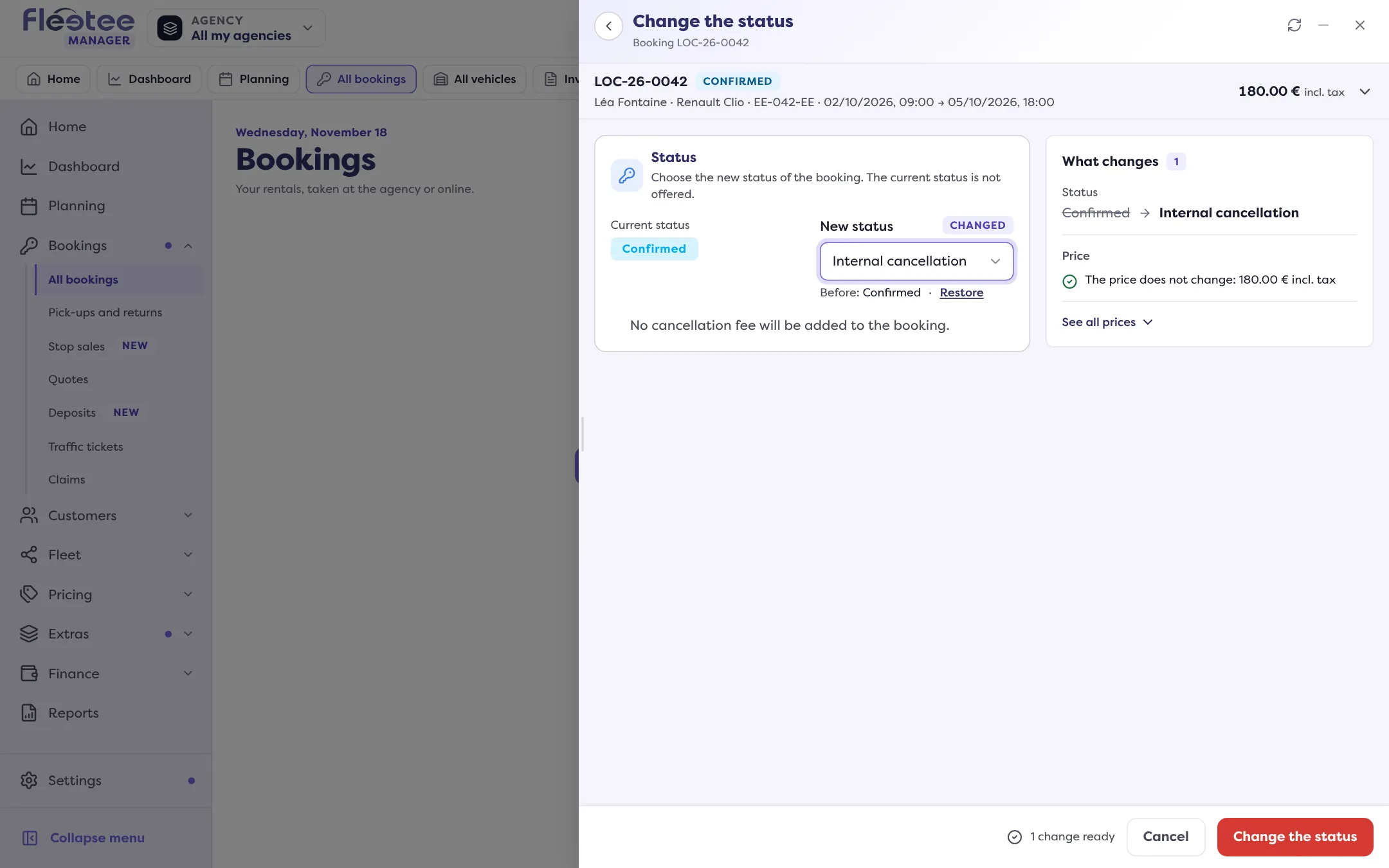
Read “What this changes”
The window says whether cancellation fees will be added to the rental (“Cancellation fees of … will be added to the booking”) or not (“No cancellation fee will be added to the booking”). If the customer has cancellation insurance, it adds that the fees are removed or reduced by a percentage.
For an internal cancellation with payments, choose what they become
A Payments card appears: “There are payments on this booking.”
- “Refund the payments (the balance will be negative)”;
- “Keep the current balance”.
Click “Change the status”
The message “Status changed” confirms it. A line is added to the rental’s Activity.
Who can refund?
Refunding the payments on cancellation is reserved to the administrator and the agency manager. For a rental agent, the window says the current balance is kept. This choice only exists for an Internal cancellation.
Cancellation fees
For Cancelled by renter, Internal cancellation and No-show, the rental can carry cancellation fees. They can be changed afterwards from the pricing card (“Edit the cancellation fees”) and are invoiced with a cancellation fees invoice, not with a rental or balance invoice.
Going back
To reopen a cancelled rental, change its status back to Reserved, Confirmed or Ongoing. If the vehicle has been rented again in the meantime, the page flags it (“The vehicle of this booking is already booked on its dates”) and asks you to confirm before saving.
Cancelling is not deleting
“Delete the booking” (More menu, Danger zone group) removes the rental from the lists and the planning, after a confirmation. Keep it for rentals created by mistake. A quote has its own actions: “Cancel the quote” and “Delete the quote”.
The deposit has its own block on the page: see Return a deposit.
Where to find it: Rental page › “Change the status”
Where to find it: Rental page › “Change the status”
Go further
Updated on 18 November 2026 with version 3.0