

What do the booking statuses mean?
- Manager v3
- Administrator
- Agency manager
- Rental agent
In short. A status says where the rental stands: request, reserved, confirmed, ongoing, completed, or out of play (refused, expired, cancelled, no-show). It is shown in the list and at the top of the page, and changed with “Change the status”.
Every rental has a status. You read it in the Status column of the Bookings › All bookings list and in the badge at the top of the rental page. The status also decides what you can do: the actions offered change with it.
The normal life of a rental
Pending request
A request is waiting for your answer (for example a request that came from the website). The page offers “Accept the request” and “Decline the request”.
Awaiting payment
The rental is accepted and waits for its payment.
Reserved
The rental is reserved. The start button is not offered yet: it appears once the rental is confirmed.
Confirmed
The rental is ready to leave. The page offers “Start”: the check-out inspection, then the departure.
Ongoing
The vehicle has left. The page offers “Close” (the check-in inspection). The start can no longer be changed and the vehicle is replaced with a replacement.
Completed
The rental is over. What is left is to collect the balance (“Collect the balance”) or to invoice (“Invoice”).
A quote has its own status: Quote for the rental it carries, and Pending, Validated, Expired, Cancelled or Refused for the quote itself. See Make a quote for a customer.
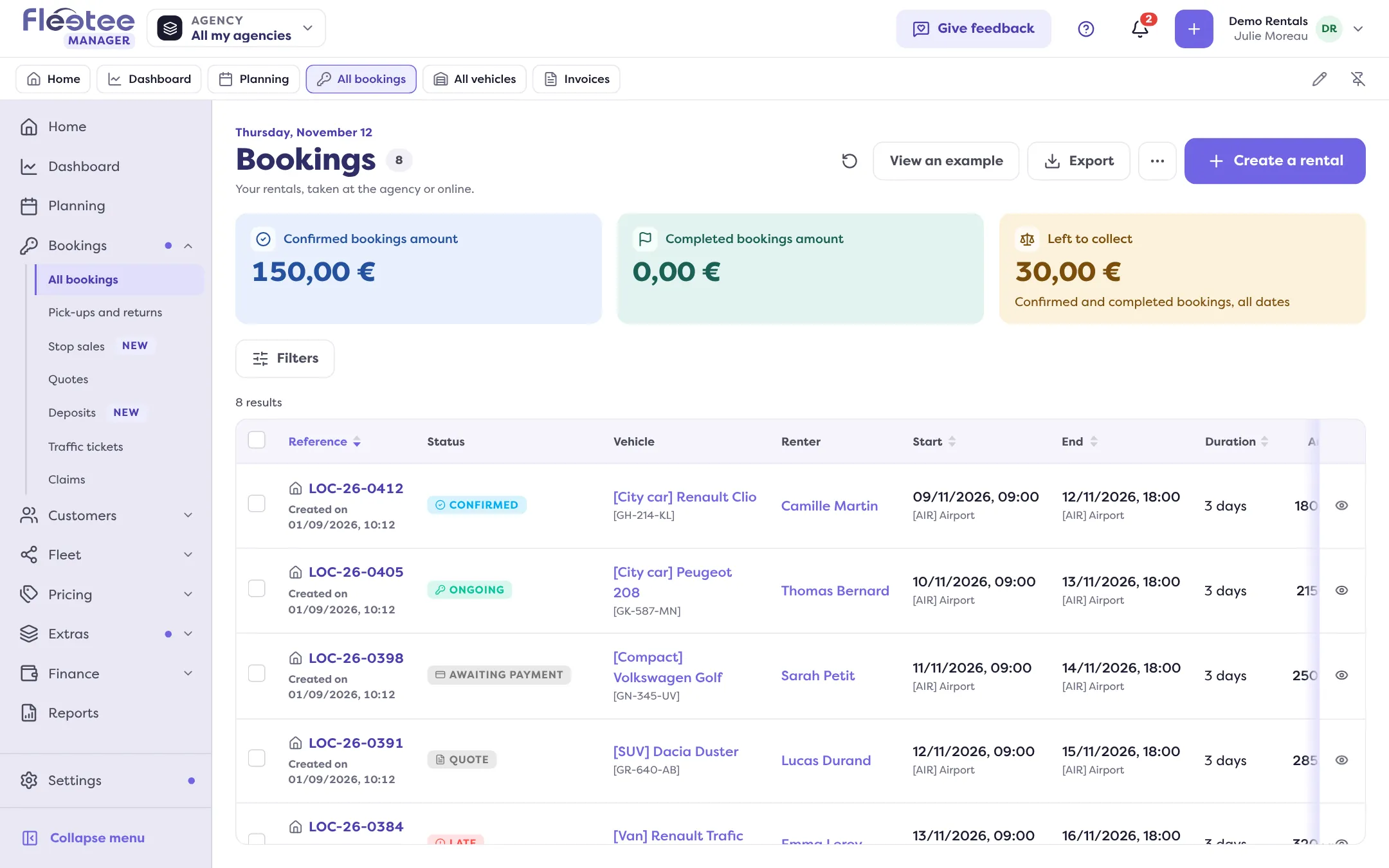
Rentals out of play
- Refused: the request was declined.
- Expired: the booking has expired.
- Cancelled by renter: the customer cancelled.
- Internal cancellation: you cancelled.
- No-show: the customer did not turn up.
- Deleted: the rental is deleted; it disappears from the lists and the planning.
A rental Cancelled by renter, in Internal cancellation or No-show can carry cancellation fees. See Cancel a booking.
A late return or a no-show is not a status you choose: Home (“Late returns”, “No-shows”) and the Planning (“Late departure”, “Late return”) flag it from the dates.
Change the status by hand
On the rental page, the “Change the status” button offers: Pending request, Awaiting payment, Reserved, Confirmed, Ongoing, Completed, Cancelled by renter, Internal cancellation and No-show. The current status is not offered. Before you save, the window states what the change causes. Moving to Ongoing validates the rental contract if it is not validated yet: later changes then go through an amendment.
Go further
Updated on 18 November 2026 with version 3.0