

How do I read a vehicle’s maintenance logbook?
- Manager v3
- Administrator
- Agency manager
- Rental agent
- 0:58
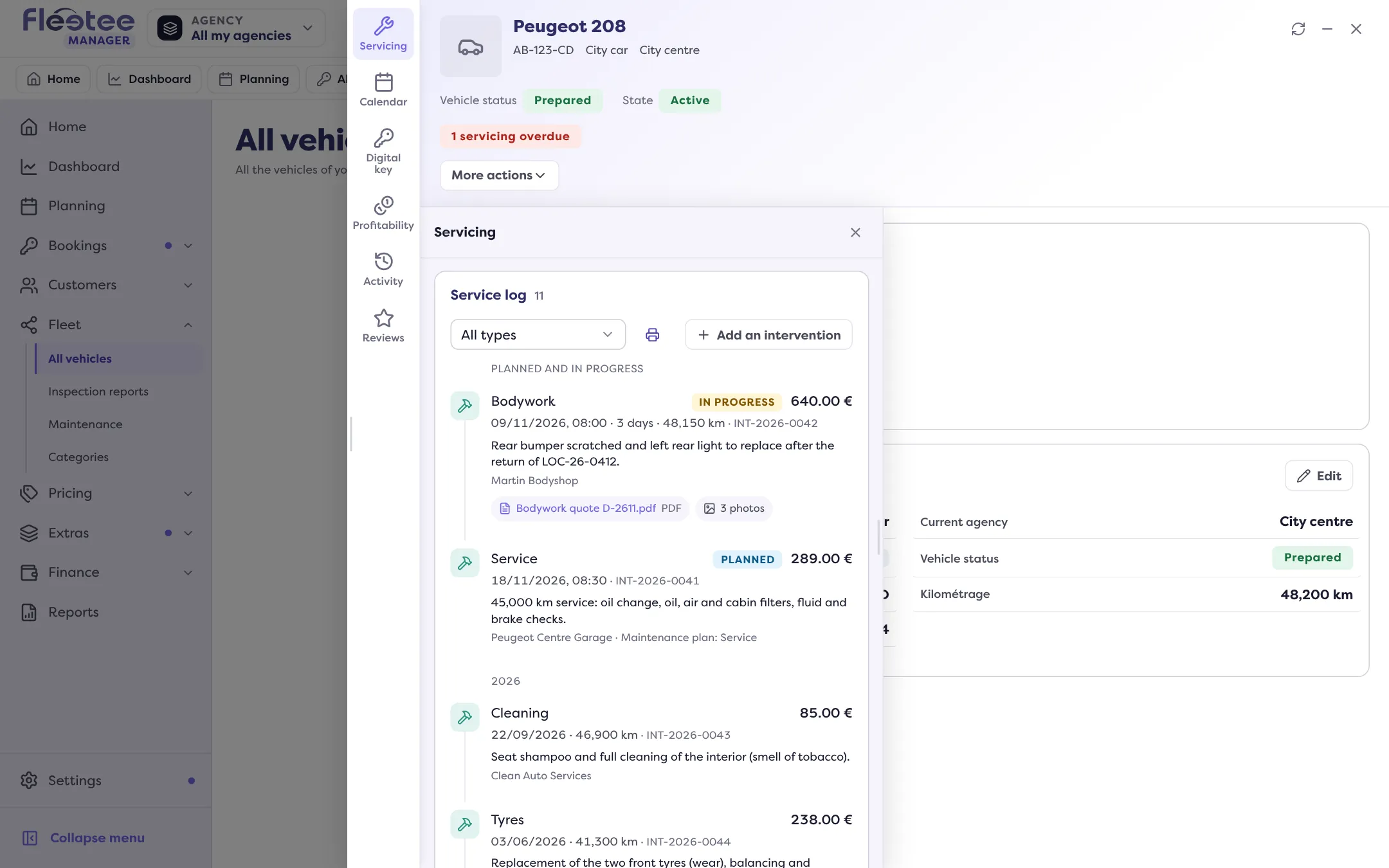
In short. Vehicle file › Servicing › Service log: a timeline of all the vehicle’s interventions, by year, with planned and in-progress ones apart, and for each the date, mileage, garage, cost, documents and photos.
The service log tells a vehicle’s mechanical life: every intervention it has had, from the most recent to the oldest. It is in the Servicing panel of the vehicle’s file, under the due dates.
How it is organised
- “Planned and in progress”: interventions not finished yet, first.
- Then one section per year, from the most recent to the oldest. An intervention with no date goes in “No date”.
- “Show more” loads the rest of a long log.
What each intervention says
One card per intervention:
- its type (or, with no type, its date) and its status: To plan, Planned, In progress, Done or Cancelled (cancelled ones are dimmed);
- the cost, when known;
- the mileage, the duration if over a day, and the reference;
- the garage and, if the intervention comes from a plan, “Maintenance plan: …”;
- the written detail, the attached documents (they open with a click) and the number of photos.
A click on the card opens the intervention. “All types” filters the log on one type of intervention. “Add an intervention” creates one from the log, and “See all interventions” opens the full list. To create an intervention, see Log a repair or service on a vehicle.
What it is for
Knowing what was done and when before renting or reselling, finding a garage invoice, checking the maintenance plan is followed. To hand the log to a buyer, see Print the maintenance log for a buyer.
Where to find it: Vehicle file › Servicing › Service log
Where to find it: Vehicle file › Servicing › Service log
Go further
Updated on 18 November 2026 with version 3.0