

How do I make a vehicle unavailable for a few days?
- Manager v3
- Administrator
- Agency manager
- Rental agent
In short. In Planning, select the days on the vehicle’s row then “Block the calendar”, with a reason. For a repair, an intervention can block the calendar; “Disable” is for a removal with no end date.
A broken-down vehicle, one lent internally or kept for an event must not be offered for rental for a few days. Three tools exist; choose according to the reason.
| Need | Tool |
|---|---|
| A few days, nothing else follows | Block the calendar (below) |
| A repair or servicing | An intervention that blocks the calendar |
| Removal with no end date | Disable the vehicle |
Block a vehicle’s calendar
Open the Planning
Find the vehicle’s row (see How do I read the bookings planning?).
Select the range
Click a date on its row, or drag across several days. A card summarises the range. If a rental or an intervention already uses the vehicle on that range, Fleetee says so and the block is not possible there.
Click “Block the calendar”
The form asks for the vehicle, the start and end dates, and the reason for the block.
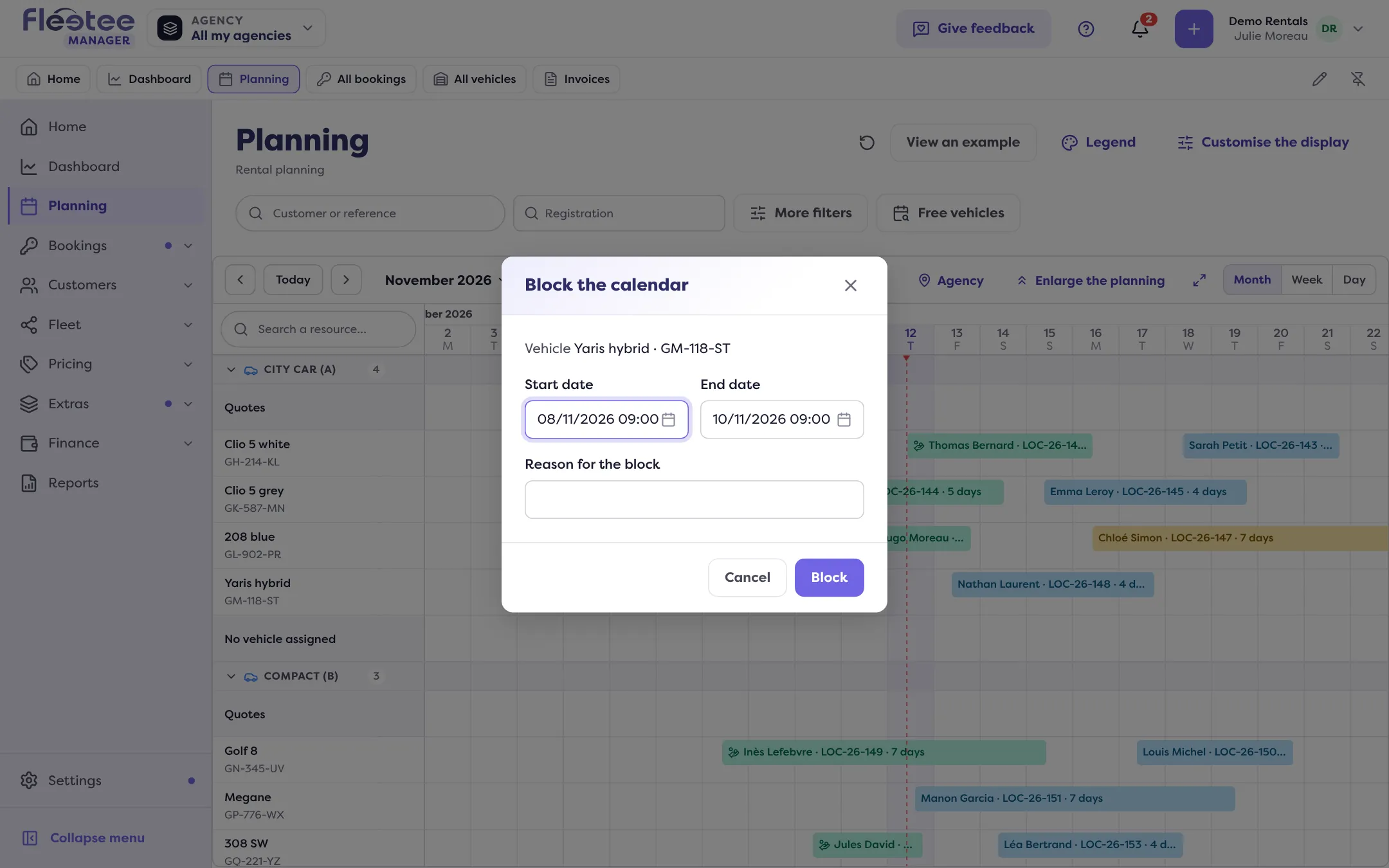
Click “Block”
“Calendar blocked” confirms it. The block shows on the planning and in the Calendar of the vehicle’s file, where it is read only; it is edited from the planning.
Edit or lift a block
Click the block’s bar in the planning: “Edit the block” lets you change the dates and the reason, “Lift the block” removes it (the vehicle is available again, the reason is not kept). On a selected range, “Free the calendar” lifts or shortens the blocks it overlaps, after confirmation.
For a repair: an intervention
In “Add an intervention”, the “Block the vehicle’s calendar” switch prevents renting the vehicle during the intervention; off, the vehicle stays rentable. The block lasts for the downtime. See How do I log a repair or service on a vehicle?.
With no end date: disable
“Disable” (the file’s “More actions” menu) takes the vehicle off rental until you enable it again: its data and history are kept. It is refused while the vehicle is on a rental. See How do I remove a vehicle from my fleet?.
To stop selling a whole category for a period (for example for a closure), use a stop sale: see How do I stop selling a category for a period?.
Where to find it: Planning › vehicle row › “Block the calendar”
Where to find it: Planning › vehicle row › “Block the calendar”
Go further
Updated on 18 November 2026 with version 3.0