

How do I create a vehicle category?
- Manager v3
- Administrator
- Agency manager
- Rental agent
In short. Fleet › Categories: click a usual name to add it in one click, or “New category” to choose its type, name, ACRISS code and default price. Prices are refined afterwards in Pricing › Prices.
A category groups similar vehicles and carries your prices and conditions. Without a category, you cannot add a vehicle (see What is the difference between a type, a category and a vehicle?).
Add a usual category in one click
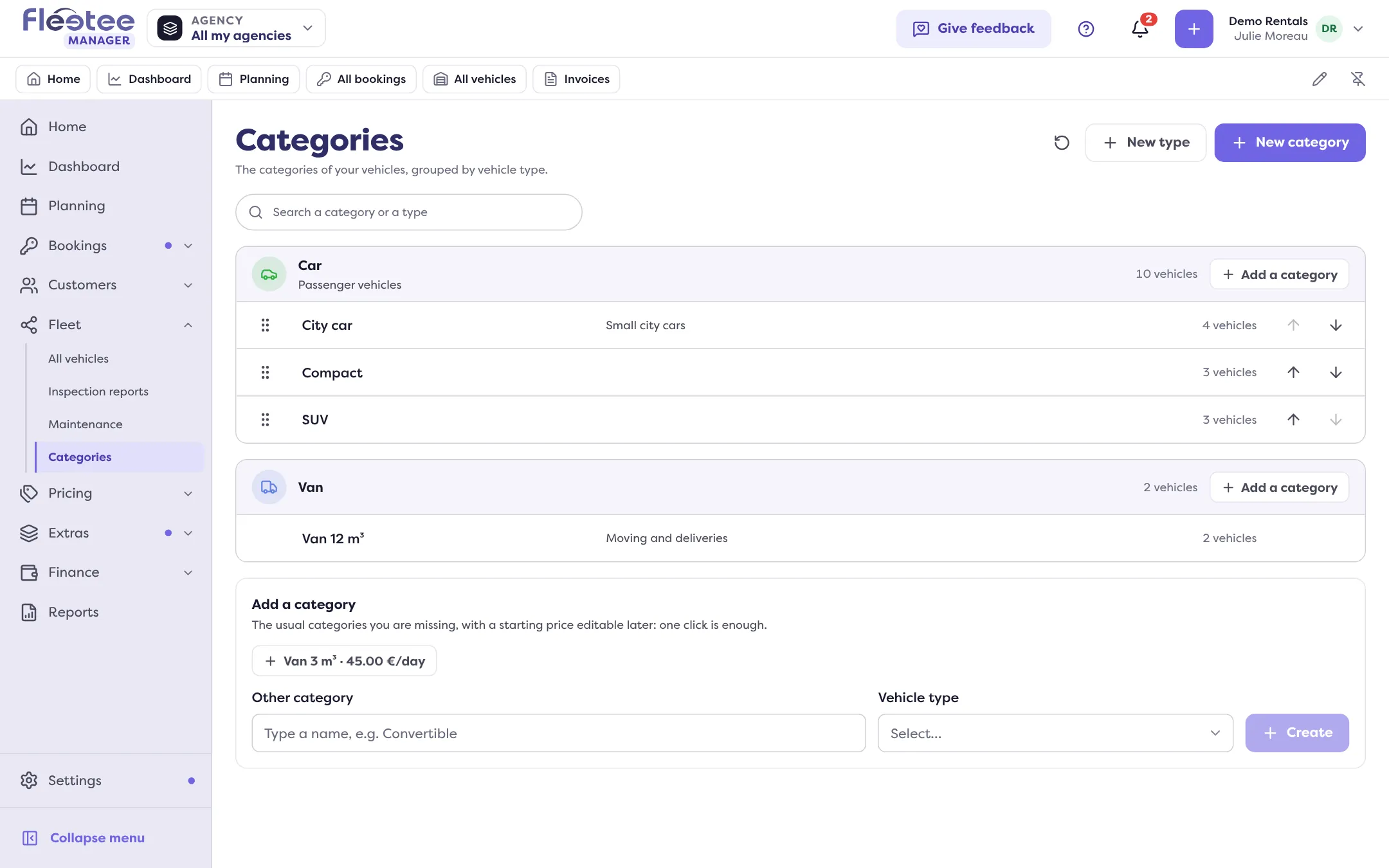
On Fleet › Categories, the “Add a category” block offers the usual categories you are missing, with a starting price per day, shown next to the name. Click one: Fleetee creates it in the chosen type and says “Category “…” added”. The starting price can be changed afterwards. For another category, type its name in “Other category”, choose the type and click “Create”. If the category already exists, Fleetee says so. When it is your first category, a message invites you to it: “Create your first category”.
Create a category with all its settings
Click “New category”
Or “Add a category” in a type’s row: the type is then already chosen. The “New category” panel opens.
Choose the vehicle type
If no type exists yet, create one first (“New type”): only an administrator or an agency manager can, so a rental agent asks one of them.
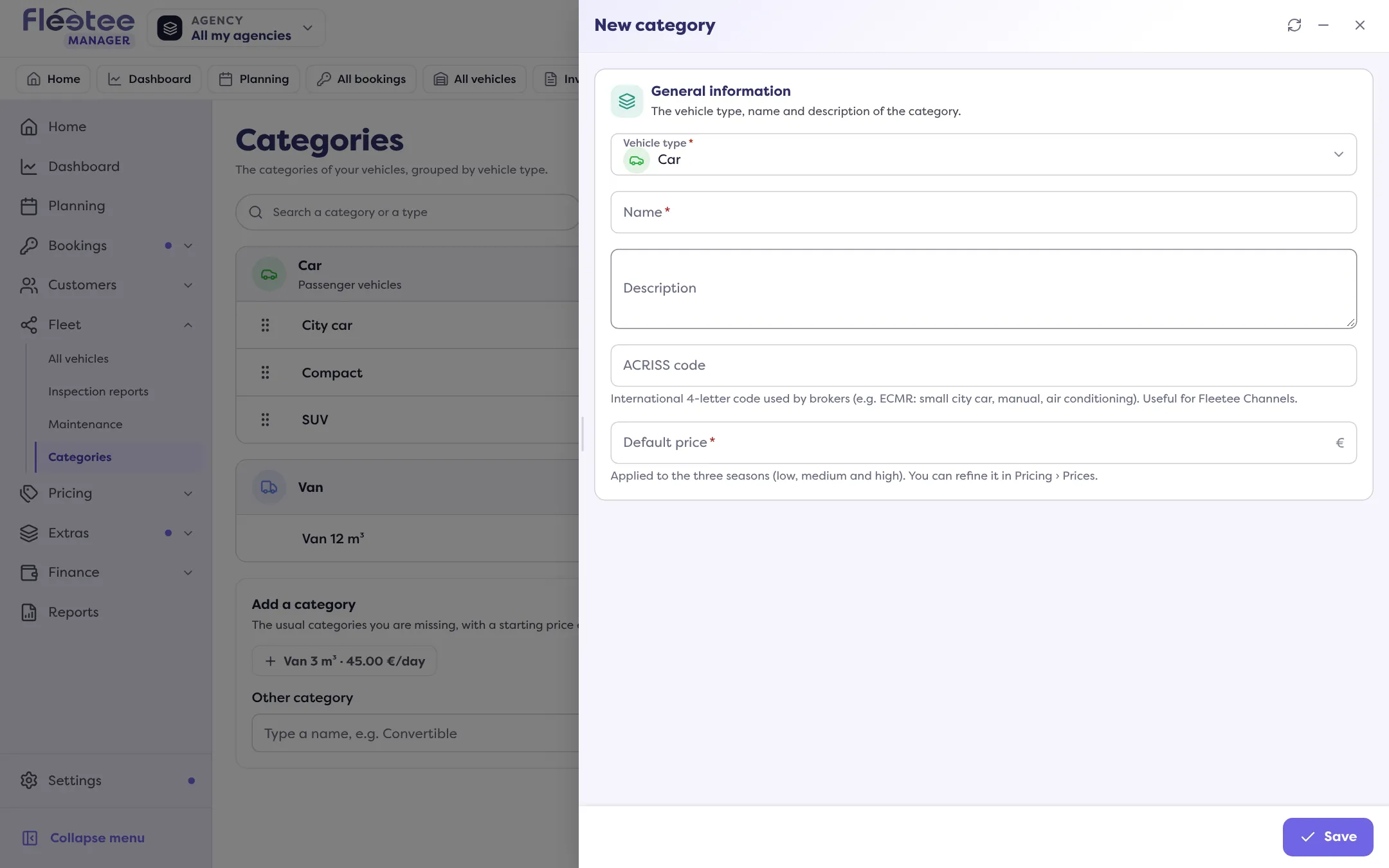
Fill in the name and the description
The name is required. You can add a translation of the name per language.
Add an ACRISS code (optional)
The international 4-letter code brokers use (for example ECMR: small city car, manual, air conditioning). Useful for Fleetee Channels.
Set a default price (optional)
It applies to the three seasons (low, medium and high). You refine it afterwards in Pricing › Prices.
Save
“Category created successfully.” Its prices, rate packages, options, deductibles and deposits, mileage tiers, return fees and packages are set in the pages of the Pricing and Extras menus; the category’s sheet gives the links, under “Where this category is set up”.
Create a type
“New type” asks for a name, a description, whether the type is motorized, a colour and an icon, and the type’s first category (name and default price). A new type always gets its first category when it is created. Creating, changing or deleting a type is reserved to the administrator and the agency managers.
Change the order, rename, delete
- The order: only the administrator can change it, by dragging the categories in the list (outside a search). It is reused in the planning and in the lists.
- Edit a category: click it.
- Delete: “Delete category”. If it contains vehicles, Fleetee asks which category to move them to (“Reassign and delete”). This cannot be undone.
Where to find it: Fleet › Categories › “New category”
Where to find it: Fleet › Categories › “New category”
Go further
Updated on 18 November 2026 with version 3.0