

How do I remove a vehicle from my fleet?
- Manager v3
- Administrator
- Agency manager
In short. In the vehicle’s file, “More actions” menu: “Disable” to take it off rental for now, “Delete” (with a reason) to take it out of the fleet. Both can be undone, and nothing is cancelled automatically.
A vehicle that is sold, wrecked or simply set aside must no longer be offered. Fleetee distinguishes two actions.
| Disable | Delete | |
|---|---|---|
| Effect | The vehicle is no longer offered for rental | The vehicle leaves the fleet and is no longer offered |
| Data | Kept | Its file and history stay readable |
| Undo | “Enable” at any time | “Restore” from its file |
| Reason | No | Required: Wreck, Sale or Other |
Open the vehicle’s file
In Fleet › All vehicles.
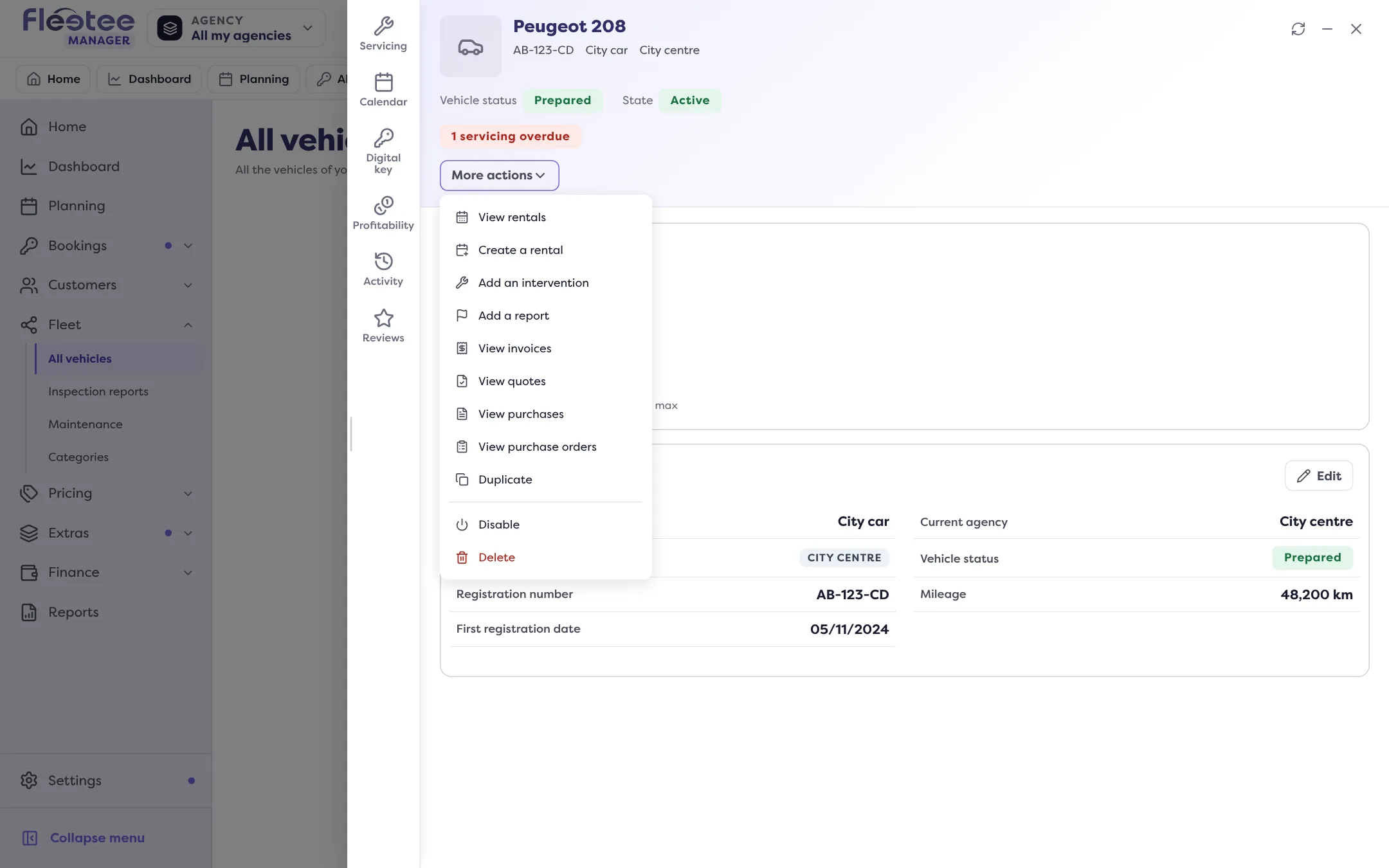
Open the “More actions” menu
It offers “Disable” or “Delete” depending on the vehicle’s state.
Read the check
Fleetee checks the vehicle’s rentals and interventions. If it is rented right now, it can be neither disabled nor deleted while that rental is in progress: the rental is shown with a link. If it has upcoming rentals or interventions, Fleetee lists them: they are not cancelled, they still have to be dealt with, and you must tick “I have seen these commitments and want to continue”.
For a deletion, choose the reason
Wreck, Sale or Other (in that case, specify the reason, 255 characters at most). If you are selling the vehicle, “Sell the vehicle” issues the sale invoice: the disposal is recorded and the vehicle leaves the fleet in one go. Deleting from here issues no invoice and records no price.
Confirm
“The vehicle “…” is disabled.” or “… is deleted. You can restore it from its sheet.”
Go back
- “Enable” a disabled vehicle: it is offered for rental again.
- “Restore” a deleted vehicle: it becomes active again. It is impossible if another vehicle of the company already has the same registration number: change it on the other vehicle first.
A deleted vehicle keeps its file and its history; the reason and the date of deletion show in its header. To make it unavailable for only a few days, see How do I make a vehicle unavailable for a few days?.
Where to find it: Vehicle file › “More actions” › “Disable” or “Delete”
Where to find it: Vehicle file › “More actions” › “Disable” or “Delete”
Go further
Updated on 18 November 2026 with version 3.0