

How do I resend an e-mail or unblock an address?
- Manager v3
- Administrator
- Agency manager
- Rental agent
In short. Customers › E-mails › History: open the e-mail and click “Resend email”, or tick several rows then “Send again”. For a blocked address, Blocked addresses tab: “Put back into service” (administrator).
Every e-mail sent stays in the history, with its content as it left. You can send it again as it is, to the same address or another one.
Send an e-mail again
Find the e-mail in Customers › E-mails › History
Search by “Customer or rental”, or filter by Type, Trigger, Period, Recipient address or Status.
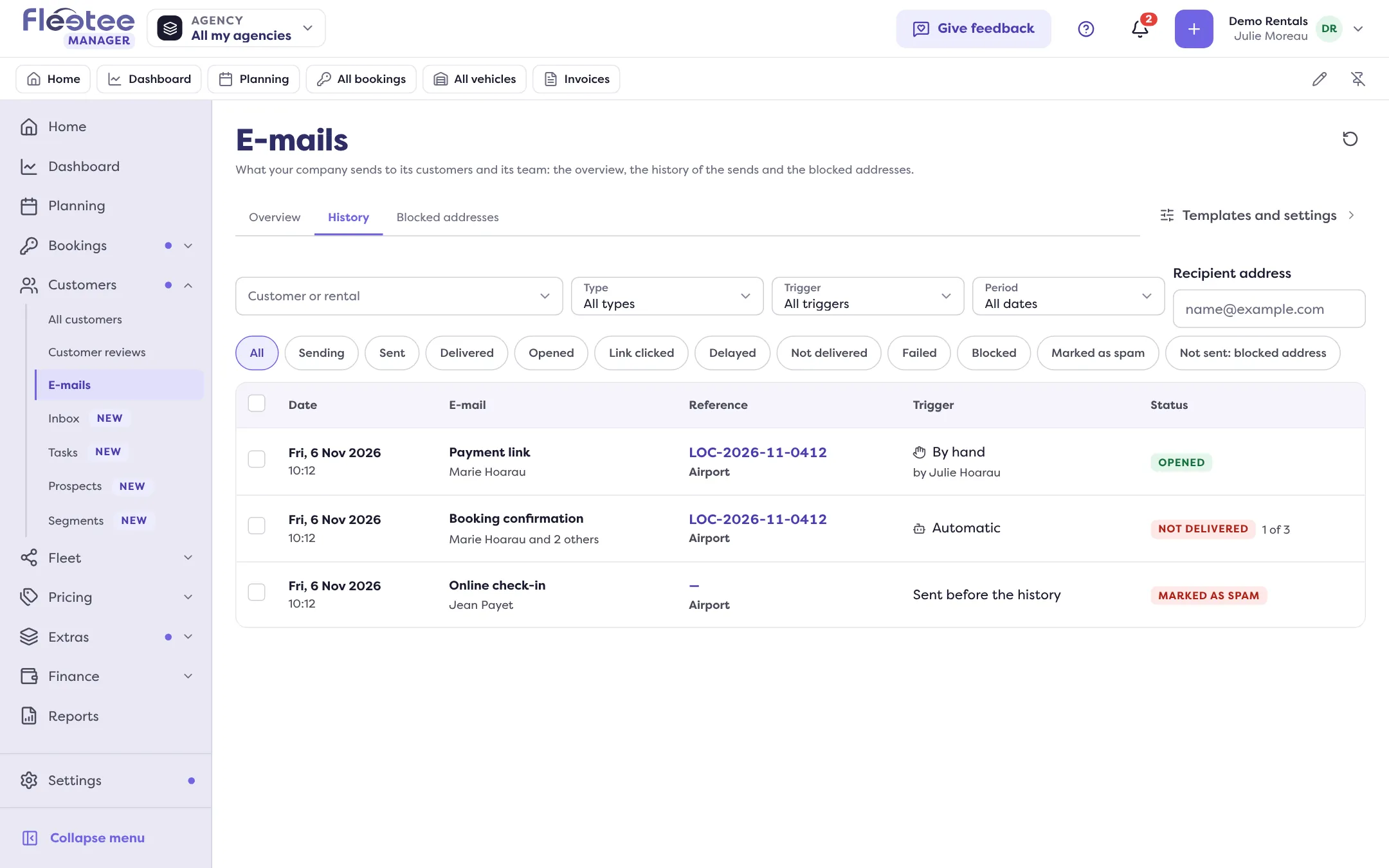
Open it
The detail shows the Preview, the Details (recipient, type, attachments) and the Activity. A booking’s E-mails panel also lists its sends.
Click “Resend email”
A window offers the recipient’s address, which you can correct. Fleetee refuses an empty or malformed address. Confirm with “Resend”: “Email resent”. The resend shows as a new send in the history, and the counter in the detail says “Sent N times”. You need the right to send e-mails.
Send several e-mails again at once
In the history, “Select” brings up tick boxes. Tick the e-mails (100 at most at a time), then “Send again”. Fleetee first counts what can go again (“N e-mails will go again, to N addresses”) and lists those that will not, with the reason. Each address counts for one e-mail of your volume. If e-mails of your company are already being sent again, wait for it to end: nothing goes twice.
Unblock an address
An address is blocked when it does not exist, when its owner marked your e-mails as spam or unsubscribed. Fleetee no longer sends it non-essential e-mails; the ones marked Important in the template list are still tried.
Open Customers › E-mails › Blocked addresses
The list gives the Address, the Reason, Since and the e-mail concerned (“See the e-mail”). Filter by Reason.
Fix the cause first
A non-existent address is corrected on the customer’s file (“Correct the address”). For a simple delivery problem, see My customer says they didn’t get an e-mail: what should I check?.
Tick the addresses and click “Put back into service”
Only an administrator can. For an address that marked an e-mail as spam, Fleetee asks for confirmation: writing to them again may get your next e-mails classed as spam; only put them back if the person asked you to. An unsubscribed address cannot be put back into service: only the person can ask for the e-mails again.
Where to find it: Customers › E-mails › History; Blocked addresses
Where to find it: Customers › E-mails › History; Blocked addresses
Go further
Updated on 18 November 2026 with version 3.0