

How do I receive my usual mailbox’s e-mails in Fleetee?
- Manager v3
- Administrator
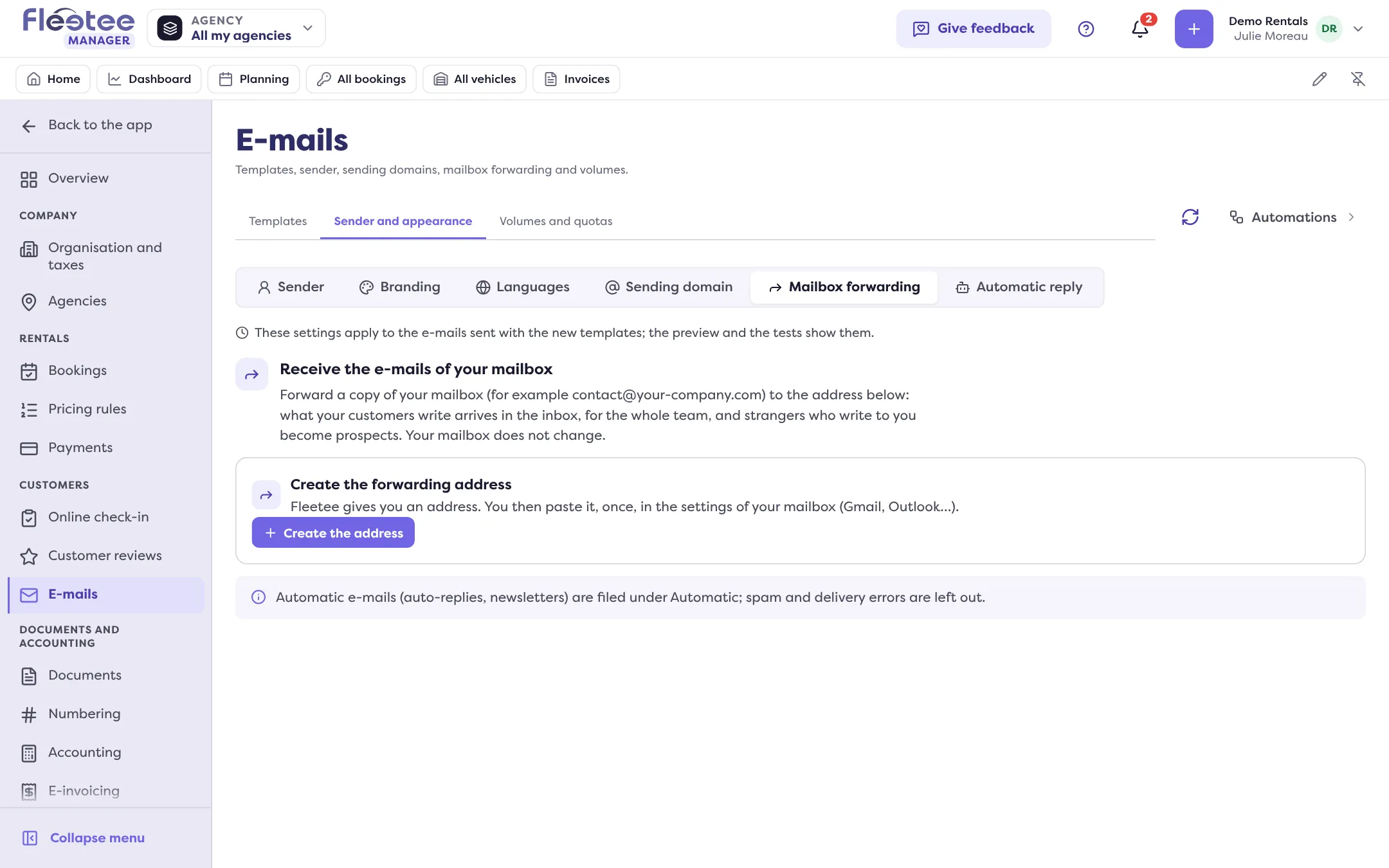
In short. Settings › E-mails › Sender and appearance › Mailbox forwarding: Fleetee creates an address, you forward a copy of your mailbox to it (Gmail, Outlook…). Customers write as before, and their messages arrive in the shared inbox.
Your customers write to contact@your-company.com, not to Fleetee. With mailbox forwarding, a copy of those e-mails also reaches the shared inbox, for the whole team. Unknown people who write to you become prospects. Your mailbox does not change: you keep reading and replying as before.
Only the company administrator manages mailbox forwarding, and the shared inbox must be open for your company. Replies to e-mails sent by Fleetee already reach the inbox, with no forwarding.
Create the forwarding address
In Settings › E-mails › Sender and appearance › Mailbox forwarding, click “Create the address”. Fleetee gives you an address. For an agency’s e-mails to reach that agency’s inbox, give it its own address (“One address per agency”). Copy the address with “Copy”.
Forward a copy from your mailbox
Once, in your mailbox, keeping the original in your inbox. Fleetee details the steps for Gmail / Google Workspace, Outlook / Microsoft 365, OVH and Ionos, or for another mailbox (look for “Forwarding” or “Redirection”).
Confirm with Gmail
Gmail sends a confirmation message to Fleetee’s address: it shows on the page (“Gmail asks for a confirmation”). Open the confirmation link, or type the code in Gmail. Outlook asks for nothing. This step is done only once.
Test the forwarding
Enter your mailbox’s address, then click “Test my forwarding”. Fleetee says “Forwarding works” when the test came back; “Not back yet: check the forwarding in your mailbox” otherwise.
What Fleetee does with the e-mails received
The Today card sums up the day: e-mails filed with a customer, from a new prospect, filed under Automatic, or left out. “See details” lists each e-mail with the reason.
- A message from a known customer is filed in their conversation.
- An unknown person becomes a prospect.
- Automatic e-mails (auto-replies, newsletters) are filed under Automatic; spam and delivery error messages are left out and nothing is kept. Messages written from your own address, by someone on your team, or from a “do not reply” address are left out too.
- Fleetee keeps at most 2,000 e-mails from people per day; beyond that, they are left out.
Monitor and renew
The page shows the state: Waiting for the first e-mail, Checked on …, or Nothing since …. With no e-mail for more than a week, Fleetee warns you: the forwarding rule may have been removed or expired in your mailbox.
“Renew the address” creates a new address: the old one keeps working 7 days, the time to change the address in your mailbox, then its e-mails are no longer received.
Where to find it: Settings › E-mails › Sender and appearance › Mailbox forwarding
Where to find it: Settings › E-mails › Sender and appearance › Mailbox forwarding
Go further
Updated on 18 November 2026 with version 3.0