

What is a contract amendment and when does Fleetee create one?
- Manager v3
- Administrator
- Agency manager
- Rental agent
In short. An amendment is the document that records the changes made to a booking after the contract was validated. It is generated when you validate it or the customer signs it; it reuses the main contract’s template, which you do not choose.
Once the rental contract is validated, it no longer changes: it has its number and its date. If the booking changes afterwards, those changes are not slipped into the contract. They are recorded in an amendment.
When is an amendment needed?
As soon as the main contract is validated and you change the booking. Fleetee keeps the list of those changes, which appear in the booking’s Activity: change of dates, options, vehicle (or replacement), customer, drivers, price list, deductible, package, mileage tier, discount, deposit, amount, adding a payment, “Other changes”.
While the contract is a draft (not yet validated), none of this applies: the contract simply updates.
How to spot it
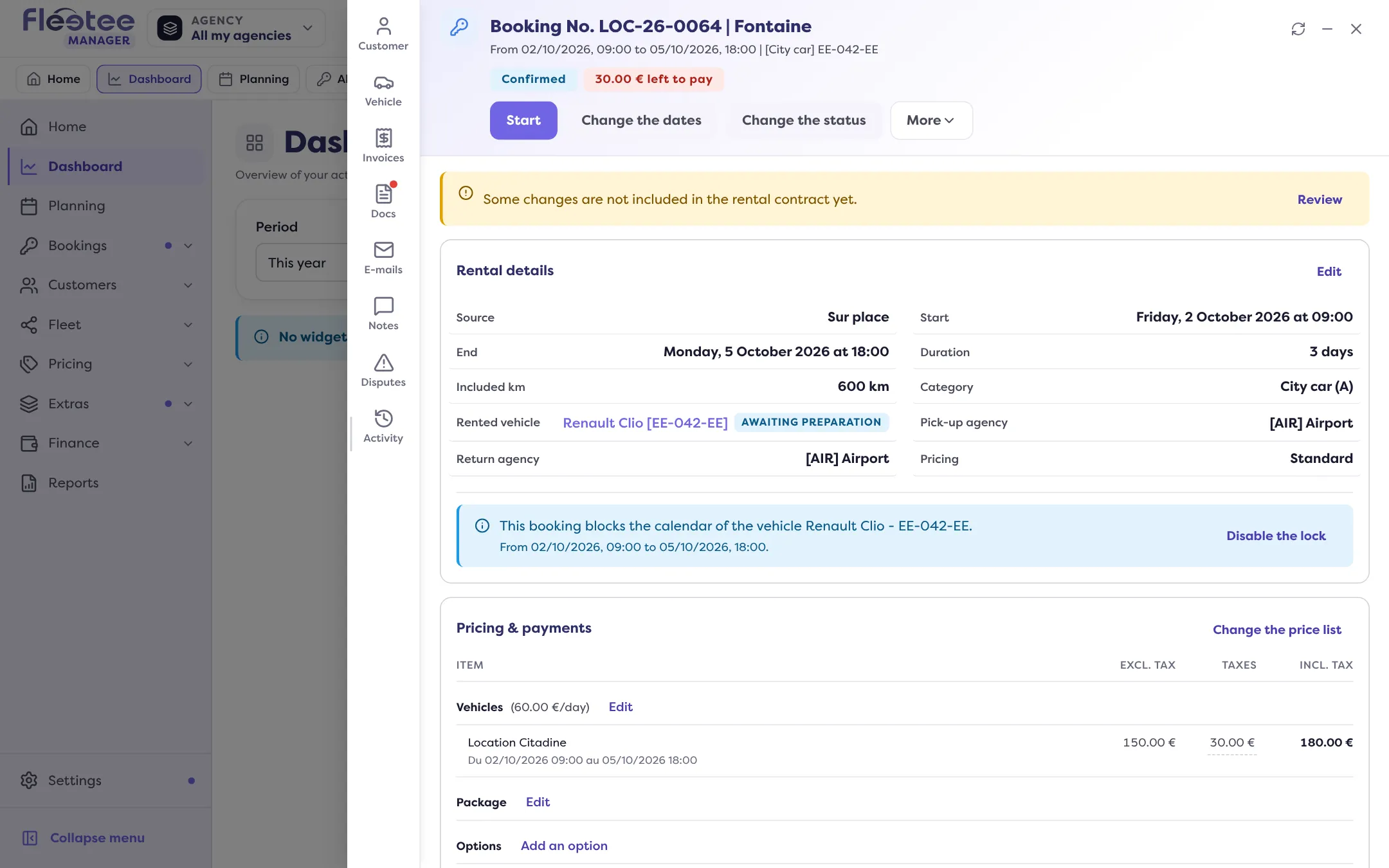
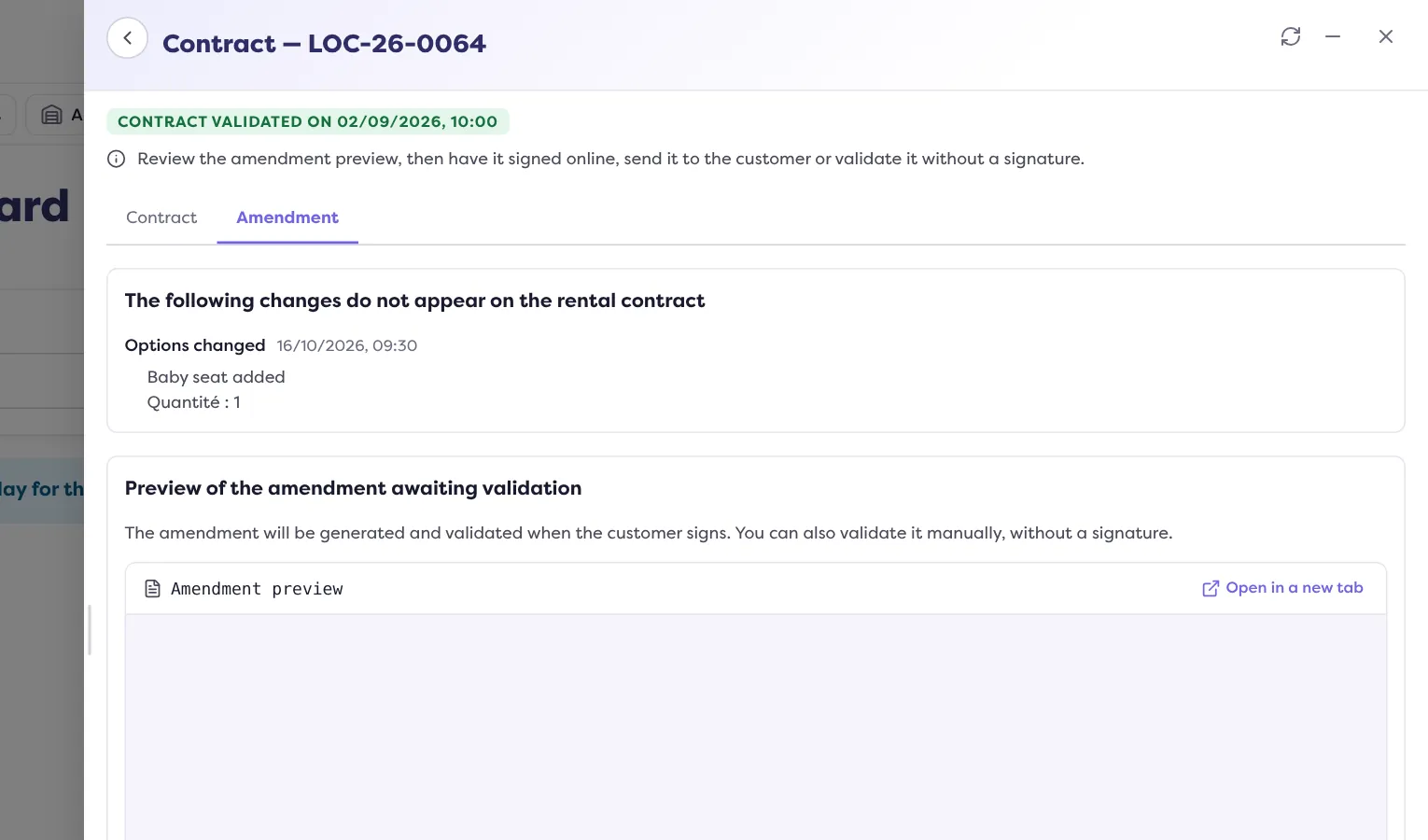
In the booking file, a banner says “Some changes are not included in the rental contract yet.” The “Review” button opens the contract on the Amendment tab. The tab lists “The following changes do not appear on the rental contract” (type, date, content) and shows the “Preview of the amendment awaiting validation”. The tab only exists if there are changes to carry over.
How to generate it
The amendment is only generated when you validate it or the customer signs it:
- “Validate the changes and generate the amendment”: “Sign online” (the customer signs on the spot or on their own device) or “Validate without signature”;
- “Send the amendment for signature”: the customer receives an e-mail “Rental contract amendment signature” with the link to the signing page.
Both actions only exist with a validated main contract. Validating without a signature is final: “the amendment gets its number, it is digitally signed by Fleetee and dated now”. Once validated, the amendment is added to the contract PDF: “Send to the customer” offers each amendment among the pages to include.
Its number and its template
- Number: the main contract’s, followed by a sequence number.
- Template: you do not choose an amendment’s template. It reuses the main contract’s, as it was when issued. Editing, deactivating or deleting a template later therefore changes neither a contract nor an amendment already issued. See Why isn’t my document template applied?.
Several amendments
Each series of changes, after each validation, gives a new amendment. They follow one another in the contract window, with their reference and date.
To have the amendment signed at the counter, see How do I get a document signed at the counter?. For what the customer sees: What does my customer see when signing online?.
Where to find it: Booking file › “Review” banner › Amendment tab
Where to find it: Booking file › “Review” banner › Amendment tab