

How do I issue my documents in English?
- Manager v3
- Administrator
In short. Turn on English in Settings › Documents › “Languages and numbering”, create a template in that language, then a rule “Customer language is English” so Fleetee picks it by itself.
Fleetee offers documents in French and English. French is the main language and is always on. Each template covers one language: for documents in English, you need a template in English.
Turn on English
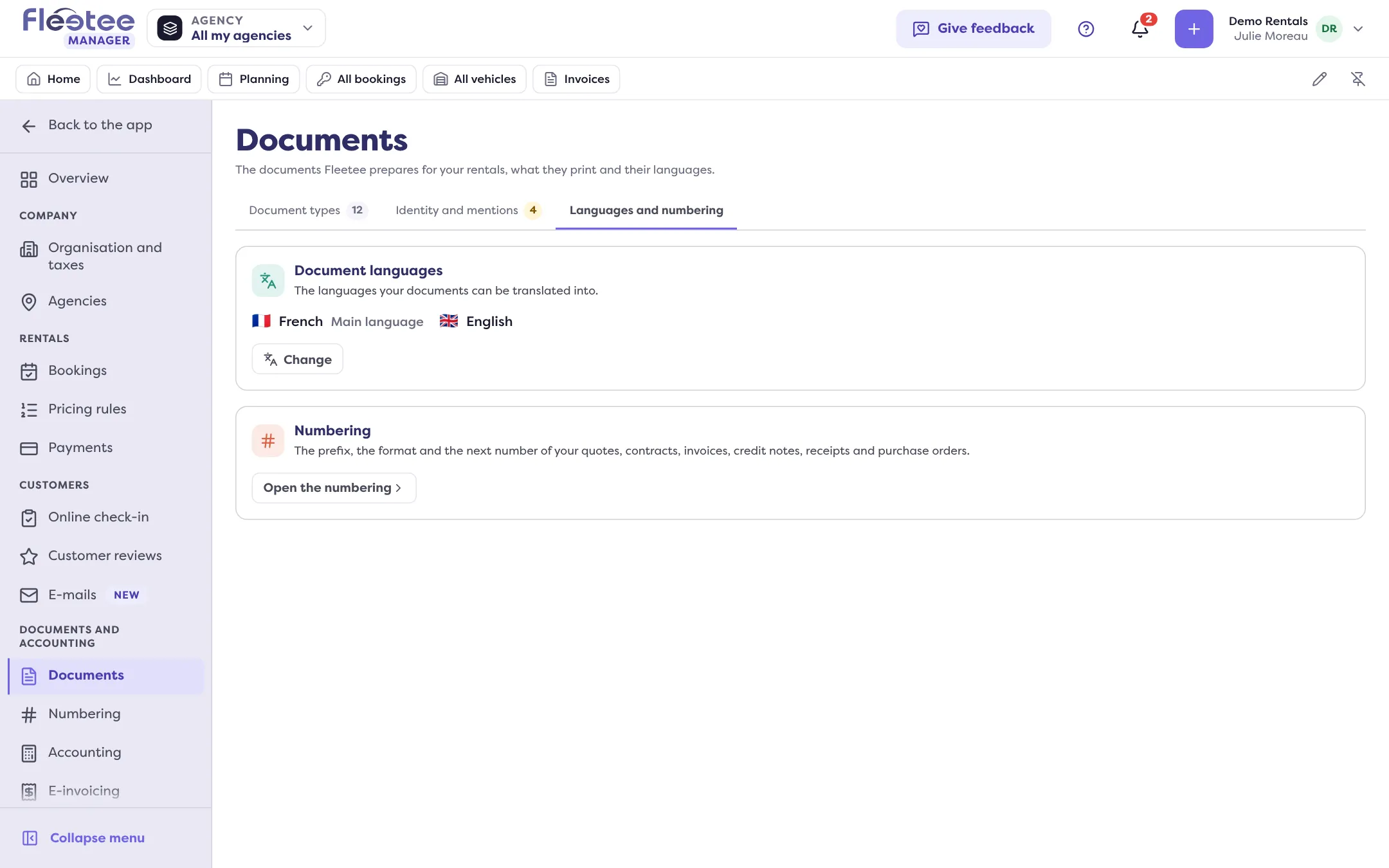
In Settings › Documents, “Languages and numbering” tab, the “Document languages” card lists the languages. Click “Change” and tick English. The choice saves by itself (“Saving…”, then “Saved”). It is a company setting: you change it with “All my agencies”.
Create a template in English
“Document types” tab, the card of the type (contract, invoice…), “Templates” tab, “Create a template”. At the “General” step, choose the template’s Language. Titles, labels and texts you do not change follow the template’s language; the ones you changed stay as they are.
Translate your product names
Once a second language is on, translation fields appear in the forms of options, products and excesses: enter the English name there.
Have the template picked automatically
In the “Template choice” tab, create a rule whose condition is “Customer language” is “English”, with that template. The customer’s language is set on their record (“Language” field); Fleetee suggests it from the phone dialling code or the country.
Step by step for the rule: How do I use a different document template per agency or case?.
Good to know
- A document already issued (validated contract, validated invoice) keeps its language: a new template or translation does not change it.
- You can also pick the template by hand in the preview, before validating.
- The Manager screen language is chosen separately: see How do I change the language and the word used for my vehicles?.
Where to find it: Settings › Documents › “Languages and numbering” › “Document languages” › “Change”
Where to find it: Settings › Documents › “Languages and numbering” › “Document languages” › “Change”