

How do I stop selling a category for a period?
- Manager v3
- Administrator
- Agency manager
- 1:02
In short. A stop sale stops selling a category, a rate plan or an agency for a period, on the website and the API. Rentals already booked do not change. Bookings › Stop sales › “New stop sales”.
A stop sale stops selling a category, a rate plan or an agency for a period, on your booking website and on the API. Rentals already booked stay as they are. It is a new feature of Manager v3, with no equivalent in the previous version.
Create a stop sale
Open Bookings › Stop sales
The Stop sales entry is in the Bookings menu.
Click “New stop sales”
The creation form opens.
Choose what you stop selling, and when
Enter the period, then the categories, agencies or rate plans concerned.
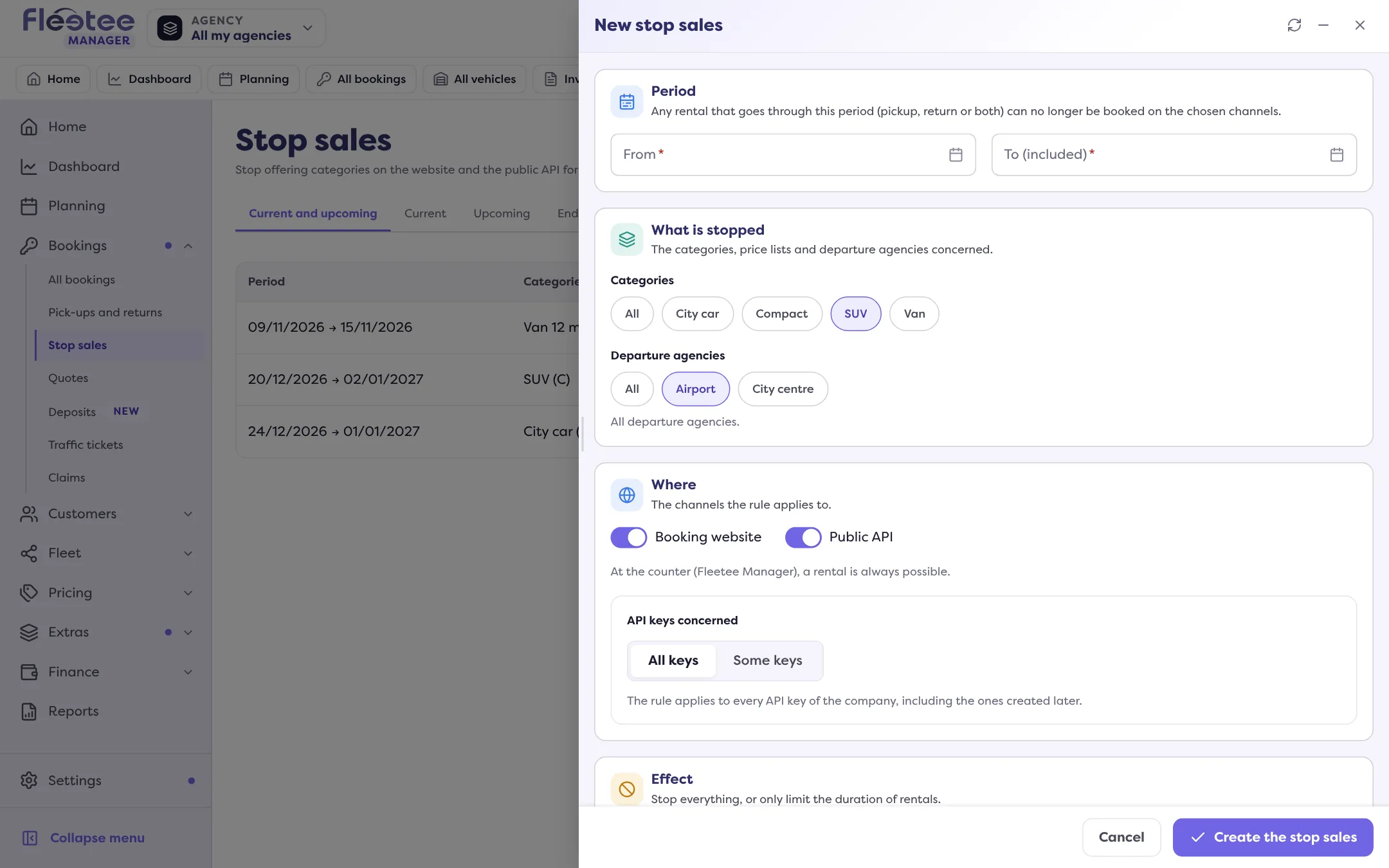
Save
The “Stop sales created” message confirms it. The stop sale shows up in the list.
Follow your stop sales
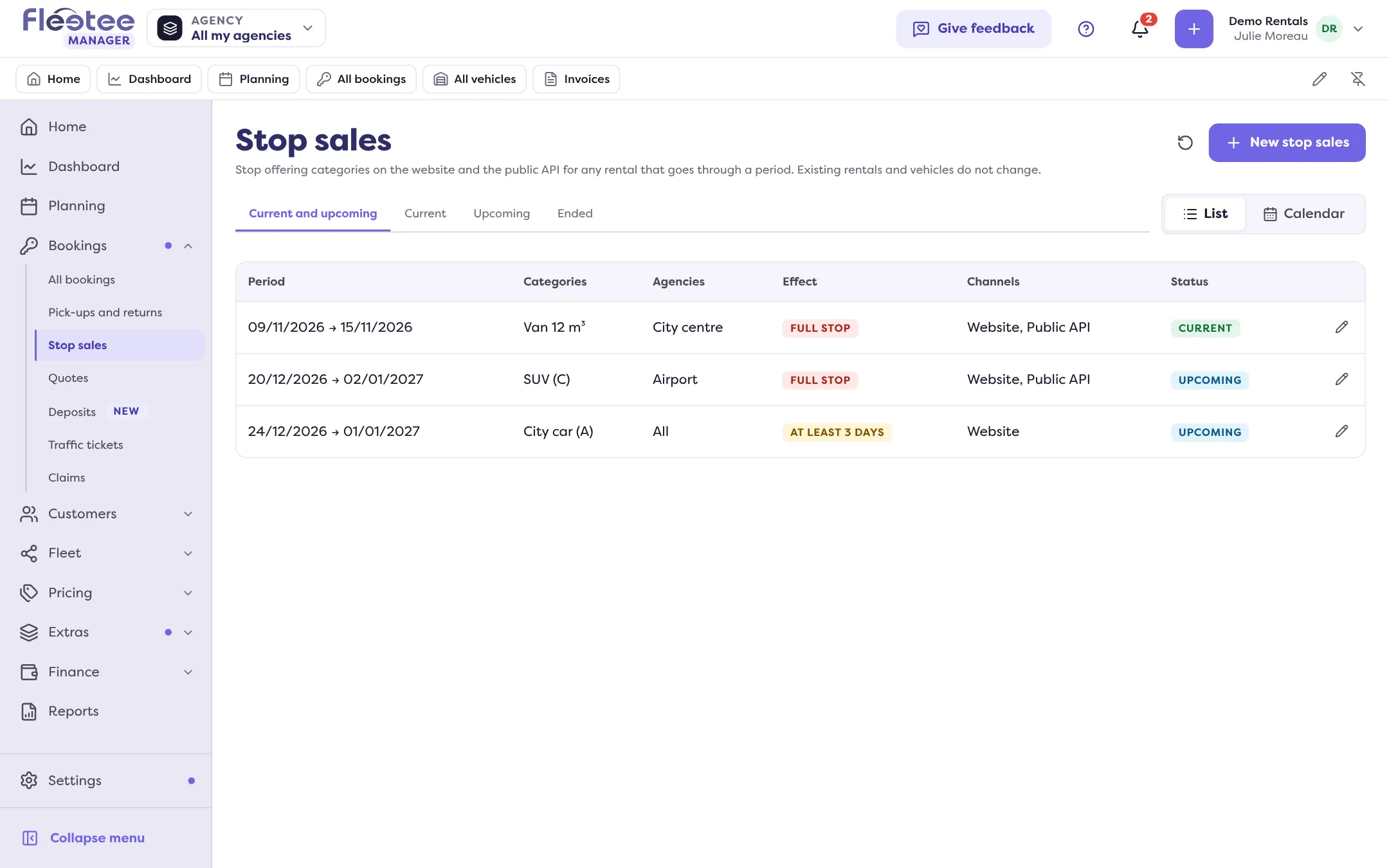
The Stop sales list can be read as a List or a Calendar. Its tabs sort the stop sales: Current and upcoming, Current, Upcoming and Ended.
For each stop sale, the list shows the period, categories, agencies, rate plans, effect, channels and status.
A stop sale does not touch rentals already booked: it only prevents new sales during the period.
Where to find it: Bookings › Stop sales › “New stop sales”
Go further
Updated on 18 November 2026 with version 3.0